
Marketing has always rewarded whoever had the best information and could act on it fastest. In 2026, that advantage belongs to teams using AI.
88% of marketers now use AI in their day-to-day roles, and the gap between teams that do and teams that don’t is widening every quarter.
But the shift goes deeper than automation. A few years ago, AI in marketing meant scheduling posts or A/B testing subject lines.
Today it means generating entire quiz funnels from a single prompt, tracking where your brand appears in ChatGPT and Perplexity, enriching thousands of leads with AI research agents, and editing video by deleting sentences from a transcript.
The category has expanded faster than most marketing teams have had time to evaluate it.
That’s what this list is for. We’ve pulled together 37 AI marketing tools that are actually being used by performance marketers, media buyers, and agencies in 2026, covering everything from landing page builders with AI and ad creatives to lead enrichment, AI search visibility, video production, and workflow automation.
Each tool is covered with real pricing, honest pros and cons, and a clear picture of who it’s actually built for, so you can cut through the noise and find what fits your stack.
What Are AI Marketing Tools?
Imagine, for a moment, that you had a very smart assistant who never gets tired, never misses a detail, and has the ability to think about all sorts of information and data in enormous amounts, and in seconds. In reality, that is what these AI Marketing tools do – help you market smarter and faster.
In essence, these tools analyze your data, reach conclusions, and discover patterns that you or others would take weeks to find on your own, all while you relax or sleep.
These include technologies such as machine learning (the ability to be more intelligent), natural language processing (the ability to read and write like a human), and predictive analytics (the ability to predict).
The differences in AI and simple marketing automation are in the fact that AI learns and adapts, while classic marketing automation flows the same way every time. In fact, you can think of AI like a chef that can taste and alter the recipe based on the results!
37 essential AI platforms you should know
| # | Tool | Category |
|---|---|---|
| 1 | LanderLab | AI Landing pages & quiz funnels |
| 2 | ZeroRank | AI search visibility |
| 3 | Jasper AI | Copywriting |
| 4 | Claude AI | Advanced AI assistance |
| 5 | Surfer SEO | Content optimization |
| 6 | Keyword Insights | Keyword research |
| 7 | Google Nano Banana | AI image generation & editing |
| 8 | Originality AI | Content authenticity checking |
| 9 | Hemingway App | Readability & clarity editing |
| 10 | Canva AI | Quick design |
| 11 | Lexica Art | Realistic AI images |
| 12 | Sprout Social | Social media insights |
| 13 | Loomly | Content calendars |
| 14 | Seventh Sense | Email send-time optimization |
| 15 | Reply.io | Sales outreach |
| 16 | Hoppy Copy | Email copywriting |
| 17 | Gumloop | AI workflow automation |
| 18 | Zapier | Automations |
| 19 | Salesforce Einstein | CRM insights |
| 20 | HubSpot AI Tools | Marketing automation |
| 21 | Google Analytics Intelligence | Analytics |
| 22 | Mixpanel | Product analytics |
| 23 | Intercom | Customer support |
| 24 | Albert.ai | Autonomous digital ads |
| 25 | Smartly.io | Ad optimization |
| 26 | Grammarly Business | Content editing |
| 27 | Synthesia | AI avatar videos |
| 28 | Murf AI | Voiceovers |
| 29 | Pictory AI | Text to video |
| 30 | Influencity | Influencer marketing |
| 31 | Semrush AI SEO Toolkit | AI presence tracking |
| 32 | beehiiv | Newsletter marketing & monetization |
| 33 | AdCreative.ai | AI ad creatives |
| 34 | HeyGen | AI avatar videos |
| 35 | Clay | Lead enrichment & GTM automation |
| 36 | Descript | AI video & podcast editing |
| 37 | ClickUp AI | AI-powered project & workflow management |
1. LanderLab – (for landing pages)
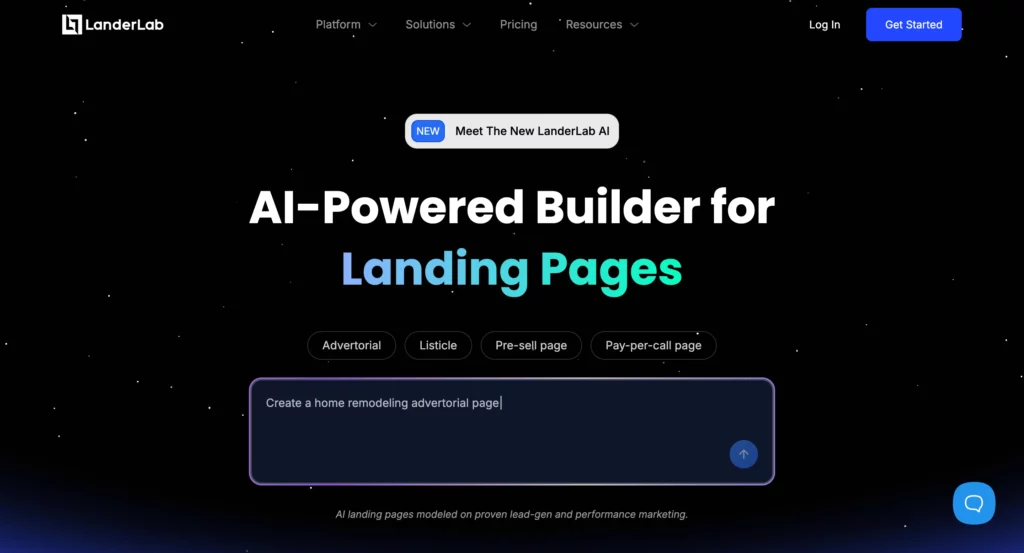
LanderLab is an AI-powered landing page and quiz funnel builder built for performance marketers who need to move fast.
The platform’s standout feature is its AI Quiz Maker: describe your funnel, and it generates a complete multi-step quiz, including questions, logic branches, and lead capture, from a single prompt. No manual setup, no starting from scratch.
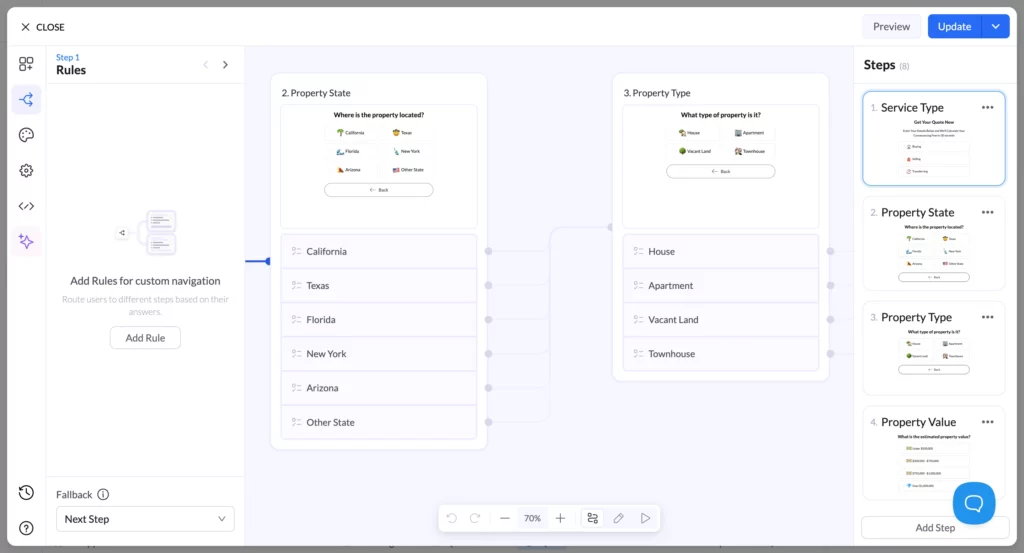
What sets LanderLab apart from a basic page builder is its Advanced Conditional Logic.
You can route leads down different paths based on their quiz answers, show or hide page elements based on their responses, and connect directly to lead distribution platforms such as Phonexa, LeadsPedia, and LeadProsper.
Combined with the visual Flow Map View, you can see your entire quiz funnel structure at a glance and edit branching paths without losing track of the logic.
On the landing page side, LanderLab’s built-in AI generates copy and images, removes backgrounds, and handles translation, all without leaving the builder.

You can also import any live page by URL, ZIP, or spy tool export and run A/B tests across variants to find what converts.
For lead generation specifically, multi-step quiz funnels built in LanderLab consistently outperform basic opt-in forms, with opt-in rates up to 55% higher than single-step alternatives.
The platform is built specifically for that use case, making it the go-to choice for affiliate marketers and performance-focused agencies.
LanderLab Ratings & Reviews:
- TrustPilot: ⭐ 4.3/5 (9 reviews)
LanderLab Pros:
LanderLab Pros:
- AI Quiz Maker generates complete multi-step quiz funnels from a single prompt, including questions, logic, and lead capture.
- Advanced Conditional Logic routes leads to different paths and pages based on their answers, with native integrations to Phonexa, LeadsPedia, and LeadProsper.
- AI Lead Insights analyzes incoming lead data and surfaces patterns across your funnel, so you can spot what’s working and cut what isn’t without digging through raw data.
- Flow Map View gives you a visual overview of your entire funnel so you can edit branching logic without getting lost.
- Import any page from URL, ZIP, or spy tools, and it lets you duplicate and iterate on landing pages instantly without manual rebuilding.
- A/B Testing lets you compare page variants and identify what actually converts.
- Dedicated human support ensures expert help is available for setup and optimization.
LanderLab Cons:
- Pricing is better suited for agencies and teams running multiple campaigns than for solo marketers testing the waters with a single funnel.
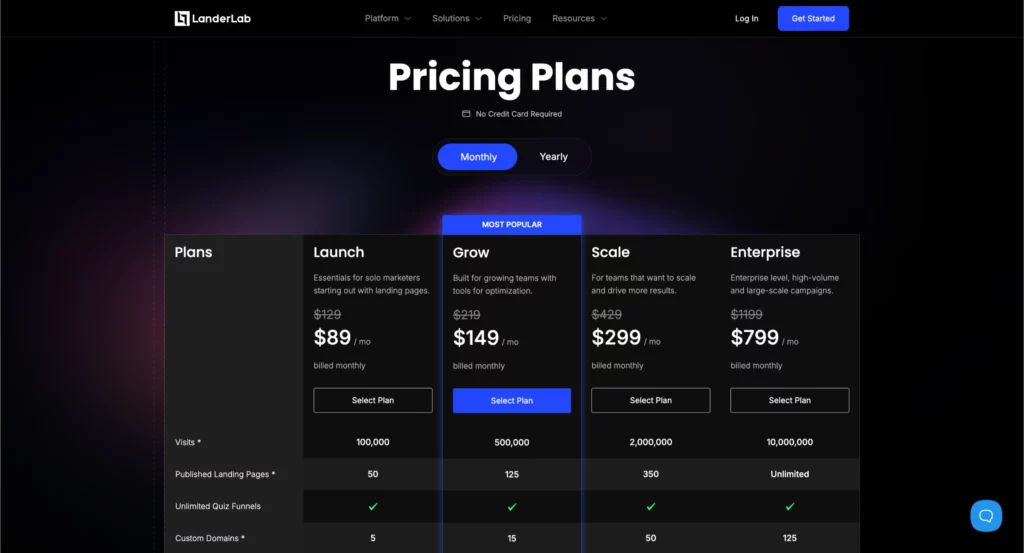
LanderLab Pricing:
Build Smarter Landing Pages
Import any page, build AI-powered landing pages & quiz funnels with advanced conditional logic, and run A/B tests inside LanderLab. Start optimizing today with tools built for performance marketers.
2. ZeroRank – (for AI search visibility)
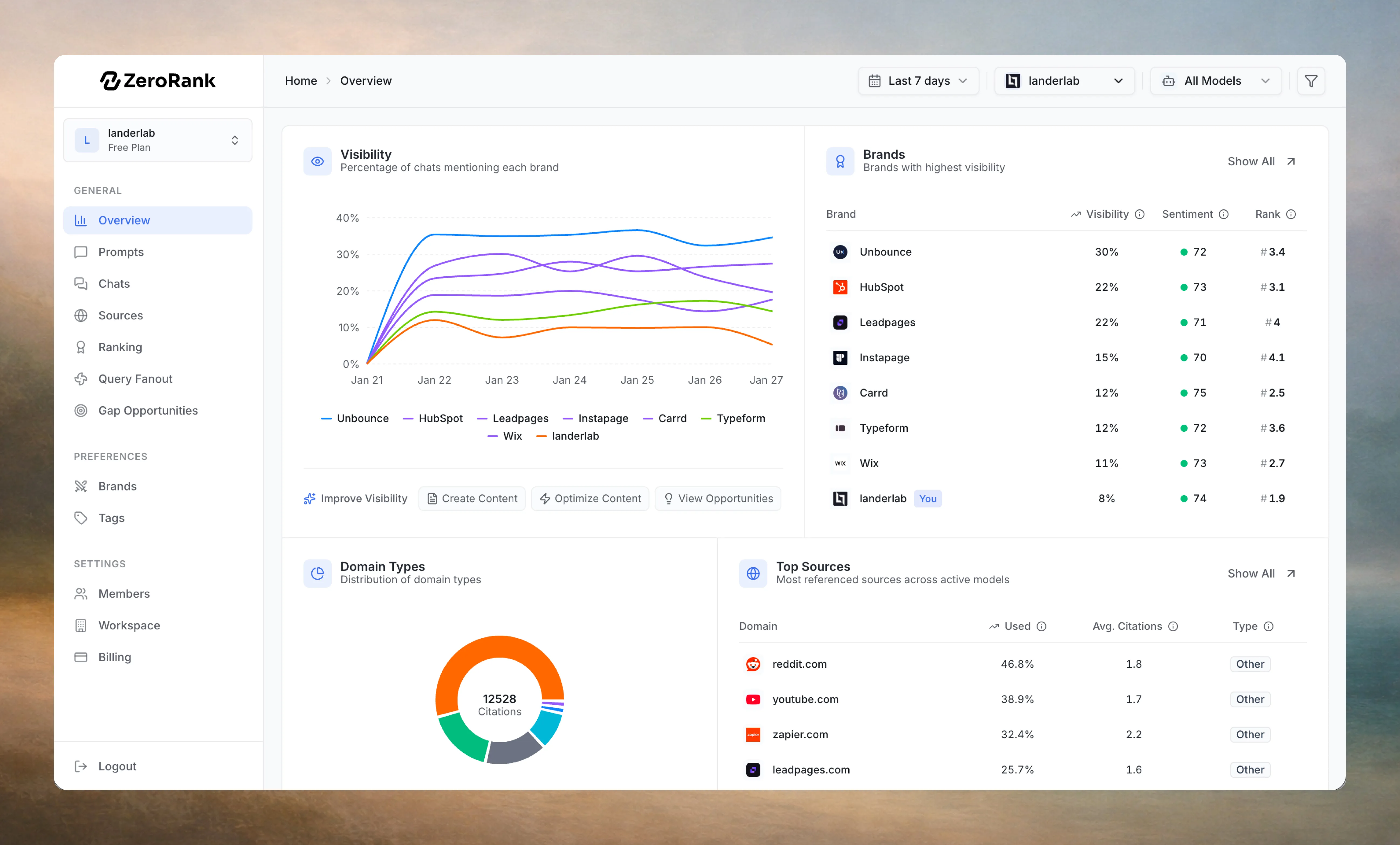
ZeroRank is an AI search visibility platform that tracks where your brand appears across ChatGPT, Perplexity, Gemini, Google AI Mode, Grok, and Bing Copilot.
As more buyers skip Google entirely and go straight to AI for recommendations, showing up in those answers is becoming as important as ranking on page one.
ZeroRank tells you exactly where you appear, how your brand is described, and where competitors are getting recommended instead of you.
The platform works by running your tracked prompts across AI models daily, monitoring mentions, sentiment, citation sources, and ranking position all in one dashboard.
A standout feature is Gap Opportunities, which surfaces high-intent prompts where competitors are already being recommended and you aren’t. That makes it less a reporting tool and more an actionable roadmap to improve your AI presence before the gap widens.
Setup takes under two minutes: add your brand, your competitors, and the prompts you want to track. From there, ZeroRank runs automatically and delivers structured weekly visibility reports so you’re not spending hours manually testing prompts across different AI platforms.
ZeroRank Ratings & Reviews:
- ZeroRank.ai: ⭐ 4.95/5
ZeroRank Pros:
- Tracks brand visibility across all major AI platforms daily, including ChatGPT, Perplexity, Gemini, Google AI Mode, Grok, and Bing Copilot.
- Gap Opportunities feature identifies high-intent prompts where competitors are being recommended instead of you, giving you a clear optimization target.
- Sentiment and tone monitoring show not just whether you appear, but how AI platforms are describing your brand.
- Competitor benchmarking lets you track rival visibility alongside your own so you can spot shifts early.
- Fanout Query Analytics surfaces how AI models expand and interpret queries related to your category.
- Setup takes under two minutes with no technical skills required.
ZeroRank Cons:
- Focused purely on AI search visibility, so you’ll still need a separate tool for traditional SEO tracking.
ZeroRank Pricing:
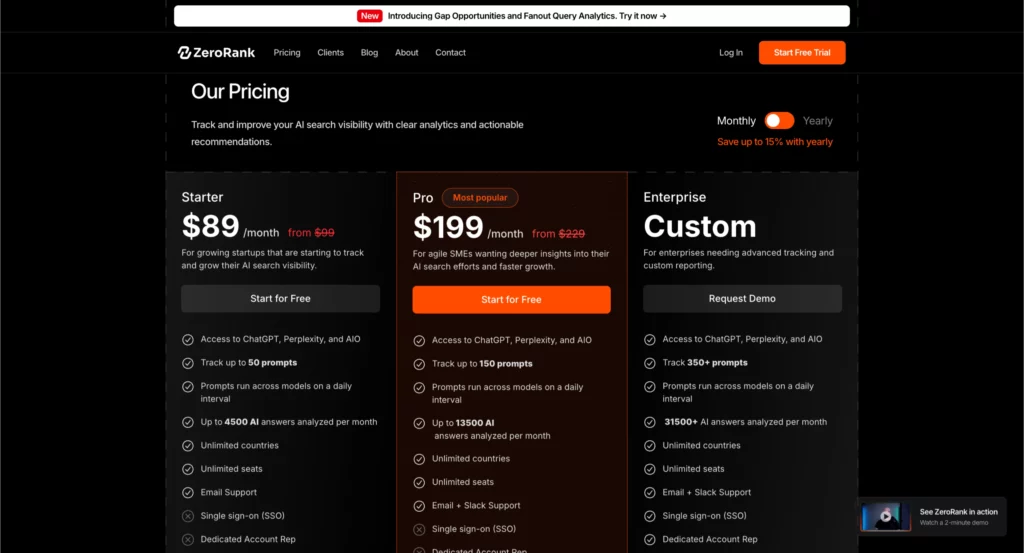
- Starter: $89/month (up to 50 prompts, 4,500 AI answers/month)
- Pro: $199/month (up to 150 prompts, 13,500 AI answers/month)
- Enterprise: Custom pricing (350+ prompts, dedicated account rep)
All plans include unlimited seats and countries. 7-day free trial available. Save up to 15% with annual billing.
3. Jasper AI – (for copywriting)
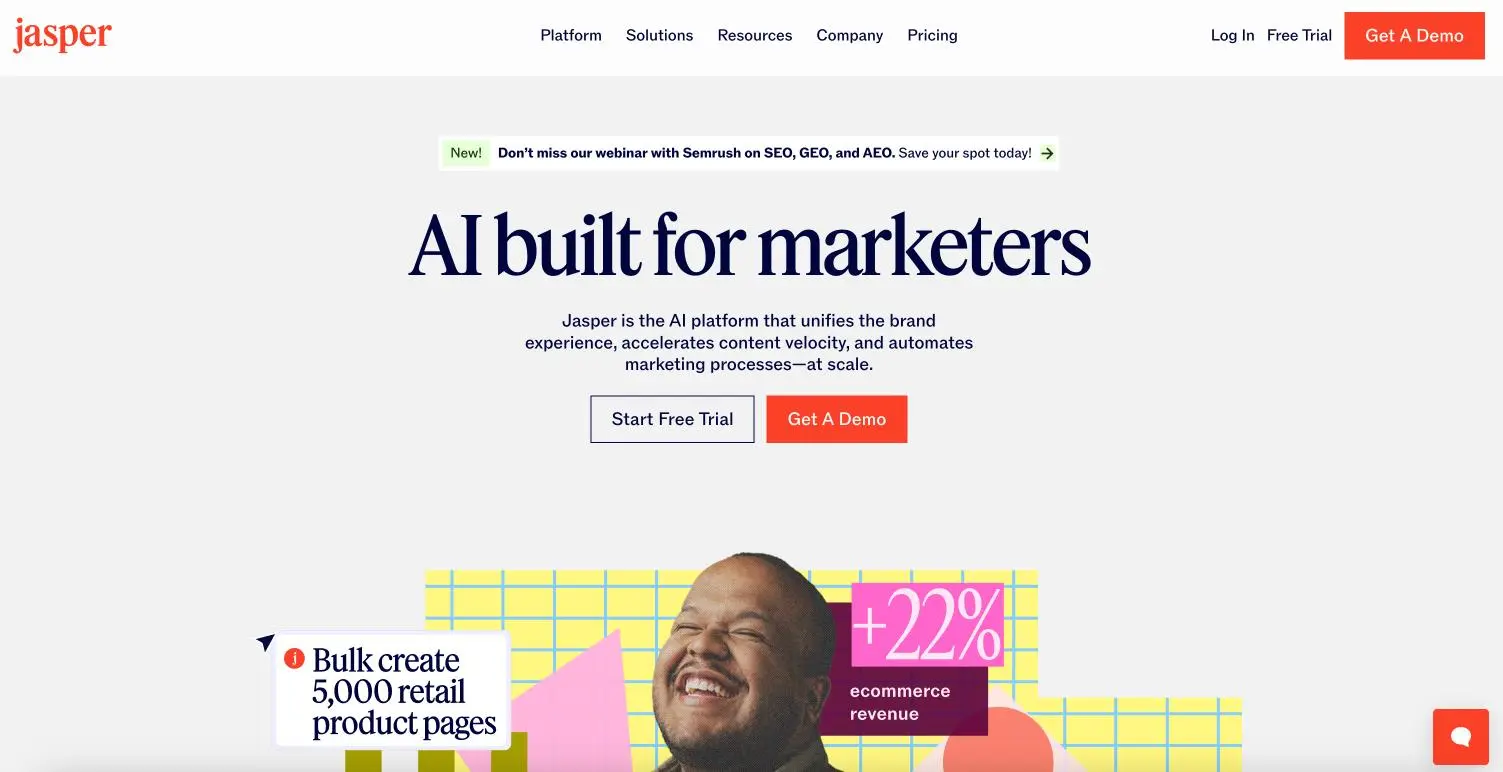
Jasper AI is an AI-powered marketing system designed specifically for marketers who need to create large amounts of high-quality, on-brand content. Unlike generic AI writing tools, Jasper knows your brand has a voice and a style to maintain. You can upload your brand guidelines or content you have previously written, and Jasper will keep your tone consistent across all platforms. It’s like having a writing assistant that actually knows your brand personality.
The platform provides brand voice training and consistency, in addition to content creation in a wide range of formats, including blogging, social platforms, email, and ads. There is also a Chrome/Edge browser extension so you can write anywhere. The platform also provides tools for team collaboration, supports multiple languages, and integrates with common marketing tools.
Jasperi.ai Ratings & Reviews:
- G2: ⭐ 4.7/5 (1,264 reviews)
- Capterra: ⭐ 4.8/5 (1,849 reviews)
- Trustpilot: ⭐ 3.7/5 (4,146 reviews)
Jasper.ai Pros:
- Actually learns and maintains your specific brand voice across all content.
- Works directly inside tools you already use (Gmail, LinkedIn, HubSpot) through a browser extension.
- Built specifically for marketers with campaign-focused templates and features.
Jasper.ai Cons:
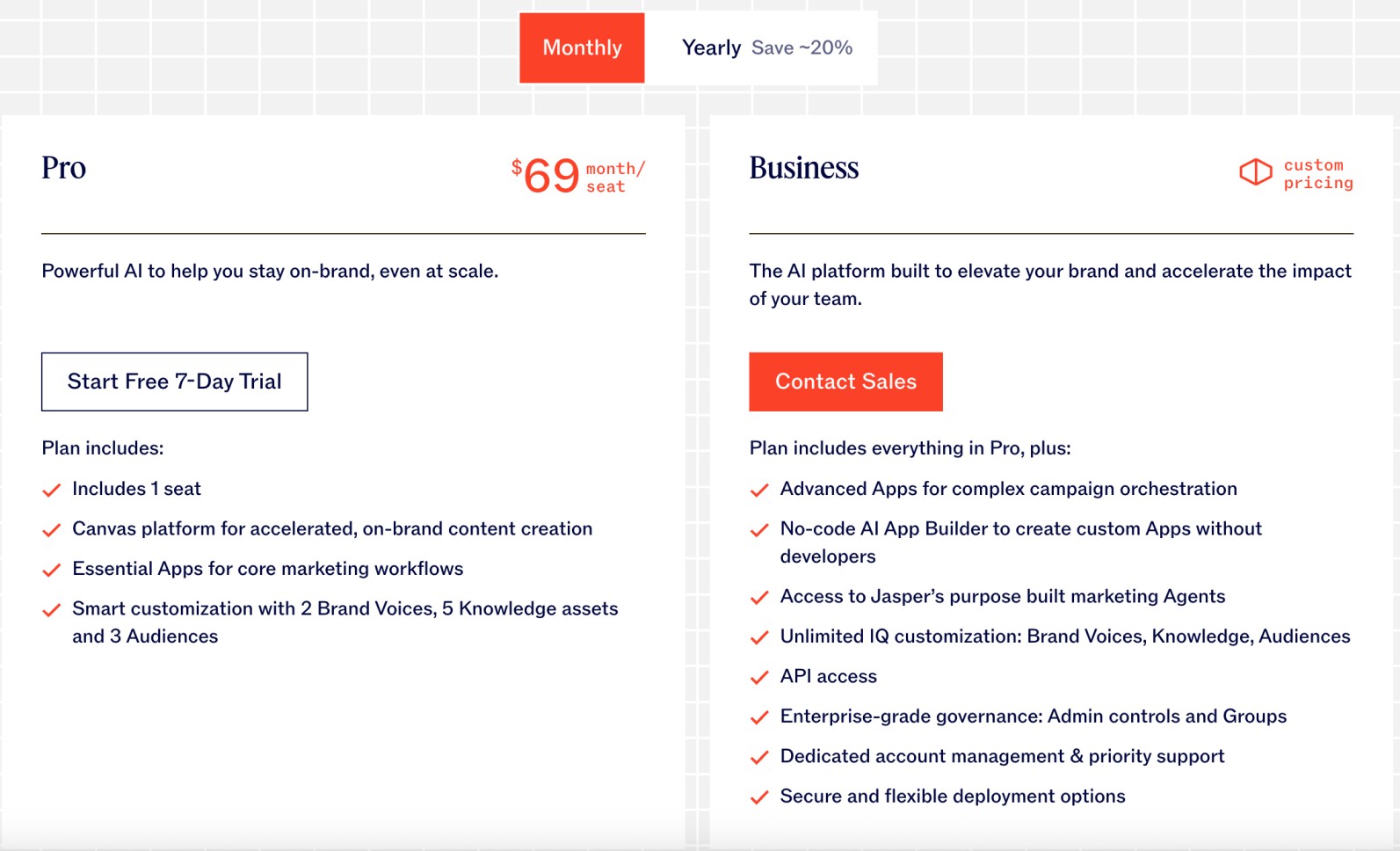
- More expensive than generic AI tools, with the Pro plan running $59-69/month versus $20/month for ChatGPT Plus.
- The Creator plan limits you to one user and one brand voice, which is restrictive for small teams who don’t want to jump straight to Pro.
- Requires significant time investment to properly train your brand voice before you see consistent results.
Jasper.ai Pricing:
4. Claude AI – (for advanced AI assistance)

Claude is an AI assistant developed by Anthropic that prioritizes safety, helpfulness, and complete conversation. Claude, unlike other AI tools, acknowledges when it does not know something, can decline requests it considers dangerous, and follows conversational context, so it can carry on very long, complex queries. Claude has been purposely designed to be more like a careful, thoughtful research assistant than a fast-response chatbot. Claude is helpful for analysis, writing, coding, math, and for walking through complicated tasks step by step.
Claude can search the web for up-to-date information, analyze documents and images, write code for you with accompanying rationale, and perform multi-step tasks that require thoughtful consideration. You can use Claude on the web, in a mobile app, in a desktop app, or via an API. The use cases range from free-tier to enterprise solutions with built-in security features.
Claude AI Ratings & Reviews:
- G2: ⭐ 4.4/5 (60 reviews)
- Capterra: ⭐ 4.6/5 (23 reviews)
- Trustpilot: ⭐ 1.5/5 (331 reviews)
Claude AI Pros:
- Exceptional at understanding context and nuance in complex conversations
- Built-in web search gives access to current information (unlike ChatGPT’s knowledge cutoff)
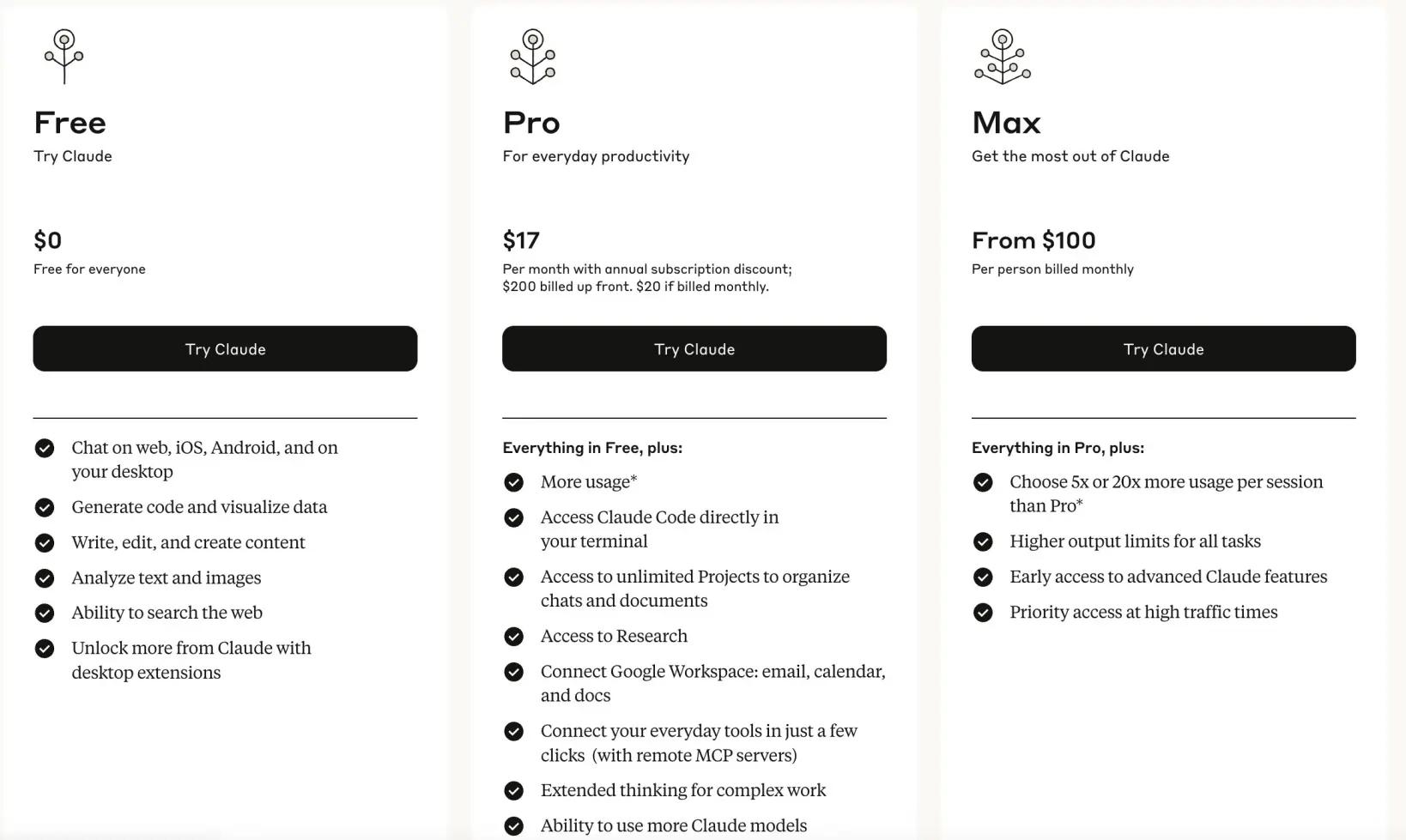
- Genuinely useful free tier with generous usage limits
- More transparent about its limitations and uncertainties than most AI tools
Claude AI Cons:
- Can be overly cautious and refuse legitimate requests due to safety guardrails
- No memory between separate conversations (each chat starts fresh)
- Usage limits apply to all plans, including paid ones
- Higher API costs compared to some competitors for heavy usage
Claude AI Pricing:
5. Surfer SEO – (for content optimization)
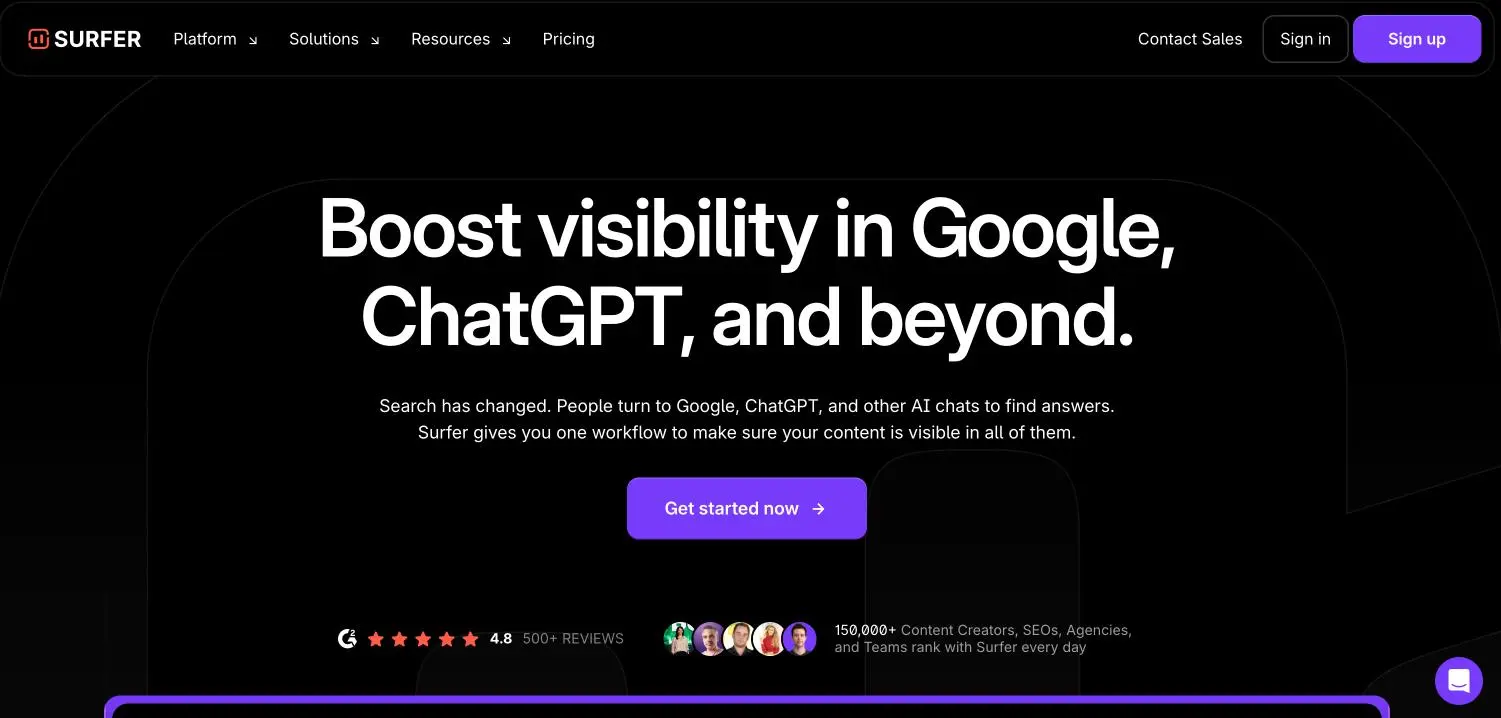
Surfer SEO is a content optimization platform that utilizes Google data from top-ranking websites to generate SEO content that ranks. Surfer gives you the outputs, not just the guesswork of what Google wants. Surfer analyzes hundreds of competitive ranking factors, then it provides an action plan for you to follow that instructs you on keyword density, content length, headings structure, and even keywords to add related terms, just about Google’s ranking recipe for any keywords you plan to target.
The coolest feature of the platform is the Content Editor. In the Content Editor, Surfer provides you with a Content Score in real-time as you write to show you how well-optimized your content is in comparison to your top-ranking competitors. It has 150,000+ content creators, SEOs, agencies, and teams CPT Market Feasibility Analysis and provides solutions for keyword research, content planning, site auditing, and AI-generated content.
Surfer SEO Ratings & Reviews:
- G2: ⭐ 4.8/5 (537 reviews)
- Capterra: ⭐ 4.9/5 (419 reviews)
- Trustpilot: ⭐ 4.3/5 (110 reviews)
Surfer SEO Pros:
- Content Editor provides real-time optimization scores based on actual competitor analysis, not generic SEO advice
- SERP Analyzer shows you exactly what’s working for top-ranking pages (word count, keywords, structure)
- The Content Score algorithm is considered the gold standard for on-page SEO optimization
- Covers over 40 languages and works globally, not just English markets
Surfer SEO Cons:
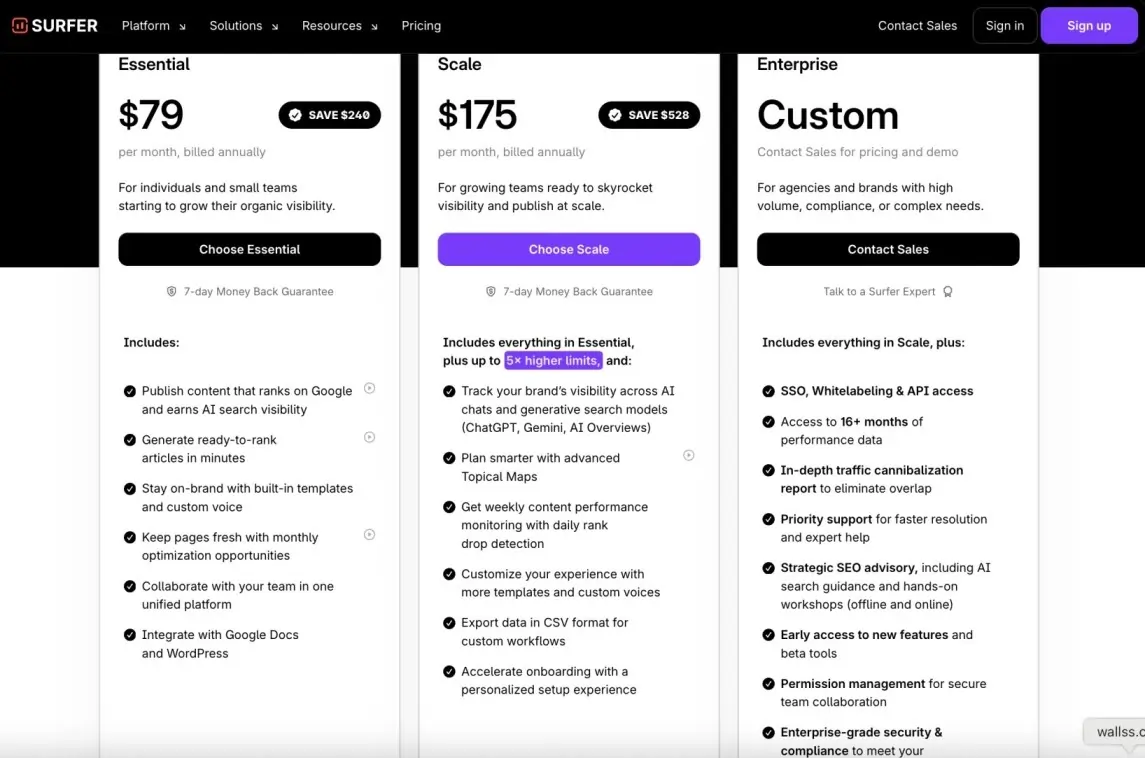
- Plans start at $99/month (Essential) or $79/month on annual billing, which is steep for solo creators or small teams with limited content output.
- AI content generation and the AI Tracker (which monitors your brand in AI search results) are paid add-ons on top of the base plan, so costs can stack up quickly.
- Learning curve can be steep for beginners unfamiliar with SEO metrics.
Surfer SEO Pricing:
6. Keyword Insights – (for keyword research)
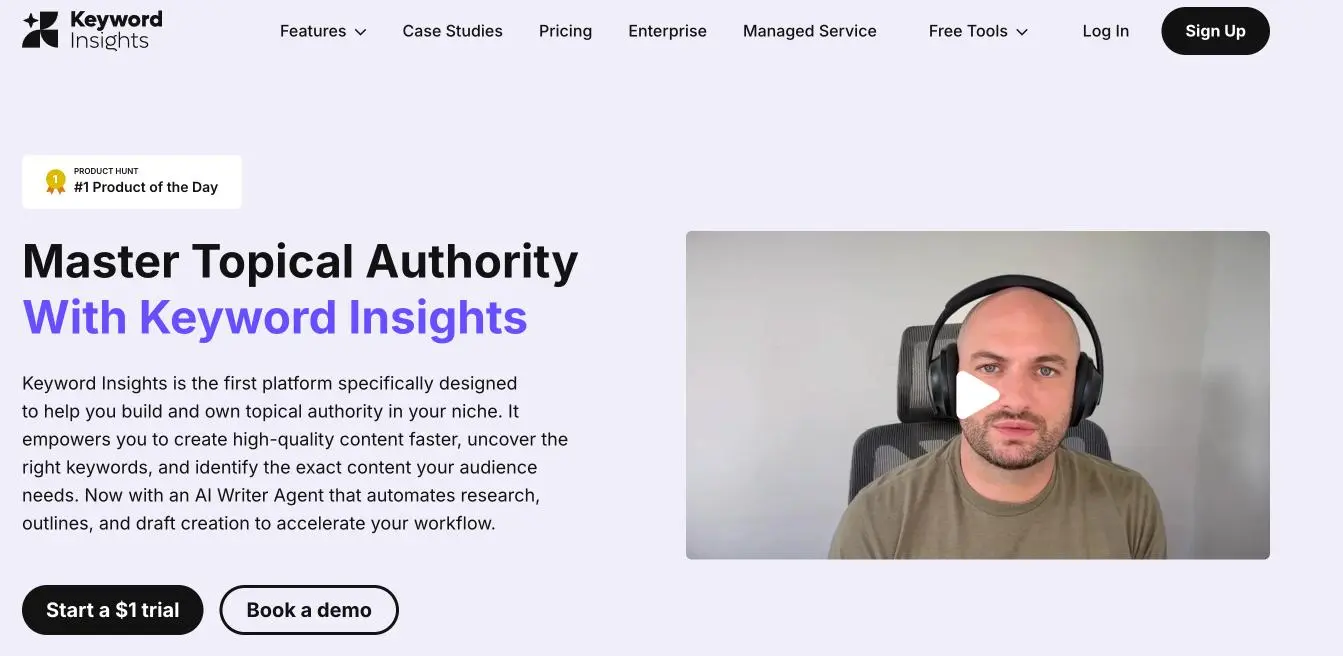
Keyword Insights is the one platform exclusively built to help you build topical authority in your niche using advanced keyword clustering and content strategy. Other platforms have dated databases, while KW Insights’ keyword discovery pulls live data from sources like Google Autocomplete, Reddit, and People Also Ask to capture emerging trends others may be missing.
What sets it apart from the various platforms on the market is its SERP-based clustering that evaluates what Google actually ranks together, not just a bunch of keywords that look the same.
The key advantage of Keyword Insights is its capability to cluster thousands of keywords into content clusters in seconds, and then identify which content clusters indicate pages missing from your site. Users have reported saving over 1200% using their insights, coupled with the tool predicting search intent (Informational, Commercial, Transactional) for each cluster automatically.
KeywordInsights.ai Ratings & Reviews:
- Capterra: ⭐ 4.7/5 (3 reviews)
- Trustpilot: ⭐ 34.3/5 (9 reviews)
KeywordInsights.ai Pros:
- SERP-based clustering shows you exactly what Google ranks together, not just keyword similarity
- Identifies content gaps by showing which keyword clusters your site doesn’t rank for
- Can process and cluster 20,000 keywords in just 30-60 minutes versus days of manual work
- Integration with Google Search Console pulls all keywords you’ve ever ranked for, bypassing the 1,000-limit
KeywordInsights.ai Cons:
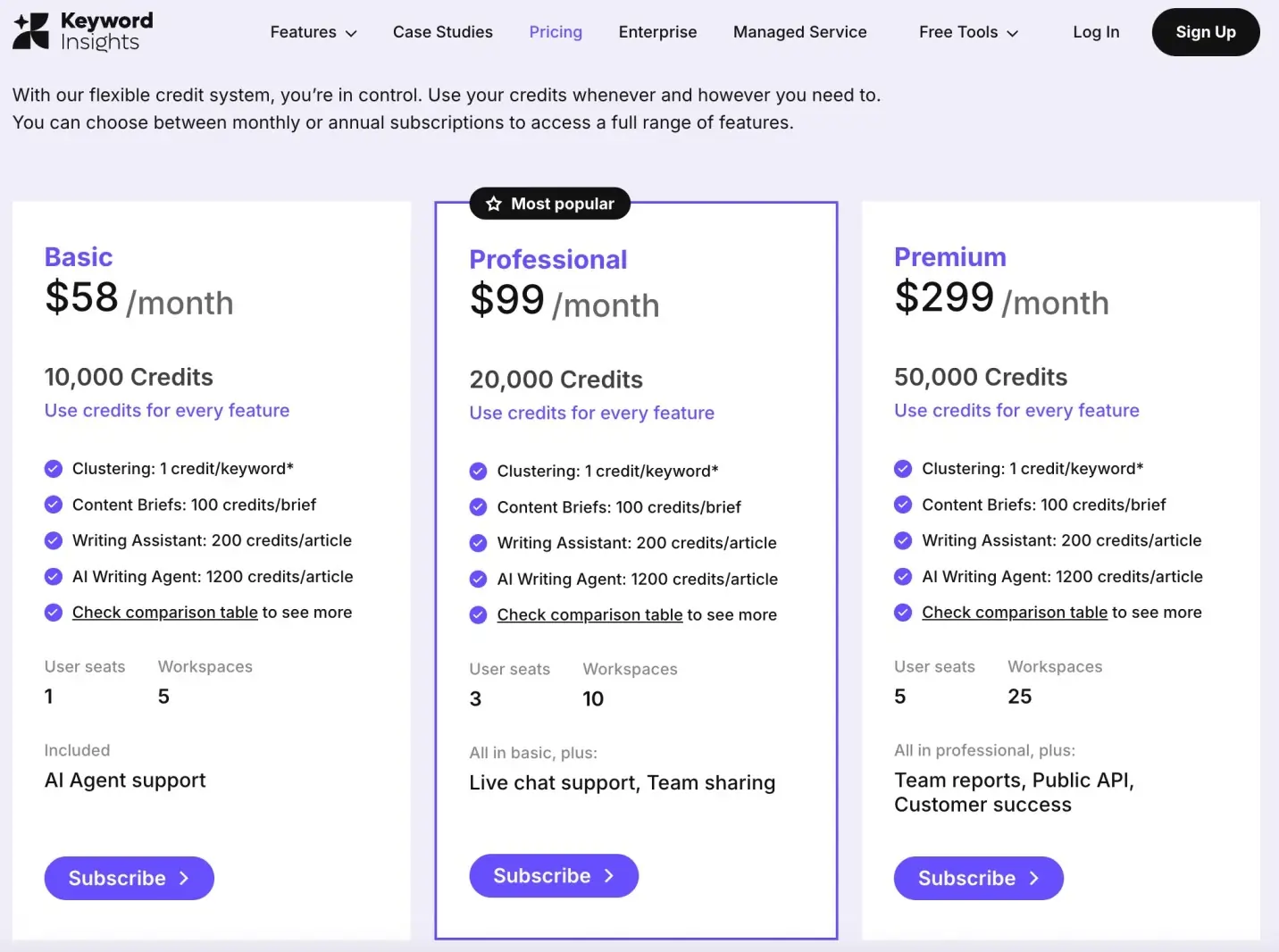
- Credit-based pricing can get expensive quickly for large keyword sets (1 credit per keyword for clustering)
- Focus is mainly on keyword research and clustering – lacks backlink or technical SEO features
- Learning curve for understanding topical authority concepts and credit management
KeywordInsights.ai Pricing:
7. Gemini 2.5 Flash Image (Nano Banana) – (for AI images)

Google Nano Banana is the playful codename for Google’s advanced AI image editing model, officially called Gemini 2.5 Flash Image. This innovative tool has quickly gained attention for its advanced capabilities in generating and editing images with stunning precision. What sets it apart from other AI image tools is its ability to understand complex editing instructions through natural language and perform precise modifications while maintaining image quality and context.
The tool excels at sophisticated image manipulations like object removal, style transfers, background changes, and creative edits that would typically require professional photo editing skills. Integrated in the Gemini app and Google AI Studios, both paid and unpaid Gemini subscribers can use, text, and experiment with Nano Banana. It can handle everything from simple touch-ups to complex artistic transformations using just text prompts.
Google Nano Banana Pros:
- Performs complex image edits through simple text commands without needing Photoshop skills
- Maintains high image quality and realistic details even during heavy modifications
- Integrated directly into Gemini, so no separate app downloads or accounts needed
- Can understand context and make intelligent editing decisions based on image content
Google Nano Banana Cons:
- API pricing at $30.00 per 1 million output tokens can become expensive for commercial use
- Limited to Google’s ecosystem, with no standalone desktop application available
- Processing time can be slow for complex edits compared to traditional photo editing software
Google Nano Banana Pricing:
Free Plan
The free tier gives you a limited number of image generations and edits each day. It’s great for testing out the basics, but you’ll run into daily caps if you try to use it heavily. Still, it’s perfect for experimenting with features without spending anything.
Paid Plans
If you need more flexibility, Nano comes with affordable paid options:
Per Image Pricing: Through the Gemini API or Google AI Studio’s paid tiers, each image (at 1024×1024 pixels) costs about $0.039. That’s because a single image uses 1,290 tokens.
Free Access for Testing: Even paid users get a free tier inside the Gemini API and AI Studio. This doesn’t burn credits or tokens, making it handy for quick experiments before scaling up.
8. Originality AI – (for content authenticity checking)
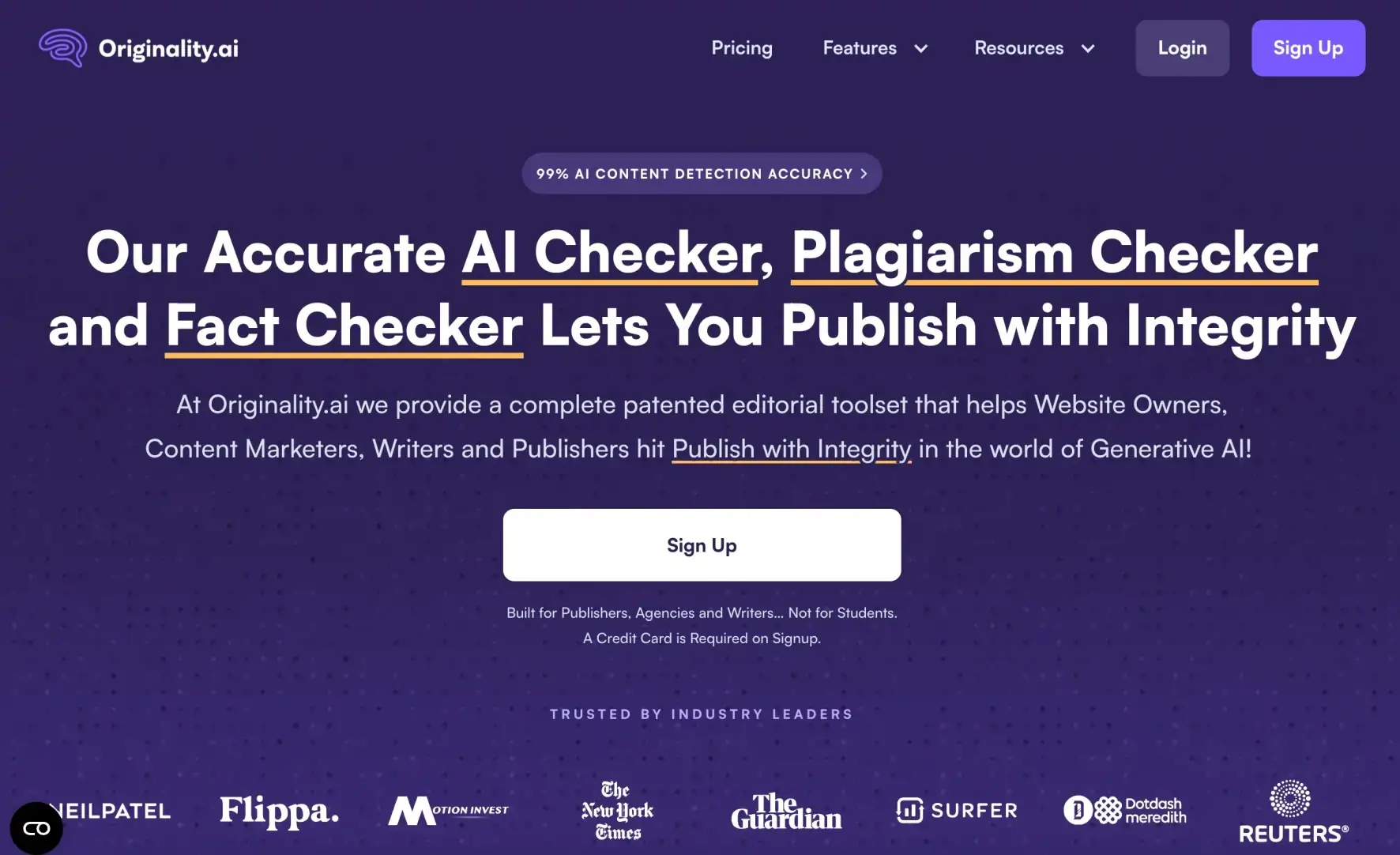
Originality AI is an all-in-one platform that provides solutions for content authenticity, specifically detecting AI-generated text, plagiarism, and enabling fact-checking before publishing.
The tool offers a complete toolset, including an AI checker, Plagiarism Checker, Fact Checker, and Readability Checker that supports Website Owners, Content Marketers, Writers, Publishers, and any Copy Editor. The differentiator for Originality AI is that it evaluates the content for quality standards, not just for AI use.
Each submission from a publisher will be analyzed based on Originality AI’s patented technology, across a wide range of factors, requiring publishers to answer the question:
Does the content meet the editorial standards we expect? This is especially useful for content agencies, publishers, and brands, able to check the integrity of the content they publish.
The platform’s tool supports team collaboration features to oversee writers and maintain quality standards across many writers, especially if you have a larger content operation.
Originality AI Ratings & Reviews:
- G2: ⭐ 4.4/5 (33 reviews)
- Capterra: ⭐ 5/5 (7 reviews)
- Trustpilot: ⭐ 4.5/5 (718 reviews)
Originality AI Pros:
- Combines AI detection, plagiarism checking, fact verification, and readability analysis in one platform
- Continuously improves detection accuracy as AI models evolve
Originality AI Cons:
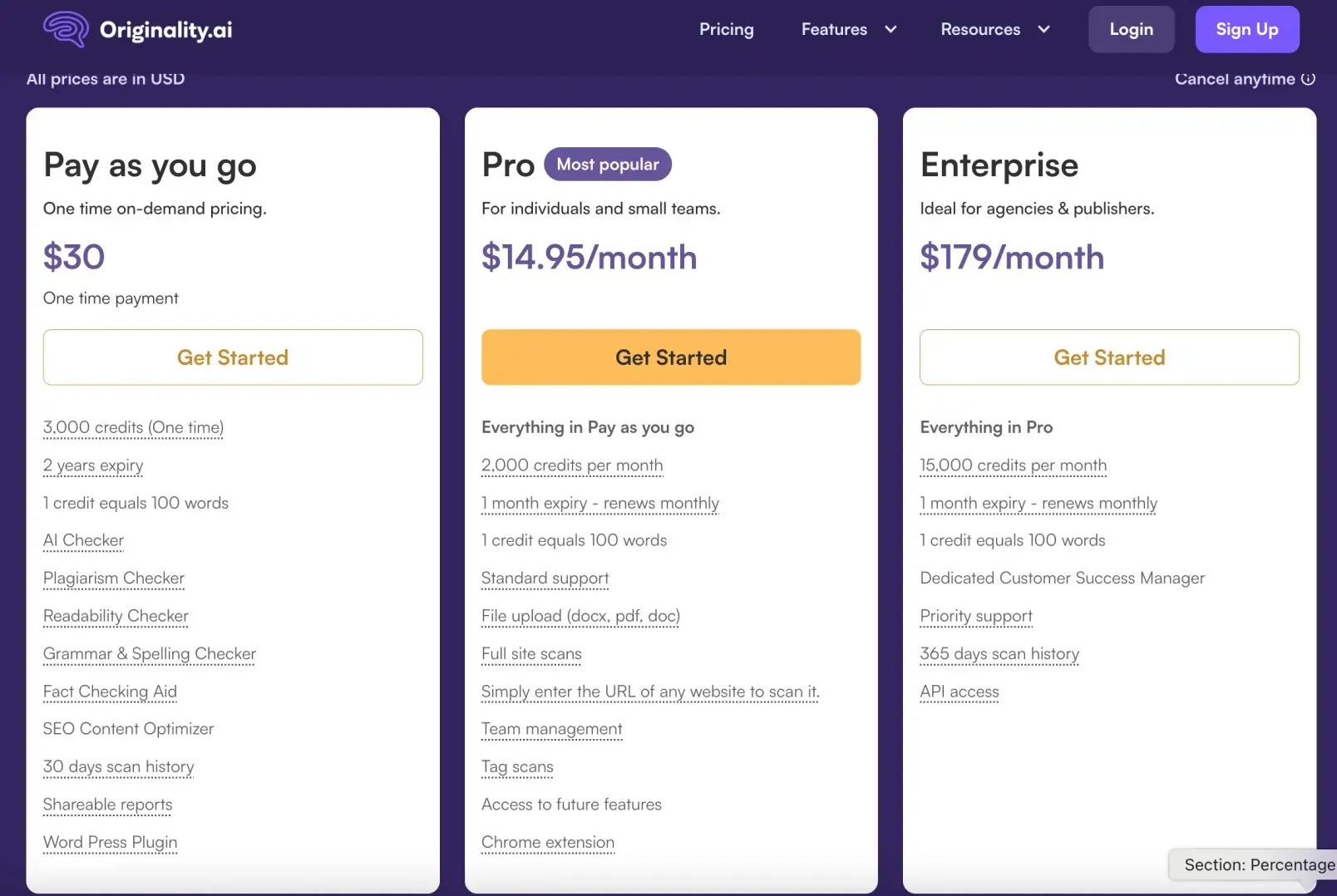
- Base subscription costs $14.95 per month for 2,000 credits, which may not be enough for high-volume content operations
- Can flag human-written content as AI-generated in some cases, requiring manual review
- The fact-checking feature uses significantly more credits than other functions
- No real-time editing suggestions, only post-writing analysis
Originality AI Pricing:
9. Hemingway App – (for readability & clarity editing)
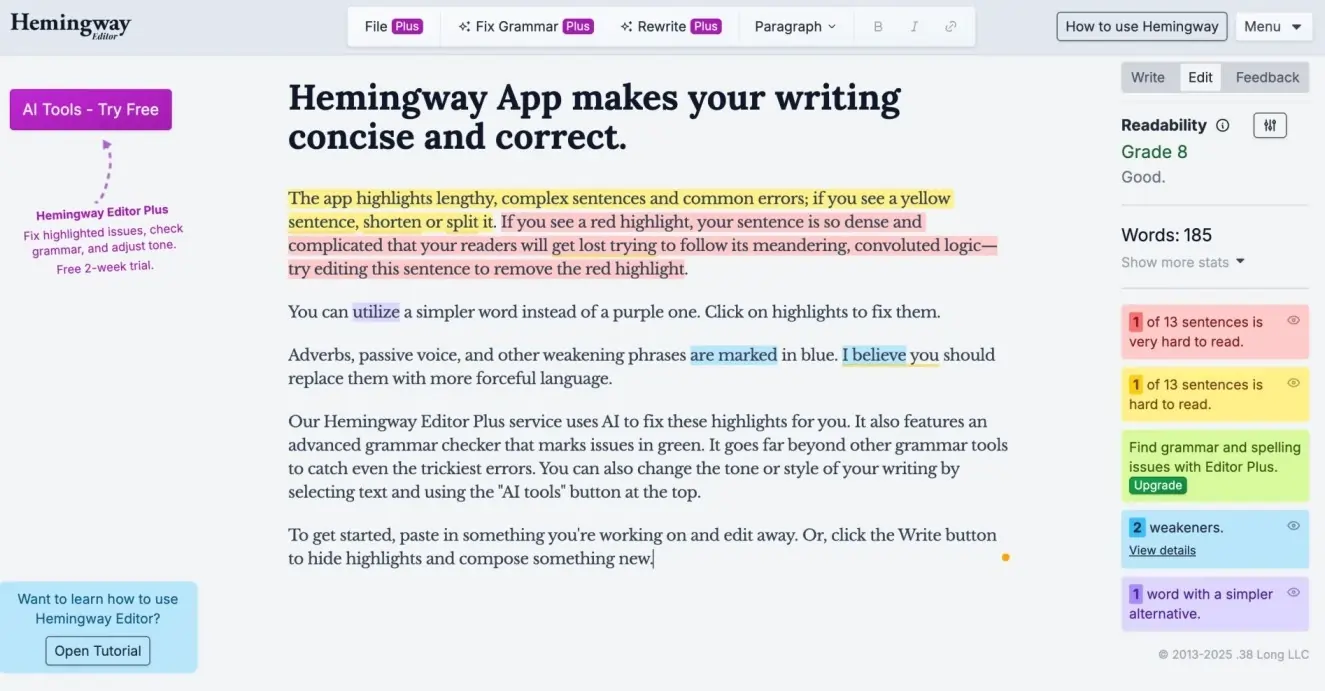
The Hemingway App is a writing clarity tool that is like a nasty editor that won’t allow you to get away with long phrases and weird sentences.
It is named after the writer Ernest Hemingway and mimics his clean writing style. Hemingway App reviews your text and highlights areas that may need attention in a color-coded format: yellow for complex sentences, red for very hard, blue for adverbs, and green for passive voice.
The app looks for passive voice, excessive use of adverbs, complex phrase replacements, and readability, providing the motivation for users to write with greater clarity and enthusiasm.
While the self-editing method would suit marketers, bloggers, and content creators seeking crystal-clear writing that is easy to absorb, it is aimed more toward short-form content than multi-page content.
Hemingway App Ratings & Reviews:
- G2: ⭐ 4.4/5 (48 reviews)
- Capterra: ⭐ 4.4/5 (12 reviews)
- Trustpilot: ⭐ 2.8/5 (3 reviews)
Hemingway App Pros:
- One-time purchase fee, and it doesn’t have the recurring fees common in most editing assistants
- Improves your writing over time, as it teaches you to actually catch mistakes before making them
- It is focused with no distracting, unnecessary features, so it can help you write clearly
- When hovering over the text you are being suggested to improve, or if the text has been properly edited, it is very specific, not just vague criticism!
Hemingway App Cons:
- Good for short-form writing and communication; features needed for long-form writing are missing
- The desktop version does not have an autosave function and counts URL code (and order) as regular text
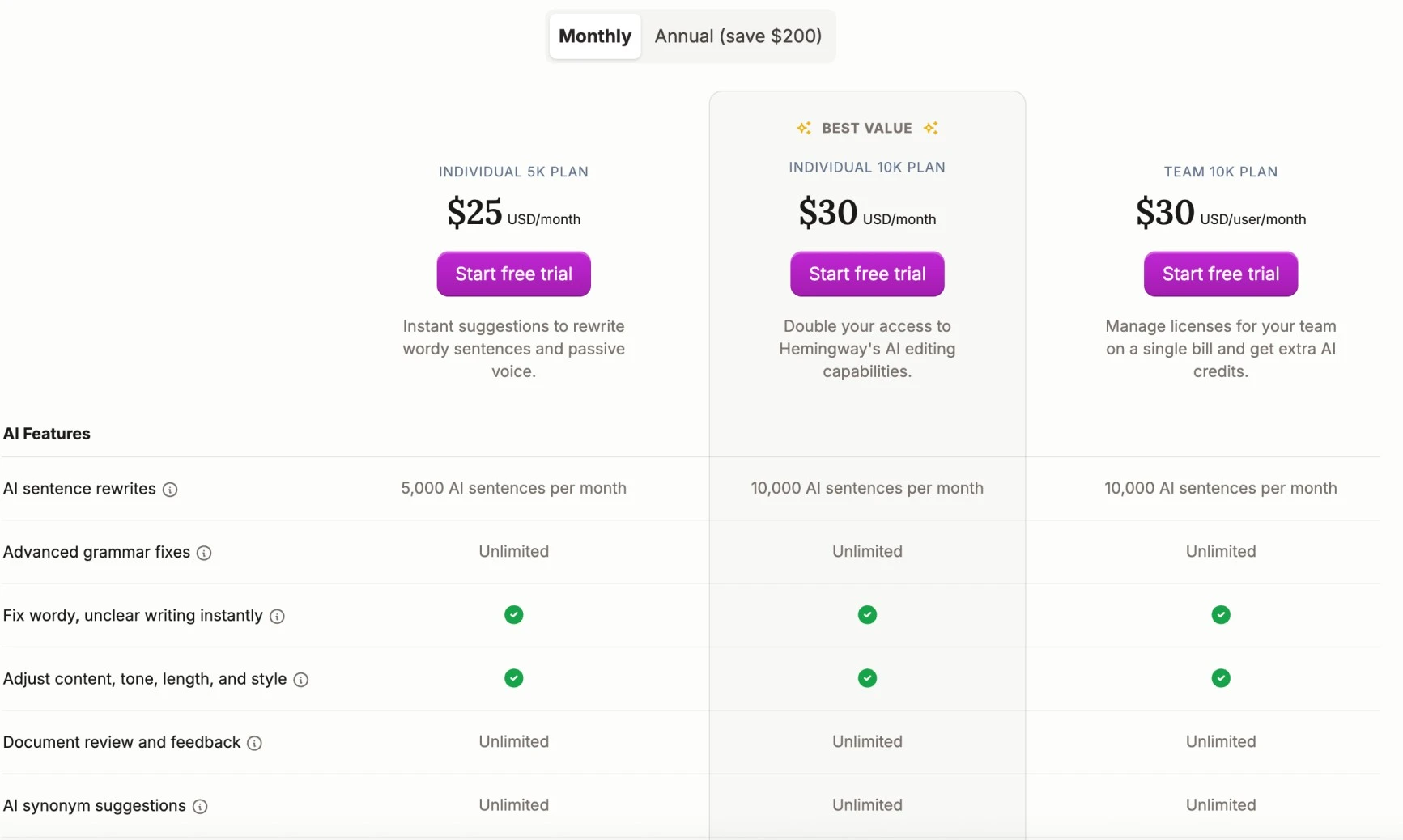
Hemingway App Pricing:
10. Canva AI – (for quick design)
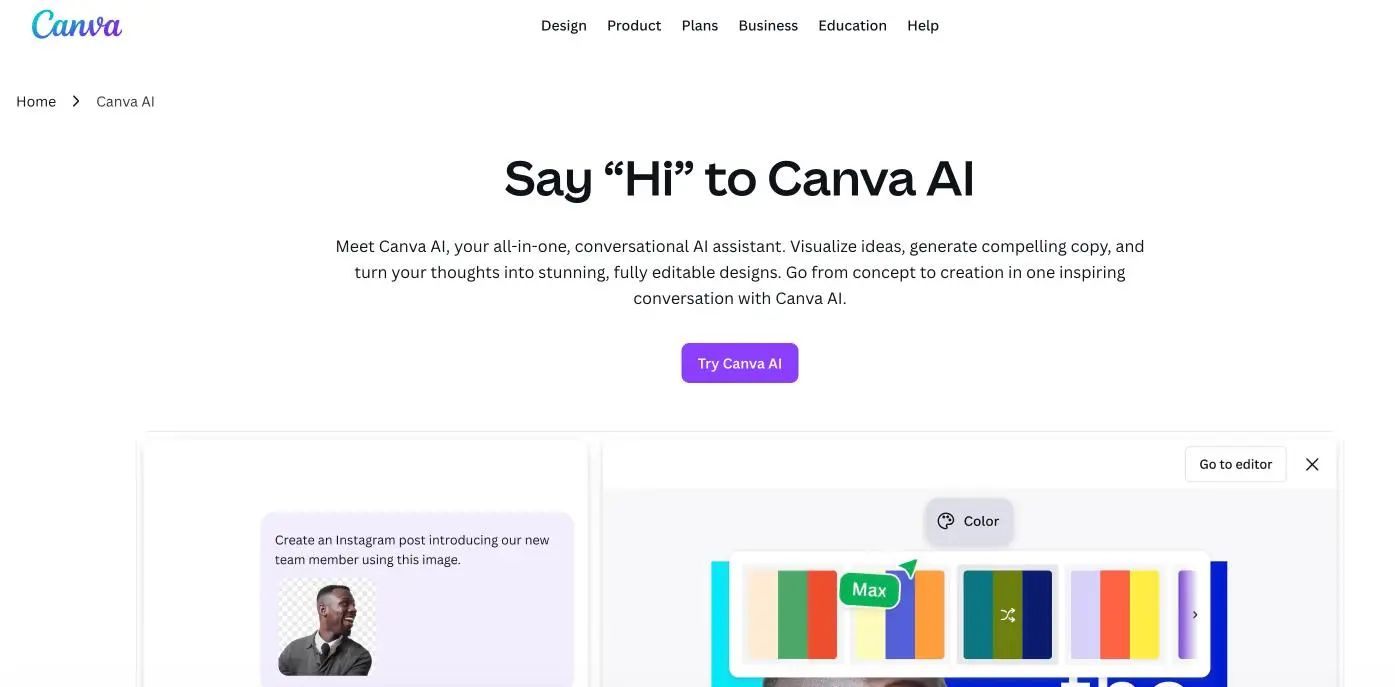
Canva’s AI features have transformed it from a simple design tool into an intelligent creative platform. Magic Design generates complete design layouts from text prompts, while Background Remover and Magic Eraser provide professional editing capabilities.
The platform’s AI understands design principles and brand guidelines, ensuring consistent visual output across all marketing materials. Template suggestions adapt to your content and brand colors automatically.
Canva AI Ratings & Reviews:
- G2: ⭐ 4.7/5 (5799 reviews)
- Capterra: ⭐ 4.7/5 (12970 reviews)
- Trustpilot: ⭐ 2.3/5 (2642 reviews)
Canva AI Pros
- Extremely easy for non-designers to create polished visuals
- Packed with AI features that speed up design work
Canva AI Cons
- Best tools require a paid plan
- Output can look generic without customization
11. Lexica Art – (for realistic images)

Lexica Art specializes in creating highly realistic images that can replace expensive stock photography. The platform’s strength lies in generating authentic-looking people, products, and scenarios that align with brand aesthetics.
Marketing teams use Lexica Art for blog thumbnails, social media graphics, and advertising creatives. The prompt engineering system allows for consistent brand-aligned imagery across campaigns.
Lexica Art Ratings & Reviews:
- G2: ⭐ 3.6/5 (8 reviews)
- Trustpilot: ⭐ 2.4/5 (10 reviews)
Lexica Art Pros:
- Huge library of 10M+ images with searchable prompts shows you exactly what works
- Fast generation times mean you can iterate quickly and test multiple concepts
- Community-driven approach lets you learn from successful prompt combinations
- Multiple art styles and categories cover everything from portraits to abstract designs
Lexica Art Cons:
- Limited customization compared to more advanced AI art tools like Midjourney
- Monthly generation limits can be restrictive for high-volume content creators
- Learning curve for writing effective prompts that produce consistent results
Lexica Art Pricing:
12. Sprout Social – (for social media insights)
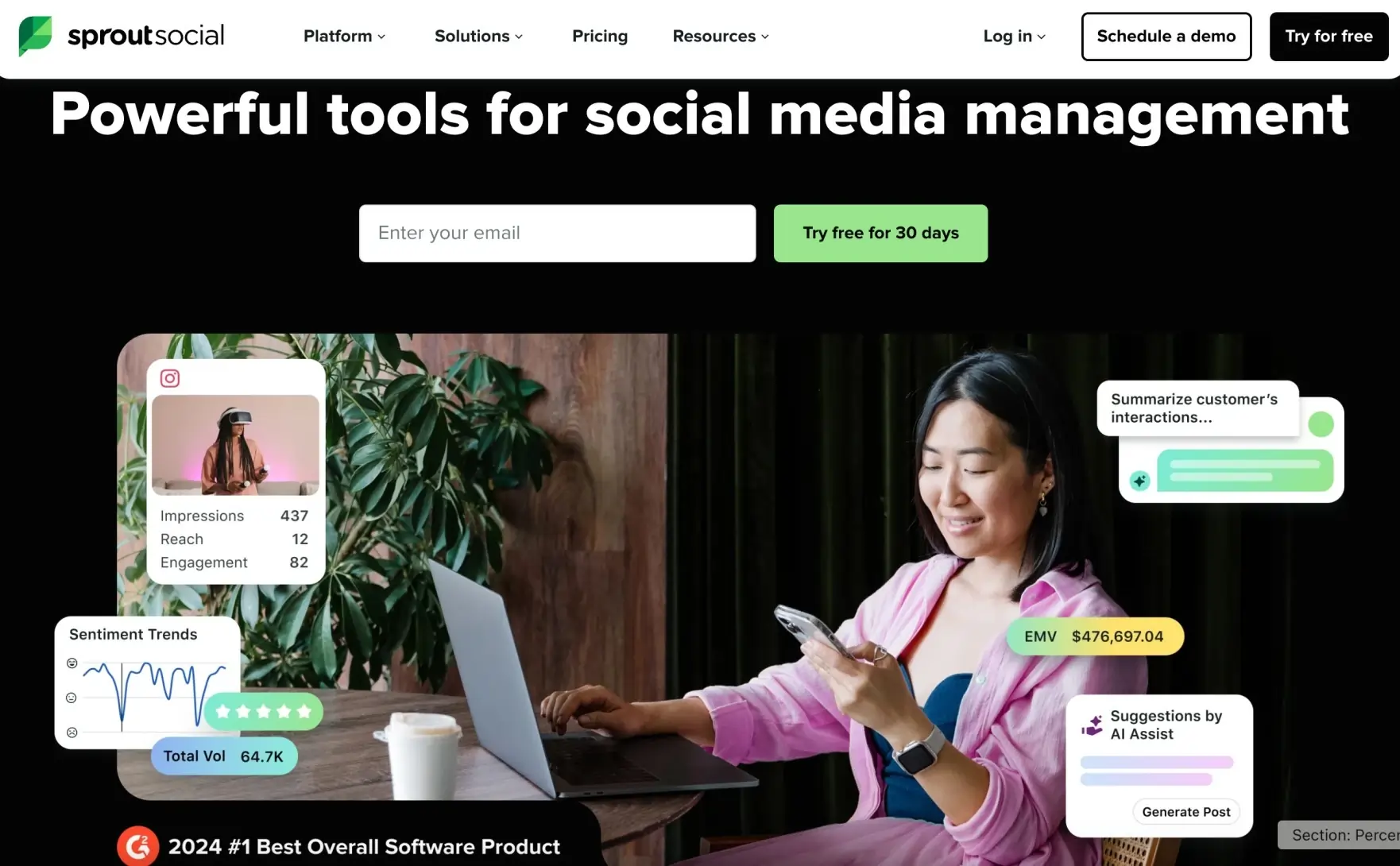
Sprout Social is a complete social media management platform trusted by more than 30,000 brands, so it’s kind of like you have a full marketing team in your pocket. The platform embeds AI and automation in various parts of its entire interface to help teams work more effectively and find creativity while increasing the business impact of social media. Instead of going back and forth between multiple apps to manage Facebook, Instagram, Twitter, and LinkedIn, you get all of that in one dashboard. The AI features help you write better captions, suggest the best times to post, and even create content ideas from what’s working in your industry.
Sprout Social Ratings & Reviews:
- G2: ⭐ 4.4/5 (4668 reviews)
- Capterra: ⭐ 4.4/5 (603 reviews)
- Trustpilot: ⭐ 2.3/5 (74 reviews)
Sprout Social Pros:
- All-in-one platform eliminates the need to switch between multiple social media tools
- AI-powered content suggestions and optimization take the guesswork out of posting
- Team collaboration features make it easy for multiple people to manage accounts safely
Sprout Social Cons:
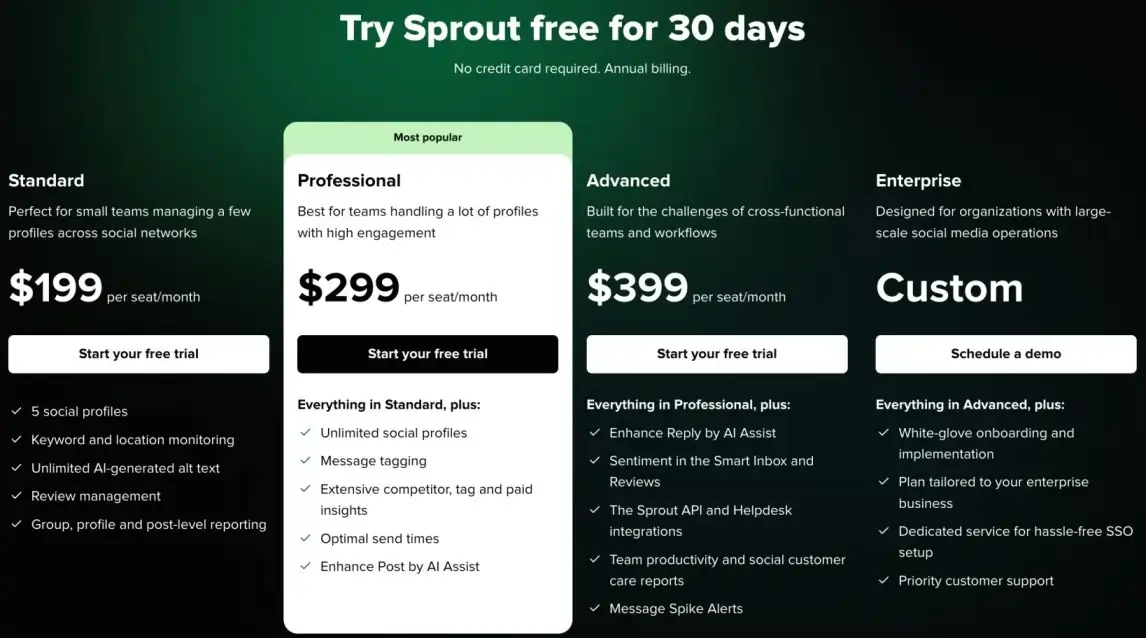
- Some advanced AI features require higher-tier plans, significantly increasing costs
Sprout Social Pricing:
13. Loomly – (for content calendars)
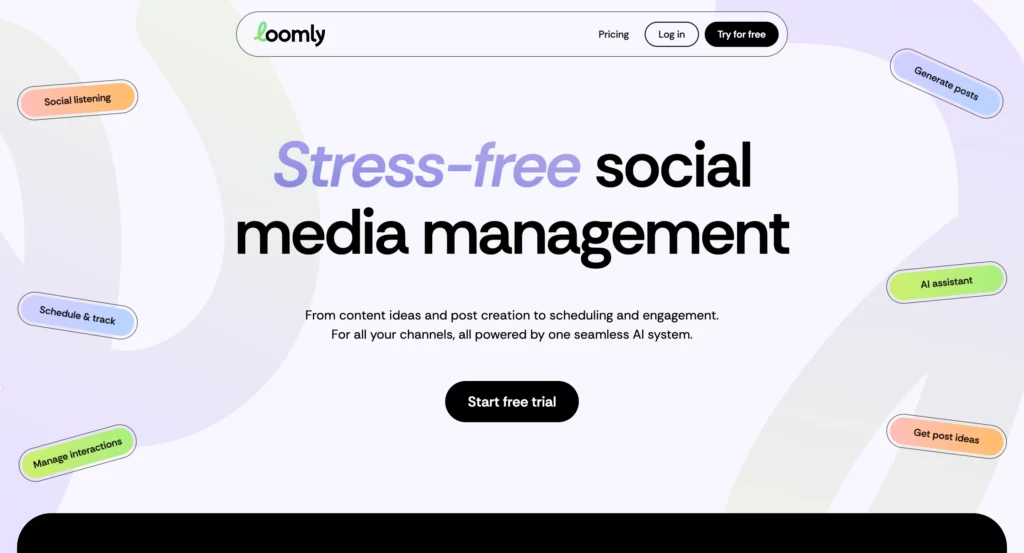
Loomly is a social media management tool that provides content calendars, draft approvals, and optimization recommendations specifically for teams.
Think of it as your content planning headquarters. It is where content ideas become published posts through a straightforward workflow.
Loomly excels in collaboration – the team members create drafts, the managers approve content, and everyone is on the same page about what is going live and when.
Loomly’s AI provides suggestions on when to post, which hashtags to use, and even content ideas based on trending topics or significant dates. Marketing teams in particular appreciate Loomly’s structure and approvals, while still fostering creativity and speed.
Loomly Ratings & Reviews:
- G2: ⭐ 4.6/5 (1788 reviews)
- Capterra: ⭐ 4.7/5 (508 reviews)
- Trustpilot: ⭐ 1.8/5 (23 reviews)
Loomly Pros:
- Role-based permissions allow real-time feedback and approval workflows, making team collaboration easy
- Built-in 300+ content ideas provide inspiration and creative direction for smaller teams
- Clean, uncluttered calendar design helps users not feel weighed down by data
- Rarely unlinks social media accounts, providing more reliable connections than competitors
Loomly Cons:
- Instagram integration is problematic, with frequent connection issues and manual posting requirements
- Limited integration with specialized tools beyond major social platforms
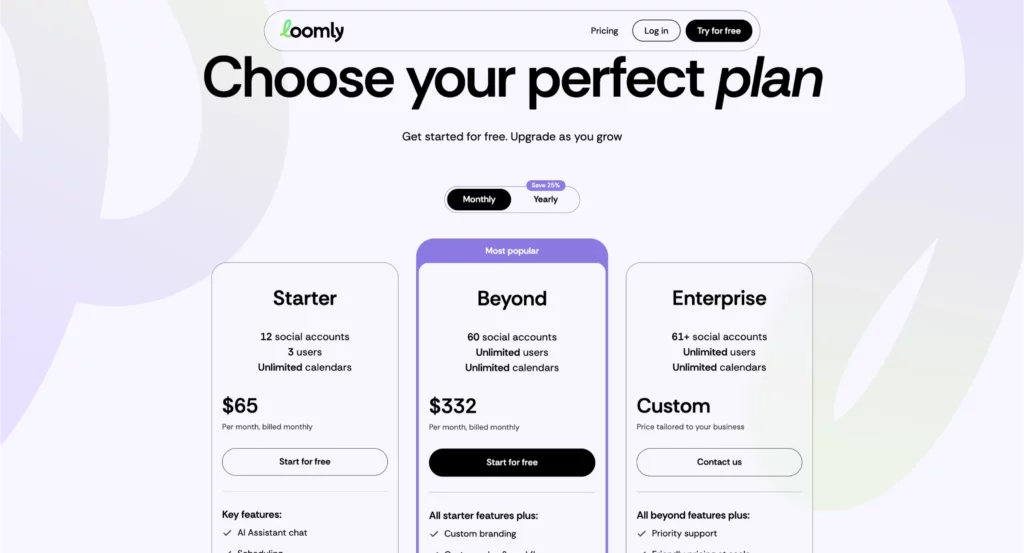
Loomly Pricing:
14. Seventh Sense – (for email timing)
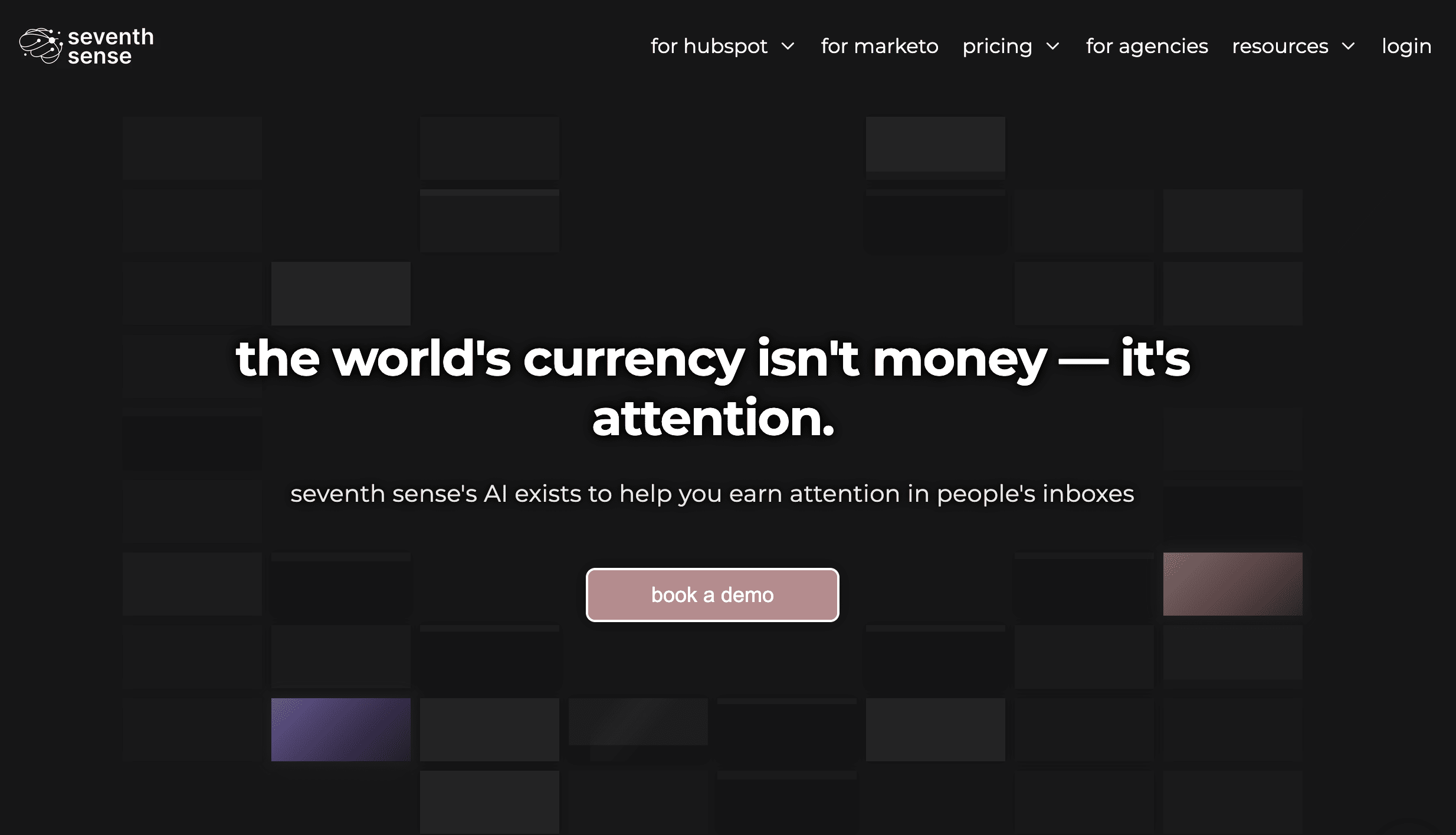
Seventh Sense is an AI-powered email delivery optimization platform that figures out the perfect time to send emails to each person on your list. Instead of blasting out emails to everyone at the same time (e.g., 9 AM Tuesday), Seventh Sense determines when each subscriber actually opens and engages with emails and sends your messages at their optimal engagement time.
Seventh Sense AI studies trends and behavior, including time zones, past behavior, and email engagement history, to maximize open and click-through rates.
Seventh Sense integrates directly with HubSpot and Marketo and runs in the background to help you be more effective with your existing outbound email campaigns.
If you are a company that is serious about email marketing, it is like having a data scientist optimize every single send.
Seventh Sense Ratings & Reviews:
- Capterra: ⭐ 5/5 (3 reviews)
Seventh Sense Pros:
- Personalized send times can dramatically increase open rates compared to batch-and-blast
- Works with existing HubSpot and Marketo setups without changing your current workflow
- AI continuously learns and improves delivery timing based on subscriber behavior
Seventh Sense Cons:
- Requires significant email volume to generate meaningful AI insights and optimization
- Additional cost on top of your existing email marketing platform subscription
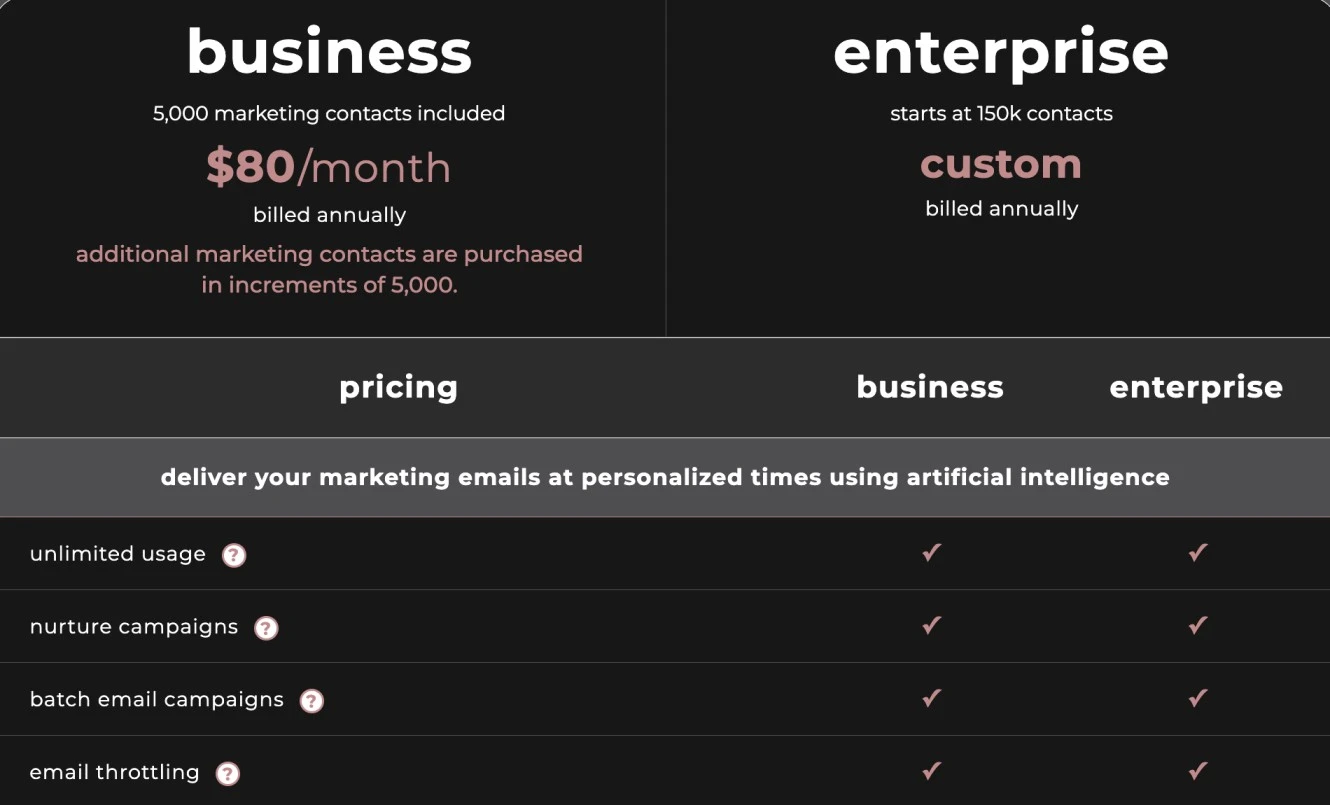
Seventh Sense Pricing:
15. Reply.io – (for sales outreach)
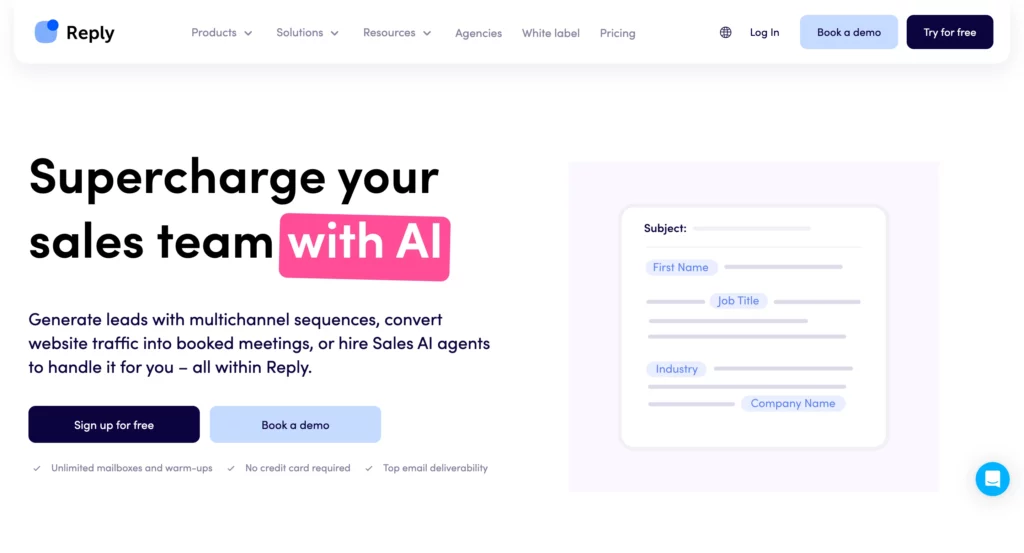
Reply. io is an AI-powered sales engagement platform that automatically organizes outreach campaigns via email, LinkedIn, phone calls, and text messages.
It’s like having a tireless sales representative working for you to follow up with prospects. The AI writes personalized messages, schedules follow-ups, and adjusts tone based on how prospects respond (or don’t respond) to the message. You can create multi-channel sequences that move prospects along your sales funnel all on autopilot, and the platform tracks every part of the process so you know what works.
If that weren’t enough, it captures the lessons from the successful campaign each time to improve future outreach; in essence, two campaigns are rarely alike because the learning makes the outreach smarter each time.
If you are a sales team interested in scaling up personalized outreach without hiring an army of SDRs, you’ll appreciate how convenient and easy it is to use.
Reply.io Ratings & Reviews:
- G2: ⭐ 4.6/5 (1480 reviews)
- Capterra: ⭐ 4.6/5 (96 reviews)
- Trustpilot: ⭐ 4.1/5 (169 reviews)
Reply.io Pros:
- Multi-channel automation lets you reach prospects wherever they’re most likely to respond
- AI personalization makes automated outreach feel human and relevant to each prospect
- Built-in CRM functionality eliminates the need for separate contact management tools
- A/B testing features help optimize messaging and improve response rates over time
Reply.io Cons:
- It can be expensive for small teams, especially when you factor in email sending volume
- Risk of being flagged as spam if not configured properly with appropriate sending limits
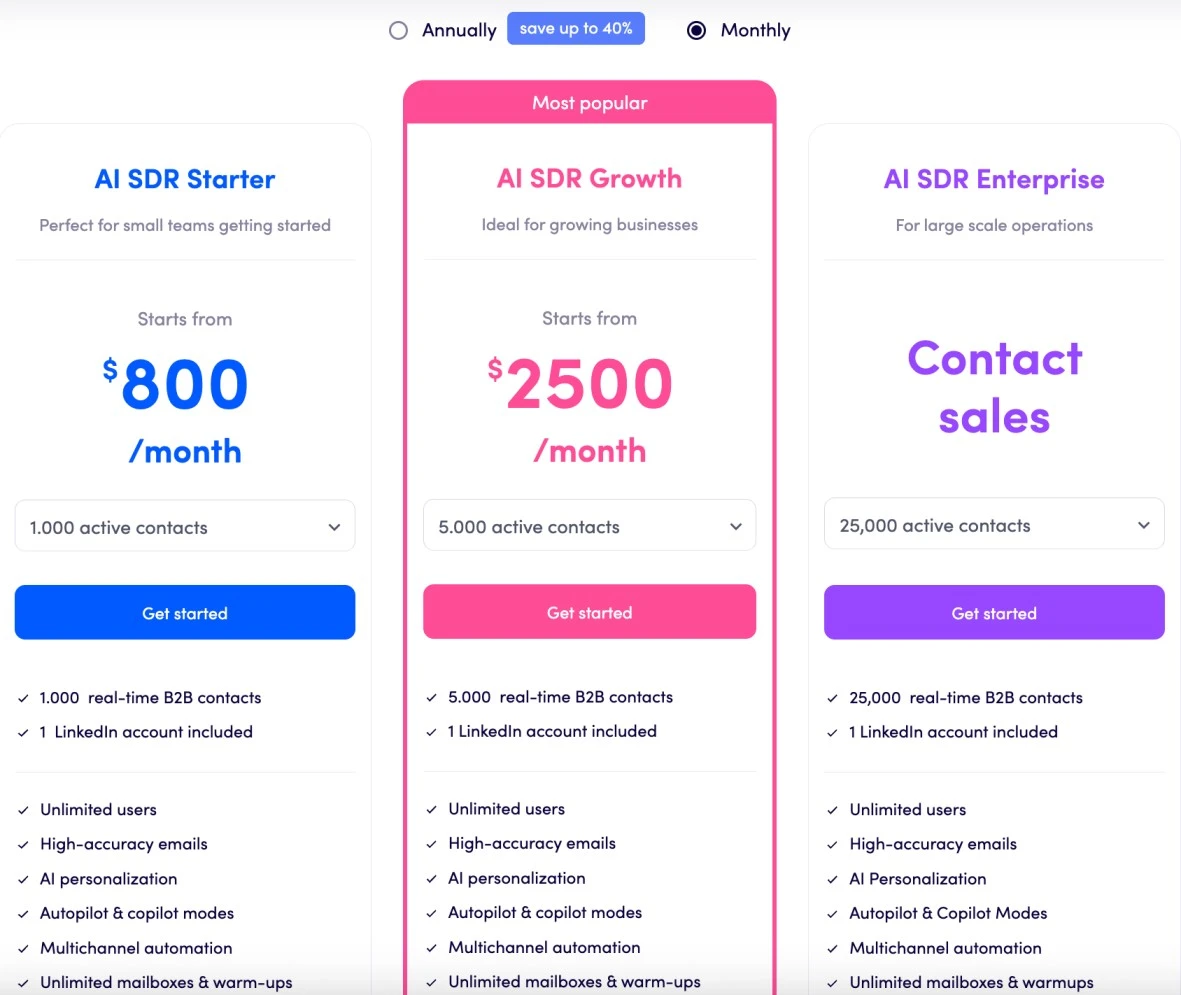
Reply.io Pricing:
16. Hoppy Copy – (for email copywriting)
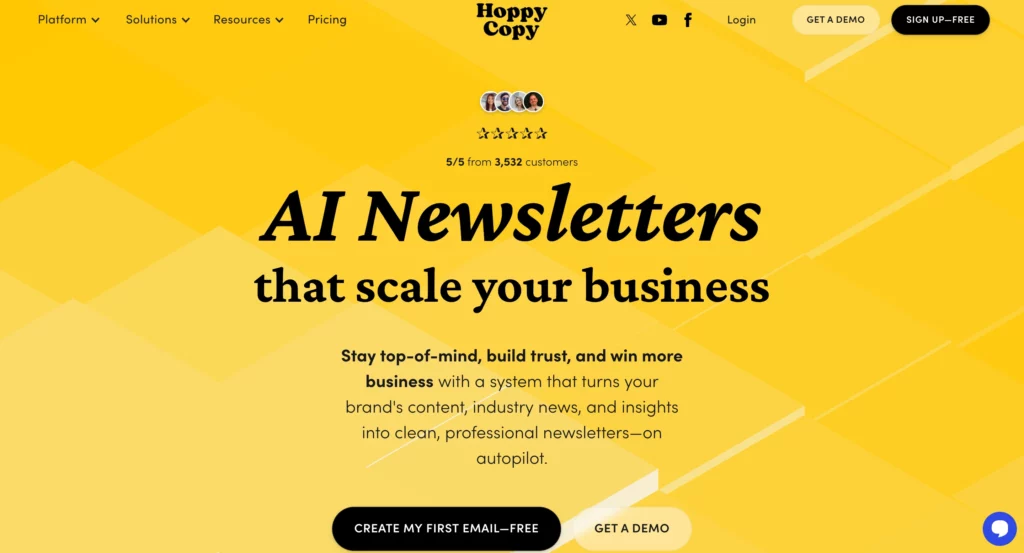
Hoppy Copy is an AI tool for Marketing that focuses on email marketing campaigns and newsletters.
It includes an easy editor for writing great copy and a content converter for adapting content to all kinds of formats.
Essentially, it operates like an intern working 24 hours a day, always coming up with new subject lines, email sequences, or newsletter topics.
The AI understands email marketing psychology and can create everything from welcome series and newsletters to promotional campaigns that drive conversions.
And because Hoppy Copy specializes in email marketing, it isn’t trying to do everything. It’s just really good at one thing.
The app includes templates for different industries, as well as campaign templates.
And the app can even rewrite existing content, whether to improve performance or to adapt it for another audience or campaign.
Hoppy Copy Ratings & Reviews:
- G2: ⭐ 4.8/5 (32 reviews)
- Capterra: ⭐ 4/5 (1 reviews)
Hoppy Copy Pros:
- Specialized focus on email marketing means better, more relevant copy suggestions
- Multiple content formats help maintain variety and prevent email fatigue
- Industry-specific templates provide proven frameworks for different business types
- Content repurposing features help maximize the value of every piece of writing
Hoppy Copy Cons:
- Limited to email marketing, so you’ll need other tools for social media and web copy
- AI-generated content still needs human editing to match your brand voice perfectly
- Monthly word limits on lower-tier plans can be restrictive for high-volume senders
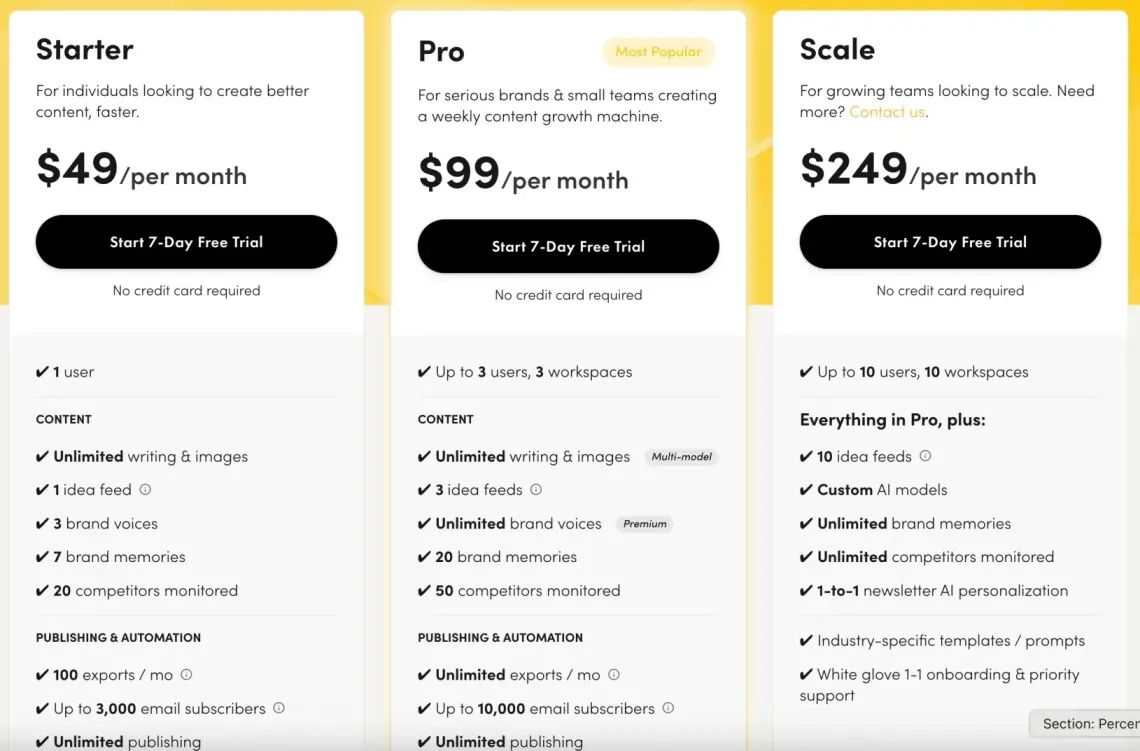
Hoppy Copy Pricing:
17. Gumloop – (for AI workflow automation)
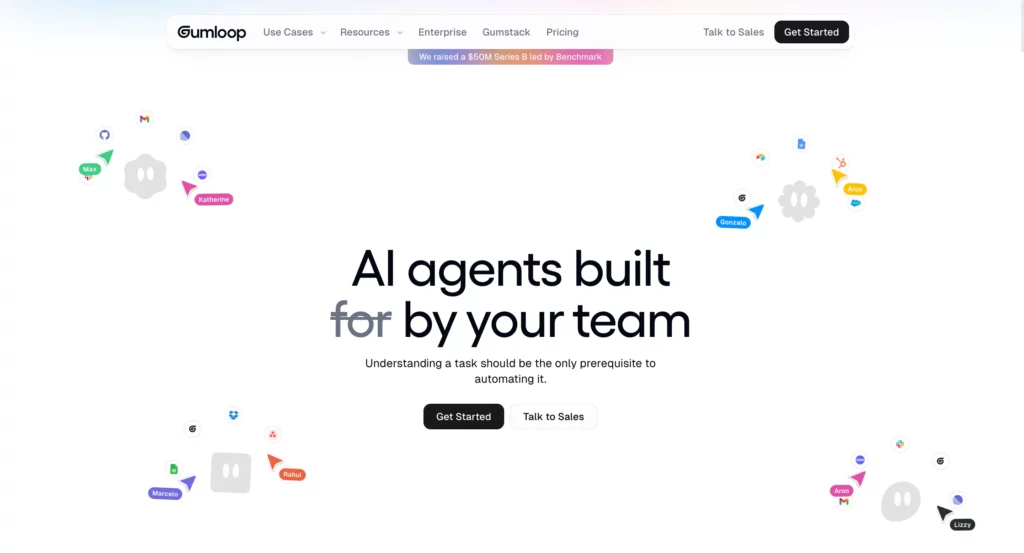
Gumloop is a no-code AI-automation platform that lets you build sophisticated workflows by connecting AI tools like ChatGPT to business applications (e.g., email, spreadsheets) using a simple drag-and-drop interface.
Think of Gumloop as a blend of Zapier and ChatGPT: you can build AI-powered workflows without writing a single line of code. Gumloop allows you to build workflows using a node-based approach where you drag individual actions onto a canvas and then connect them.
You can create “Flows” that will scrape websites, analyze documents, generate content, and integrate with hundreds of other tools.
Gumloop stands out from other automation tools because of its unique feature called “Subflows.” You can embed one workflow into another; think of it as nesting. Companies, such as Webflow and Rippling, use it for everything from lead generation to document processing.
For an even greater boost, you can turn your workflows into public apps for others to use.
Gumloop Ratings & Reviews:
No reviews yet.
Gumloop Pros:
- Incredible drag-and-drop UI that makes backend automation feel as simple as playing with Lego
- Subflows feature lets you put workflows within workflows to create super-powerful automations
- Chrome extension lets you record what you do in your browser and convert it into automated workflows
- SOC 2 Type 2 compliant, and they will not use your data to train AI models – enterprise-ready
Gumloop Cons:
- No live chat, which means you have to get help via email, forums, orthe Slack community
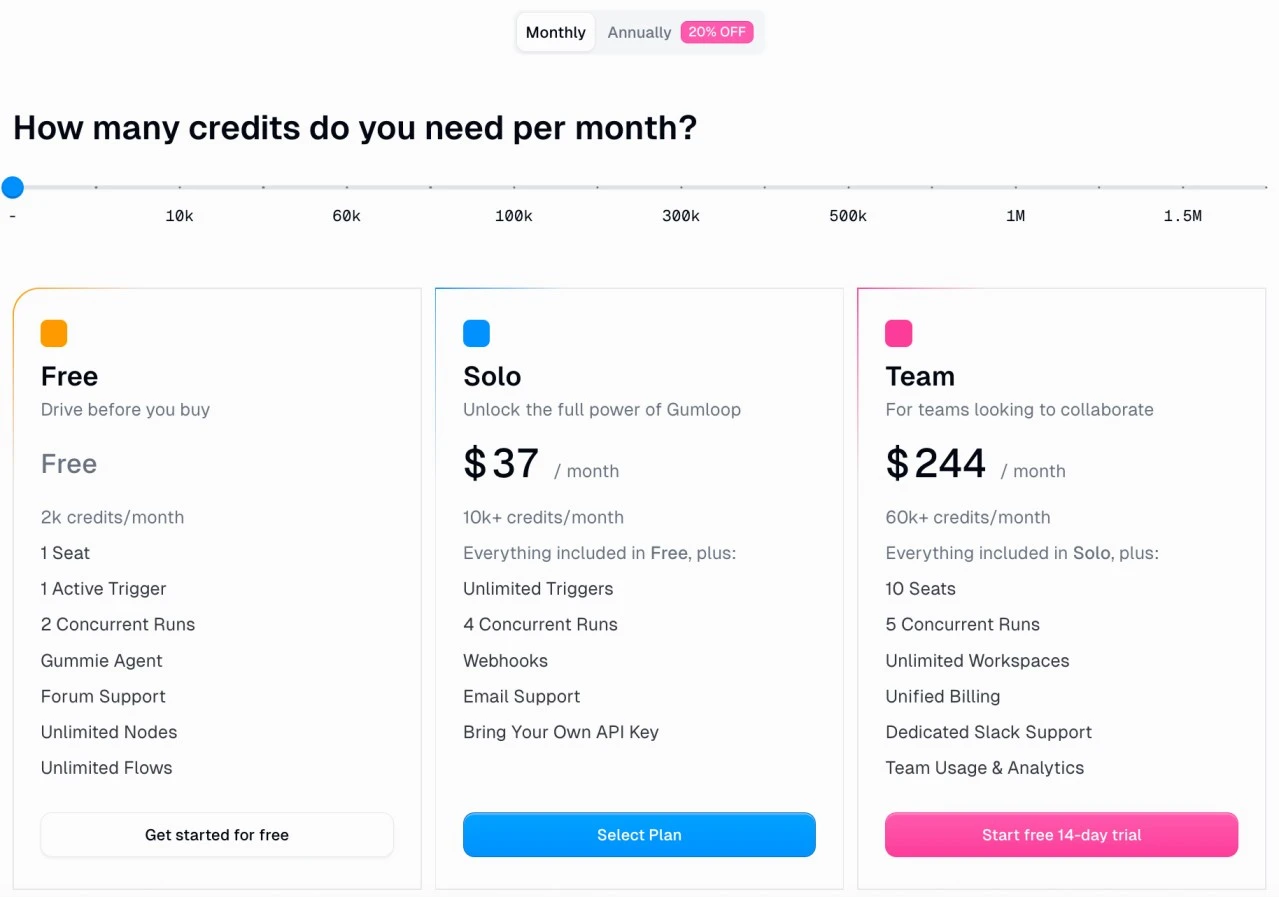
- A credit-based pricing model could get expensive quickly if automation and workflows are high volume
- May lag with super-long and complex workflows; however, some simple flows run fast
Gumloop Pricing:
18. Zapier – (for automations)
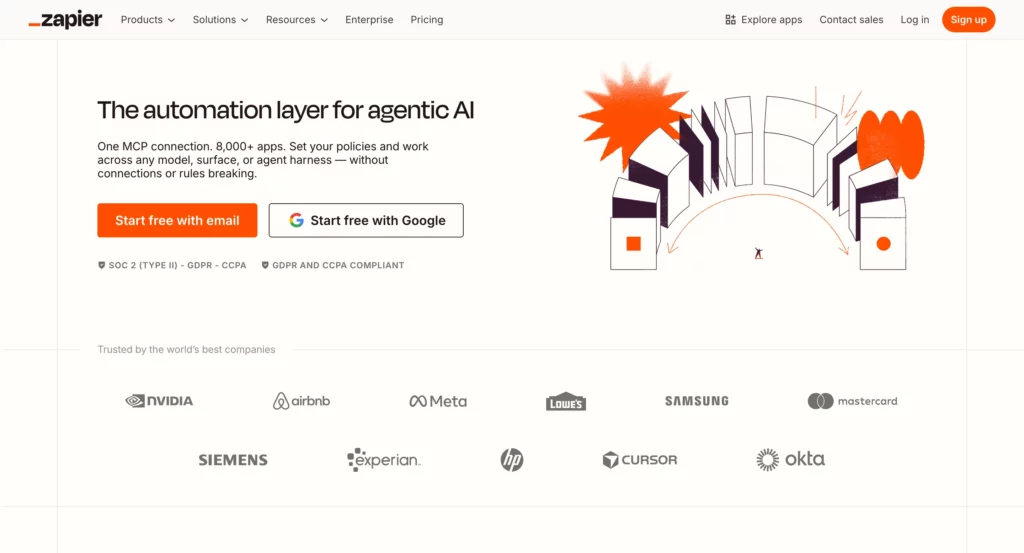
Zapier is the mother of all automation platforms, connecting to over 6,000 apps to help you automate tasks without coding. It works through “Zaps” – automated workflows that are triggered by an event in one app that causes actions in another app.
Recently, Zapier has been embedding AI capabilities throughout its platform, allowing it to introduce new AI-powered steps, such as content generation, data analytics, and wise decision-making, into your automations.
Zapier is great at simple, linear workflows like “when I receive a new email attachment, save it to Google Drive and notify my team in Slack”.
With millions of users, including solopreneurs and Fortune 500 companies alike, Zapier has become the backbone of modern business automation, although it is not inherently designed for the more complex AI-first workflows that newer platforms offer.
Zapier Ratings & Reviews:
- G2: ⭐ 4.5/5 (1396 reviews)
- Capterra: ⭐ 4.7/5 (3023 reviews)
- Trustpilot: ⭐ 1.4/5 (242 reviews)
Zapier Pros:
- Huge library of 6,000+ app integrations covers almost every business tool you can imagine
- Multi-step Zaps with conditional logic allow for sophisticated automation flows
- Proven reliability and uptime that millions of businesses use every day
- Portfolios of templates and excellent community support make it easy to get started
Zapier Cons:
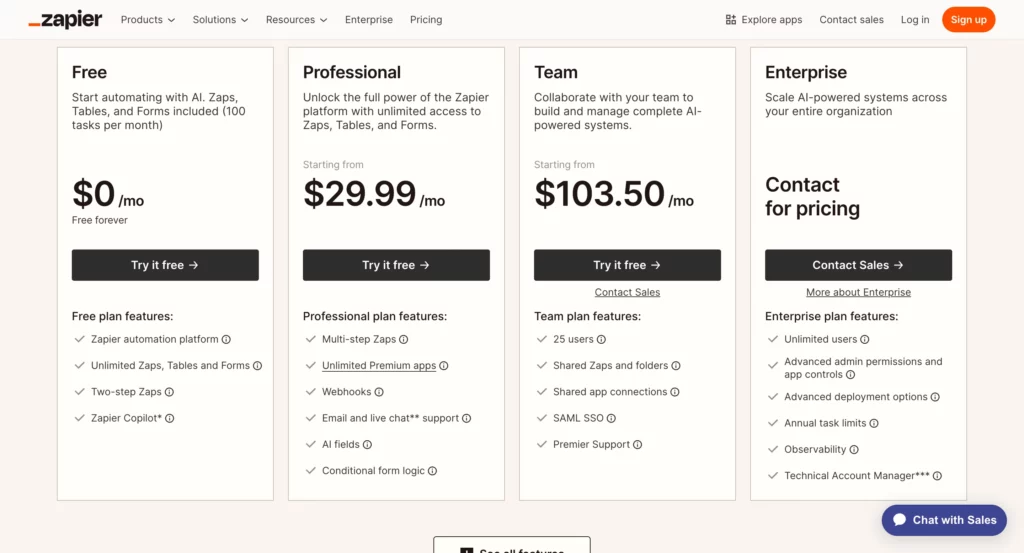
- Low-tier plans have limits on tasks, which can be restrictive for businesses that rely heavily on automation
Zapier Pricing:
19. Salesforce Einstein – (for CRM insights)
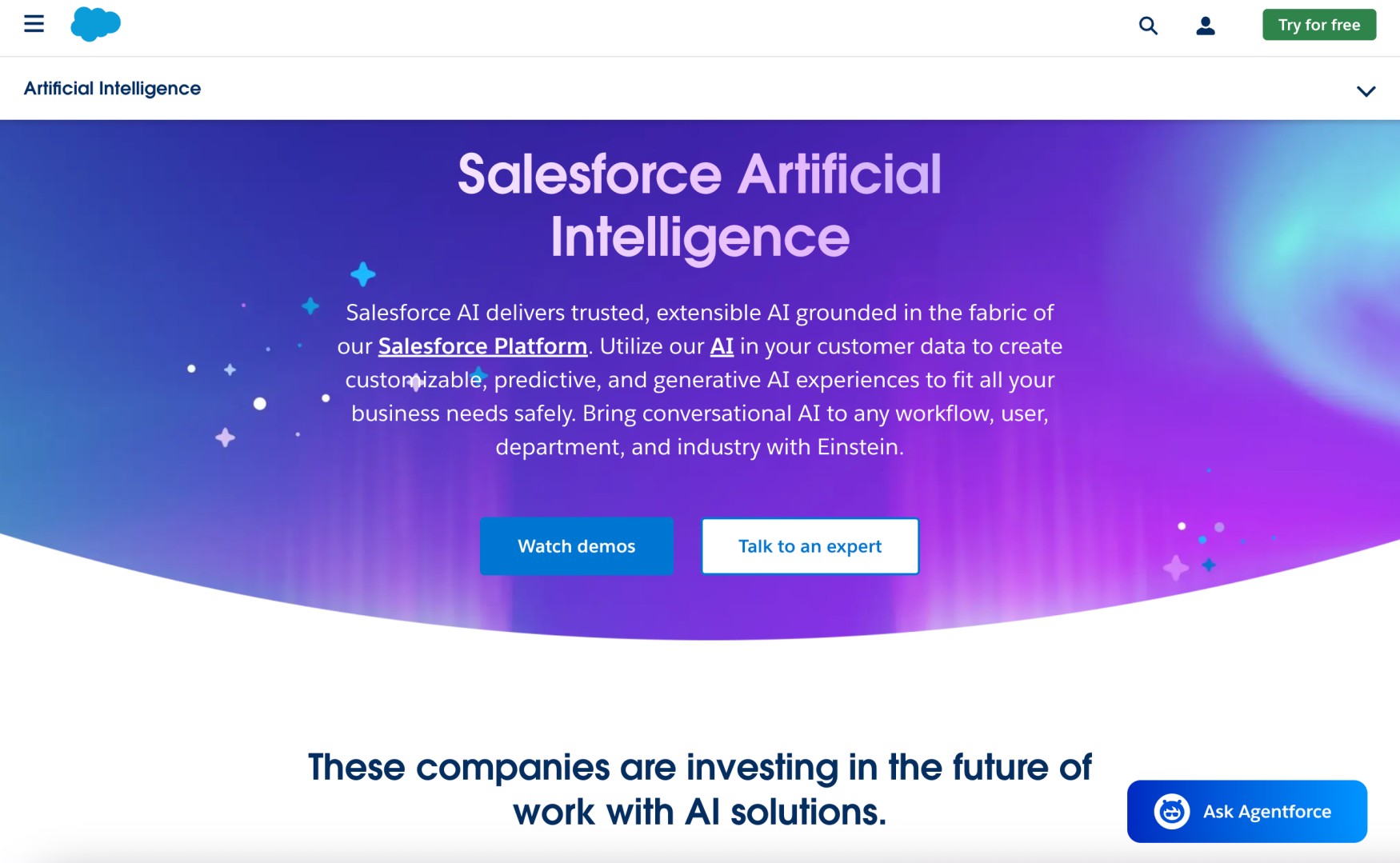
Salesforce Einstein is an AI layer built into Salesforce’s customer relationship management (CRM) platform.
It provides predictive analytics, automated insights, and intelligent recommendations across sales, marketing, and customer service.
Instead of being a tool you go to use separately, Einstein is embedded within the entire Salesforce ecosystem, in the customer’s customer data set, and it uses that information to predict the leads that are most likely to convert, recommend the best time to interact with prospective customers, or even write personalized e-mails.
As AI learns from the specific data patterns that resonate within your company, it enables you to curate insights such as lead scoring, opportunity forecasting, and customer churn prediction.
Einstein operates throughout the Salesforce ecosystem across Sales Cloud, Marketing Cloud, and Service Cloud, which is immensely powerful for a large company that is already committed to the Salesforce ecosystem.
Salesforce Einstein Ratings & Reviews:
- G2: ⭐ 4.9/5 (56 reviews)
- Capterra: ⭐ 4.5/5 (21 reviews)
- Trustpilot: ⭐ 1.4/5 (570 reviews)
Salesforce Einstein Pros:
- Deeply integrates with Salesforce data and provides AI insights based on the specifics of actual customer interactions
- Predictive lead scoring and opportunity insights can enhance the effectiveness of sales staff by a lot
Salesforce Einstein Cons:
- Only works within the Salesforce ecosystem, making it useless if you use other CRM platforms
- Requires significant Salesforce investment and setup before Einstein features become truly valuable
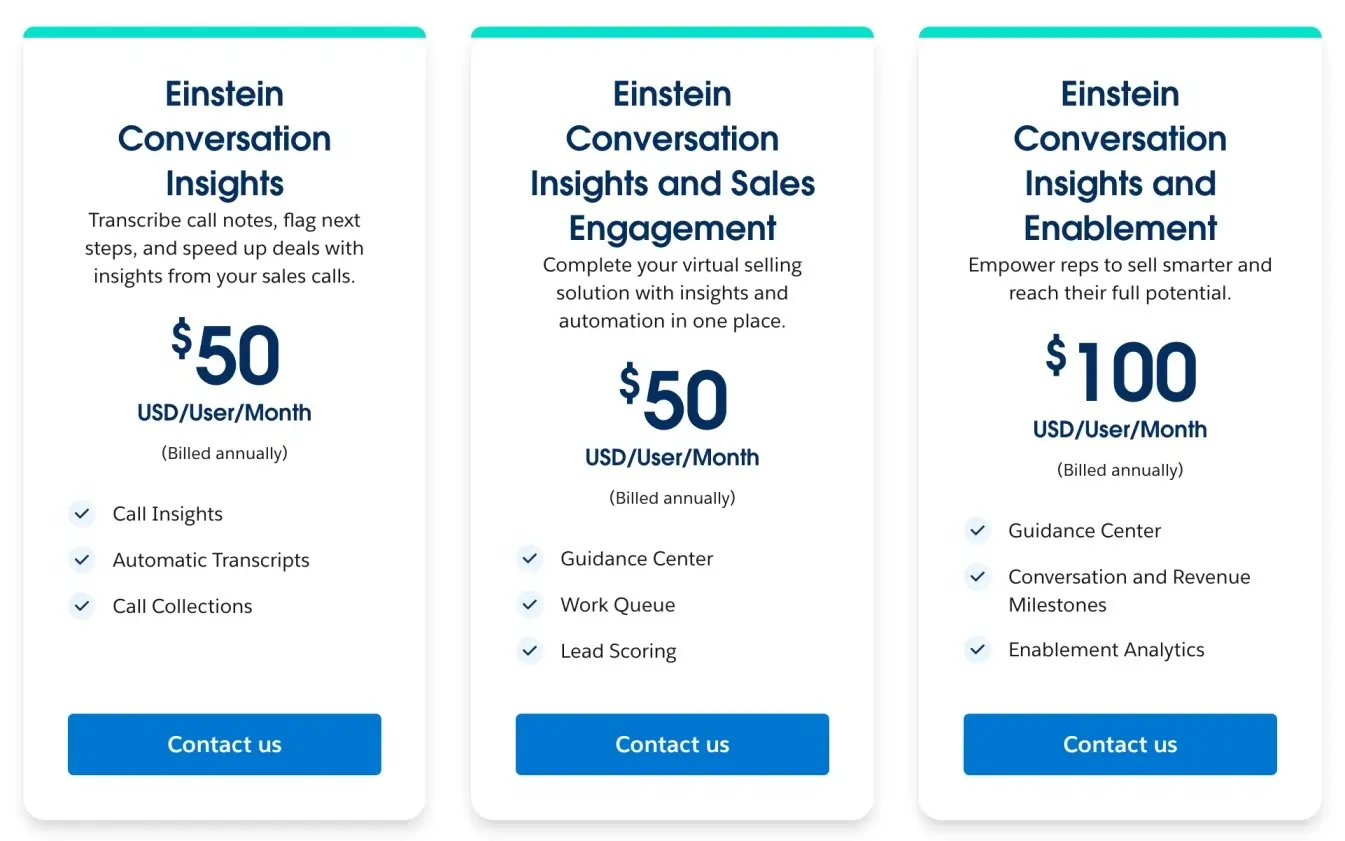
Salesforce Einstein Pricing:
20. HubSpot AI Tools – (for marketing automation)
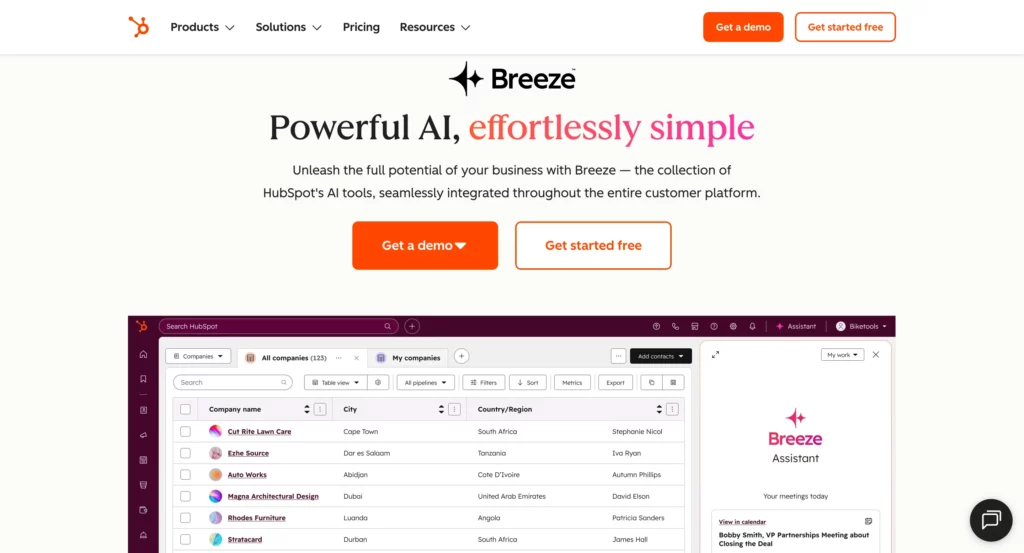
HubSpot AI Tools, recently named “Breeze,” are built into HubSpot’s marketing, sales, and service platform to help teams work smarter and create better customer experiences.
Rather than using AI as a stand-alone solution, HubSpot allows teams to utilize AI throughout the platform – whether that’s from generating new blog posts and social media content to scoring leads and building personalized email sequences, or suggesting content based on your website visitors’ behavior, writing follow-up emails based on previous conversations, and predicting which deals are more likely to close.
HubSpot’s approach is to make AI accessible and usable rather than powerful and overwhelming, which is helpful for small- to medium-sized businesses looking for AI capabilities without an overwhelming amount of complexity.
HubSpot AI Tools Ratings & Reviews:
- G2: ⭐ 4.4/5 (13022 reviews)
- Capterra: ⭐ 4.5/5 (4423 reviews)
- Trustpilot: ⭐ 2.0/5 (949 reviews)
HubSpot AI Tools Pros:
- Integrated AI Agents automate support, content, and sales tasks.
- Built on unified CRM data for better personalization.
- Breeze AI drafts and refines content directly inside editors.
HubSpot AI Tools Cons:
- Advanced AI, like predictive scoring, is Enterprise-only.
- Features are locked to HubSpot’s ecosystem.
- Brand Voice currently supports only six languages.
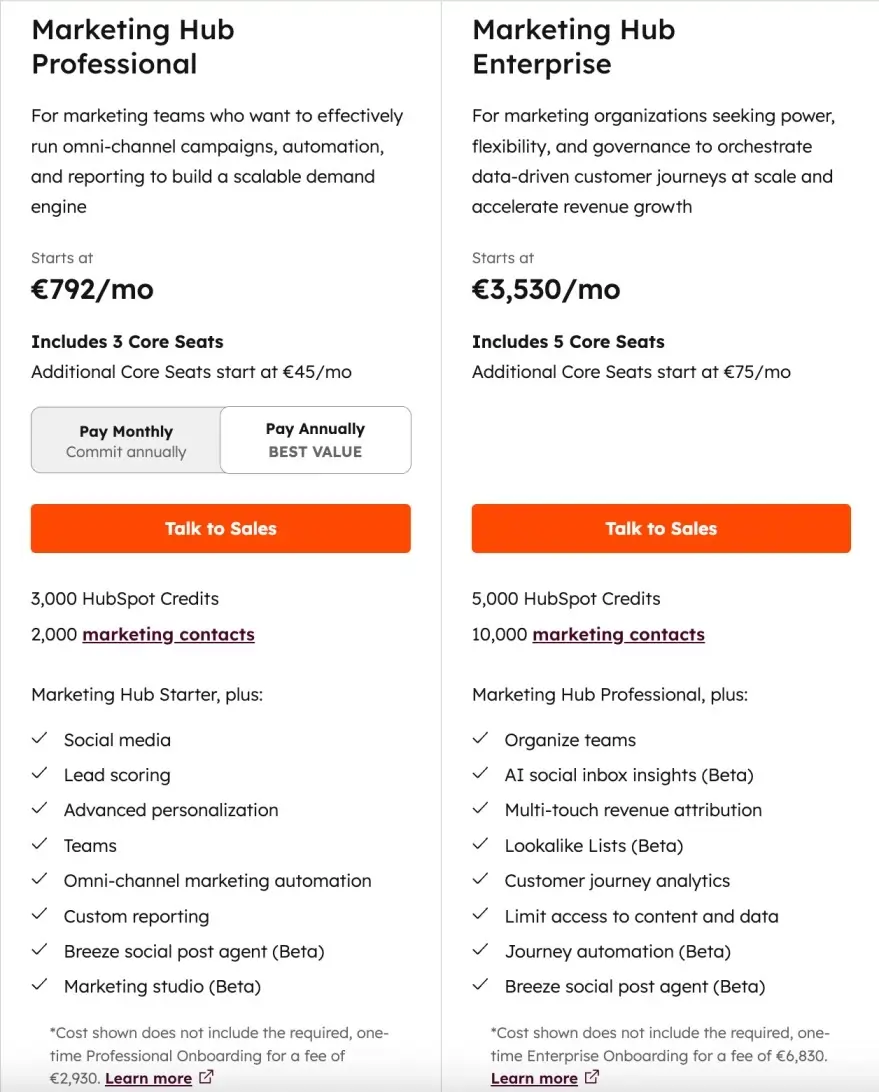
HubSpot AI Tools Pricing:
21. Google Analytics Intelligence – (for analytics)
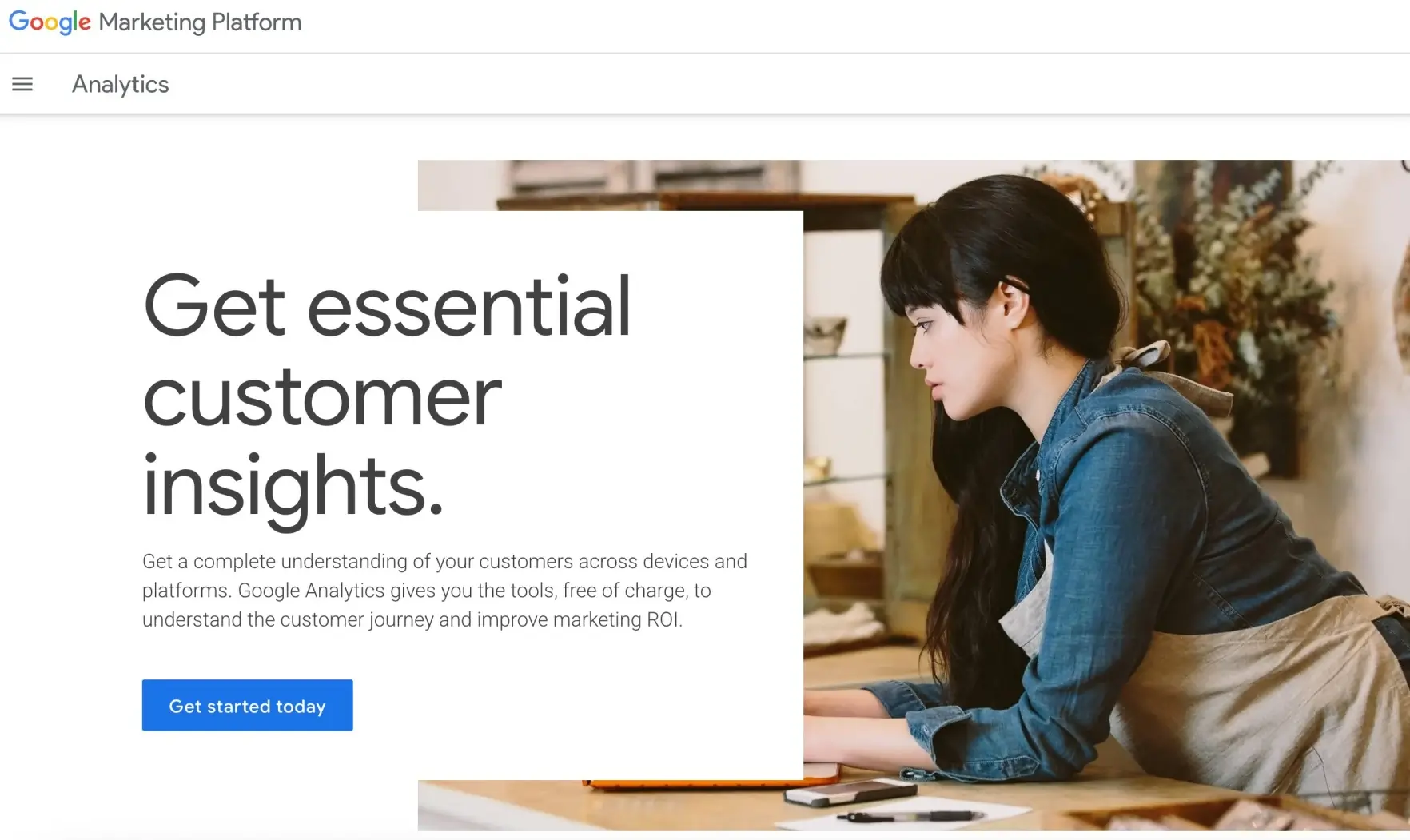
Google Analytics Intelligence is the artificial intelligence-powered assistant native to Google Analytics 4.
This tool automatically surfaces insights into your website performance and answers your data questions in simple English.
Instead of looking through a million reports or charts, you can simply ask questions like “why did my traffic drop last week?” or “which pages are my best performers?” and instantly get a data-driven answer.
The artificial intelligence maintains an ongoing script on your analytics data to automatically notify you of material shifts that may have occurred, recurring unusual patterns, and new opportunities you may have missed.
It performs all of this automatically and is particularly useful for identifying specific sources of traffic changes, uncovering user behavioral patterns, and deriving actionable insights without requiring specific analytical models.
Google Analytics has been transformed from a confusing reporting system into an intelligent business advisor, and the value of reporting and data analysis has been significantly augmented.
Google Analytics Intelligence Pros:
- Automatically surfaces important insights you might miss when manually reviewing analytics data
- Natural language queries let you ask complex questions and get instant, understandable answers
- Proactive alerts notify you of significant changes or anomalies in your website performance
- Completely free and built into Google Analytics 4, requiring no additional subscriptions
Google Analytics Intelligence Cons:
- Insights quality depends heavily on having sufficient website traffic and a properly configured GA4
Google Analytics Intelligence Pricing:
Google Analytics is completely free for small and medium-sized businesses.
22. Mixpanel – (for product analytics)
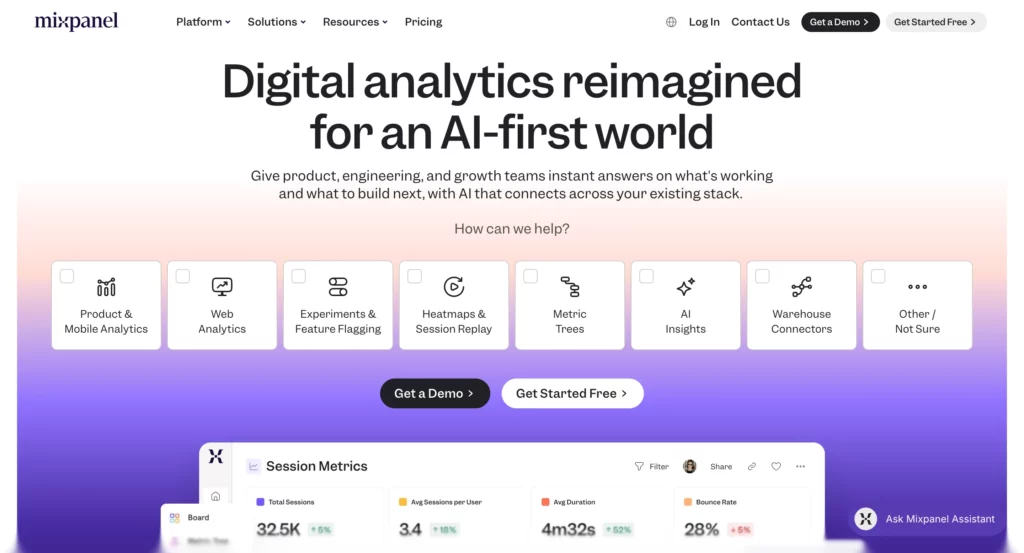
Mixpanel is an advanced product analytics platform that incorporates AI to help you understand user behavior and optimize product experience through event tracking and cohort analysis.
An example of traditional web analytics involves measuring pageviews.
With Mixpanel, you can track actions users take after interacting with your product, e.g., whether they click a button, which features they use, and their conversion events.
Furthermore, AI capabilities assist in identifying behavioral patterns, predicting churn risk, and suggesting potential experiments to improve specific metrics.
Mixpanel’s strongest features include the ability to create detailed user journey maps and to identify specific user segments based on behavior rather than just demographics.
While Mixpanel’s greatest advantages uniquely benefit SaaS companies and mobile apps, the platform provides unparalleled capabilities for any business that wants to deeply understand how users interact with their digital products, beyond just “views” or basic website visits.
Mixpanel Ratings & Reviews:
- G2: ⭐ 4.6/5 (1208 reviews)
- Capterra: ⭐ 4.5/5 (145 reviews)
- Trustpilot: ⭐ 2.3/5 (7 reviews)
Mixpanel Pros:
- Natural-language queries (Spark) enable non-technical users to generate reports.
- Transparent privacy & data handling: GenAI features don’t send data to OpenAI for model training by default.
Mixpanel Cons:
- Spark queries per month are limited (vary by plan) → extra usage needs paid tiers.
- Mixing external data sources or cross-platform data requires extra effort/integration.
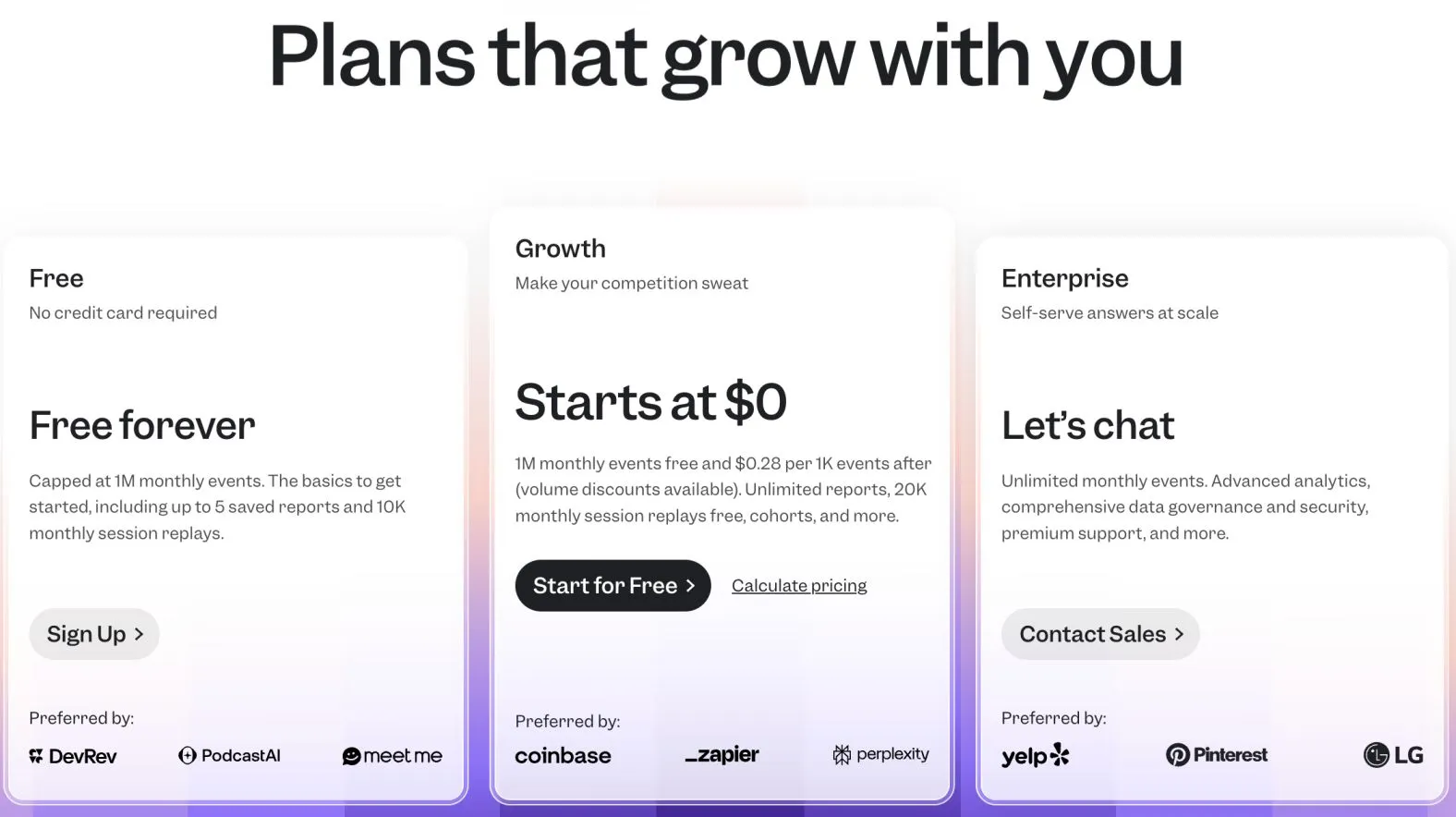
Mixpanel Pricing:
23. Intercom – (for customer support)
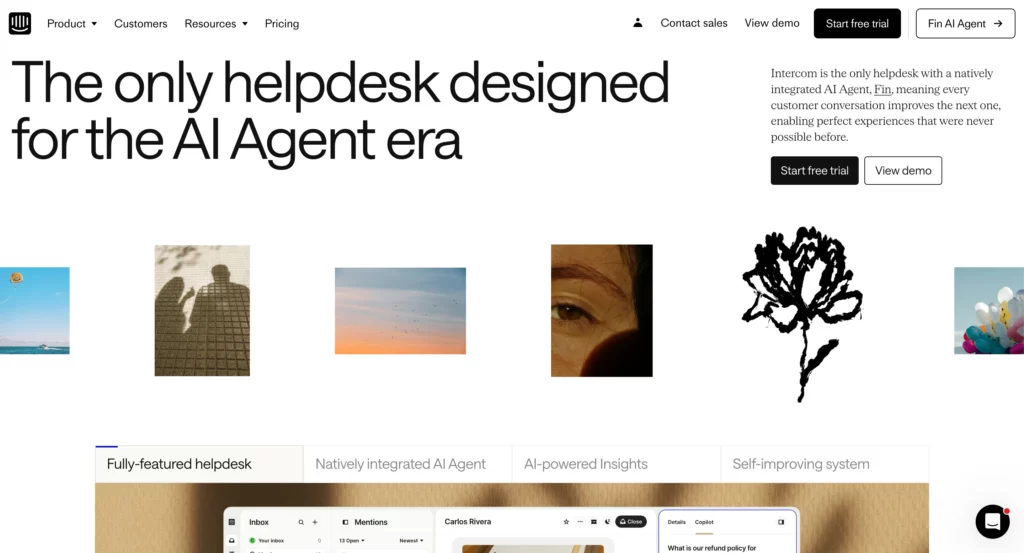
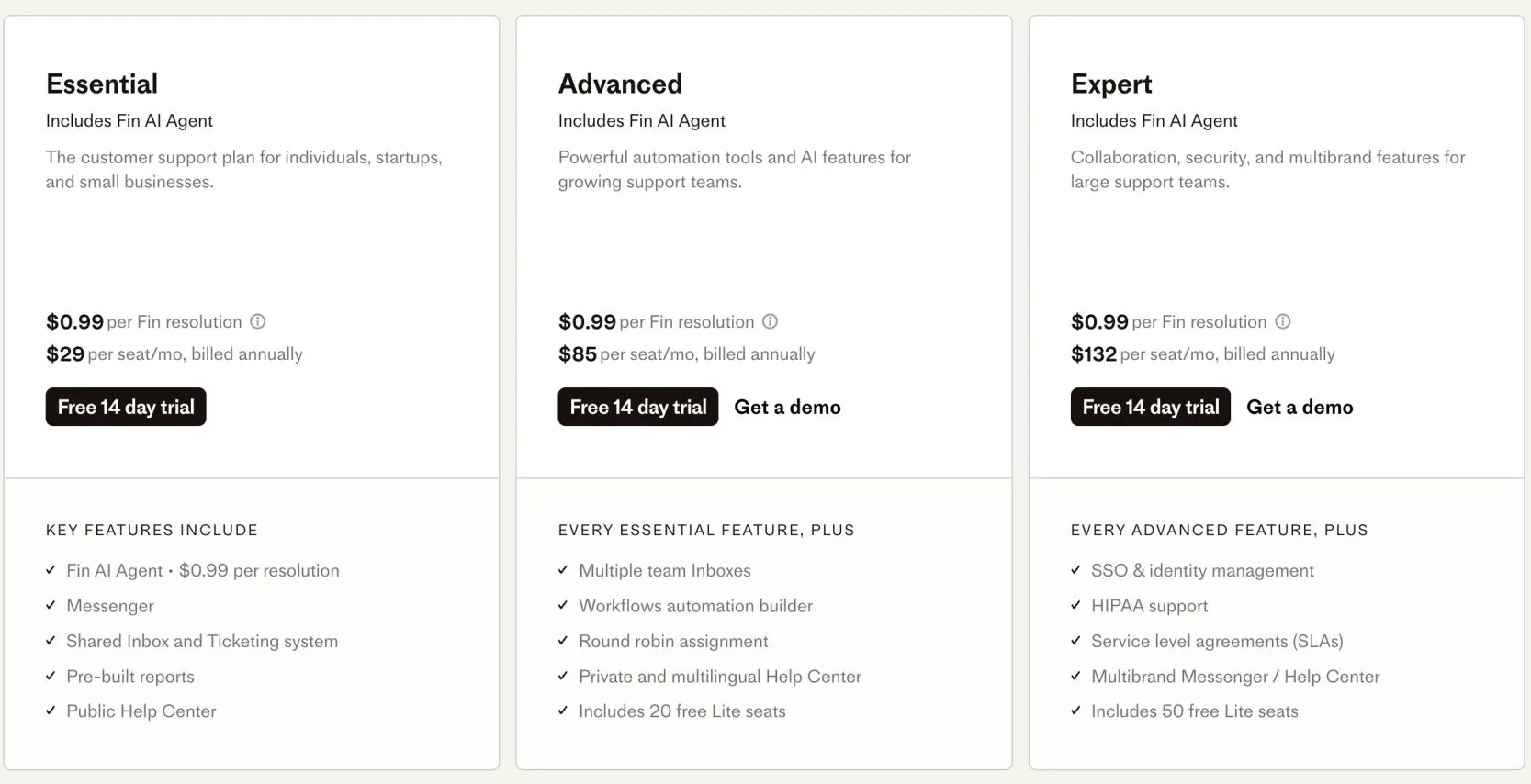
Intercom is a customer messaging tool that utilizes AI to support customer service, sales, and marketing through chatbots, live chat, and automated messaging sequences.
Its capabilities include “Resolution Bot,” which can answer common support questions automatically; sentiment analysis, which helps prioritize urgent conversations; and smart routing, which directs customers to the best team member for their inquiry.
Intercom’s AI learns from your previous conversations with customers to provide increasingly accurate automated responses and will escalate more complex issues to a human agent as appropriate.
The platform is effective at creating personalized experiences for customers by seamlessly combining AI automation with a human touch, so your customers feel as though they are always talking to someone who understands their specific situation and history.
Intercom Ratings & Reviews:
- G2: ⭐ 4.5/5 (3578 reviews)
- Capterra: ⭐ 4.5/5 (1136 reviews)
- Trustpilot: ⭐ 3.1/5 (485 reviews)
Intercom Pros:
- Resolution Bot can automatically handle 40-60% of common customer inquiries without human intervention
- Smart conversation routing ensures customers always reach the most qualified team member
- AI learns from your specific customer conversations to provide increasingly accurate automated responses
Intercom Cons:
- AI replies can be too generic or verbose, sometimes missing key details, which lowers resolution rates.
- Works best only with Intercom’s own knowledge base; integrating external sources or fine-tuning is restricted.
Intercom Pricing:
24. Albert.ai – (for digital ads)
Albert.ai is an autonomous AI marketing platform that manages and optimizes digital advertising campaigns across multiple channels, including Google, Facebook, Instagram, and programmatic display networks. Other AI marketing solutions enhance human marketers’ work,
Albert is not a Digital Marketing Assistant or an augmentation tool; it’s a platform that autonomously manages and runs digital advertising campaigns, analyzing performance data, adjusting bids, creating new ad variations, and reallocating budgets in real time based on what drives conversions and revenue.
The AI, for example, will continually test audiences, creative, and messaging, iterating towards the best possible combination based on your unique goals. Companies like Harley-Davidson and Cosabella are using Albert to manage millions in ad spend because it can process much more data and make optimization decisions at speeds that human teams working together likely cannot match.
Albert.AI Ratings & Reviews:
No reviews yet.
Albert.AI Pros:
- Truly autonomous campaign management means it works 24/7 without human intervention or oversight
- Can manage complex, large-scale campaigns that would require entire marketing teams to handle manually
- Helps discover “long-tail” keyword groups and audience segments that might be missed otherwise.
Albert.AI Cons:
- To get good performance, you need clean, well-structured historical data so Albert can learn; if the data is bad or fragmented, performance suffers.
- Users often complain about a lack of visibility into why Albert makes certain changes (e.g., shifting budget, turning creatives on/off)
- Some reviews indicate that Albert is primarily optimized for English, and its performance in non-English / localized markets can lag.
Albert.AI Pricing:
Albert.ai does not offer fixed prices; businesses must contact them for a quote.
Costs are determined by annual advertising budgets ($100K to $500K or $500K to $2.5M).
Pricing typically takes the form of a percentage of the ad spend, making it best for medium and large advertisers. There is no free trial, and contracts are designed around each client’s campaign size.
25. Smartly.io – (for ad optimization)
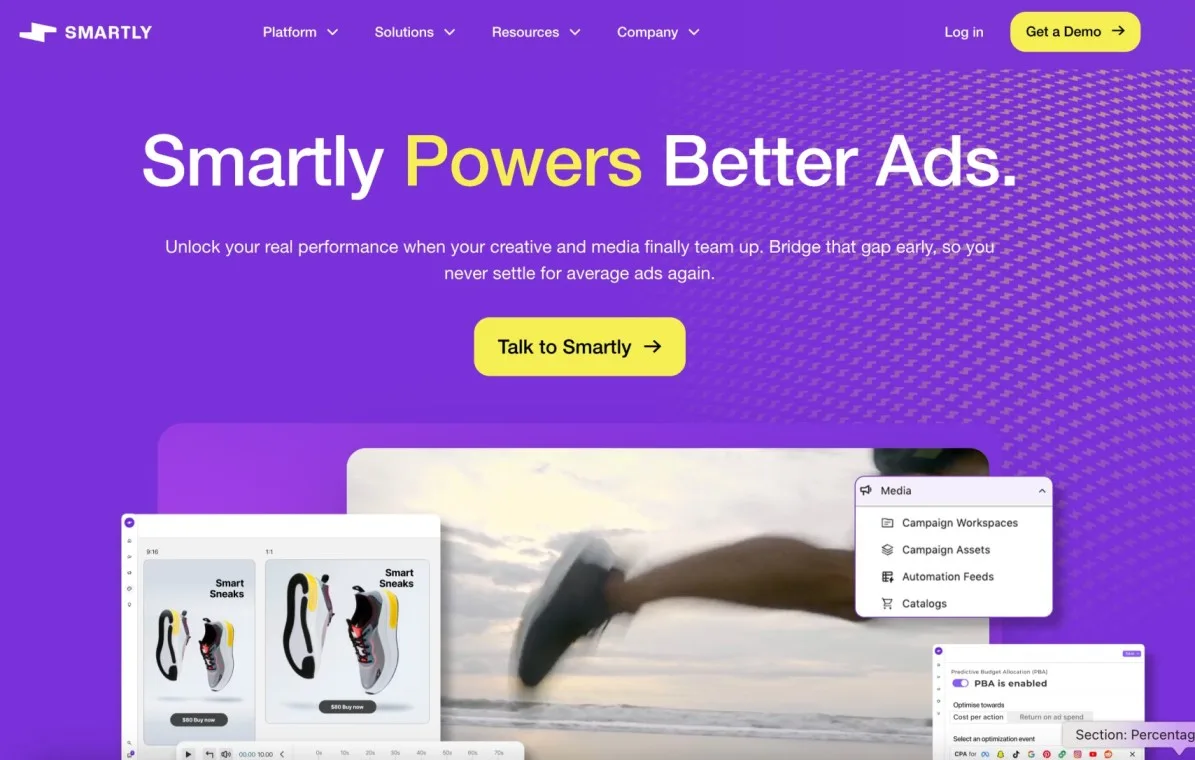
Smartly.io is an AI-powered advertising platform that enhances social media marketing by offering creative, media, and intelligence solutions.
For example, you can automate creative production assets, optimize cross-channel social media campaigns, conduct social analysis, and predict future performance trends.
The platform excels at creative automation, generating hundreds of ad variations and testing them automatically to identify top performers. Predictive analytics help forecast campaign performance and budget allocation.
Smartly.ai Ratings & Reviews:
- G2: ⭐ 4.4/5 (468 reviews)
- Capterra: ⭐ 4.2/5 (6 reviews)
Smartly.ai Pros:
- Creative automation generates thousands of ad variants at scale, saving massive amounts of manual creative work
- Cross-platform budget optimization automatically moves money to the best-performing channels and campaigns
- Exceptional customer support with dedicated account managers who understand complex advertising challenges
Smartly.ai Cons:
- Limited creative control once automation is enabled, which can frustrate hands-on marketers
- Best suited for large ad spends, making it impractical for smaller businesses with limited budgets
Smartly.ai Pricing:
Smartly.io pricing is not public; it typically charges a percentage of ad spend (around 2–4%) plus a minimum monthly fee, and contracts often range from $60,000 to $130,000 per year, depending on budget and scale.
26. Grammarly Business – (for content editing)

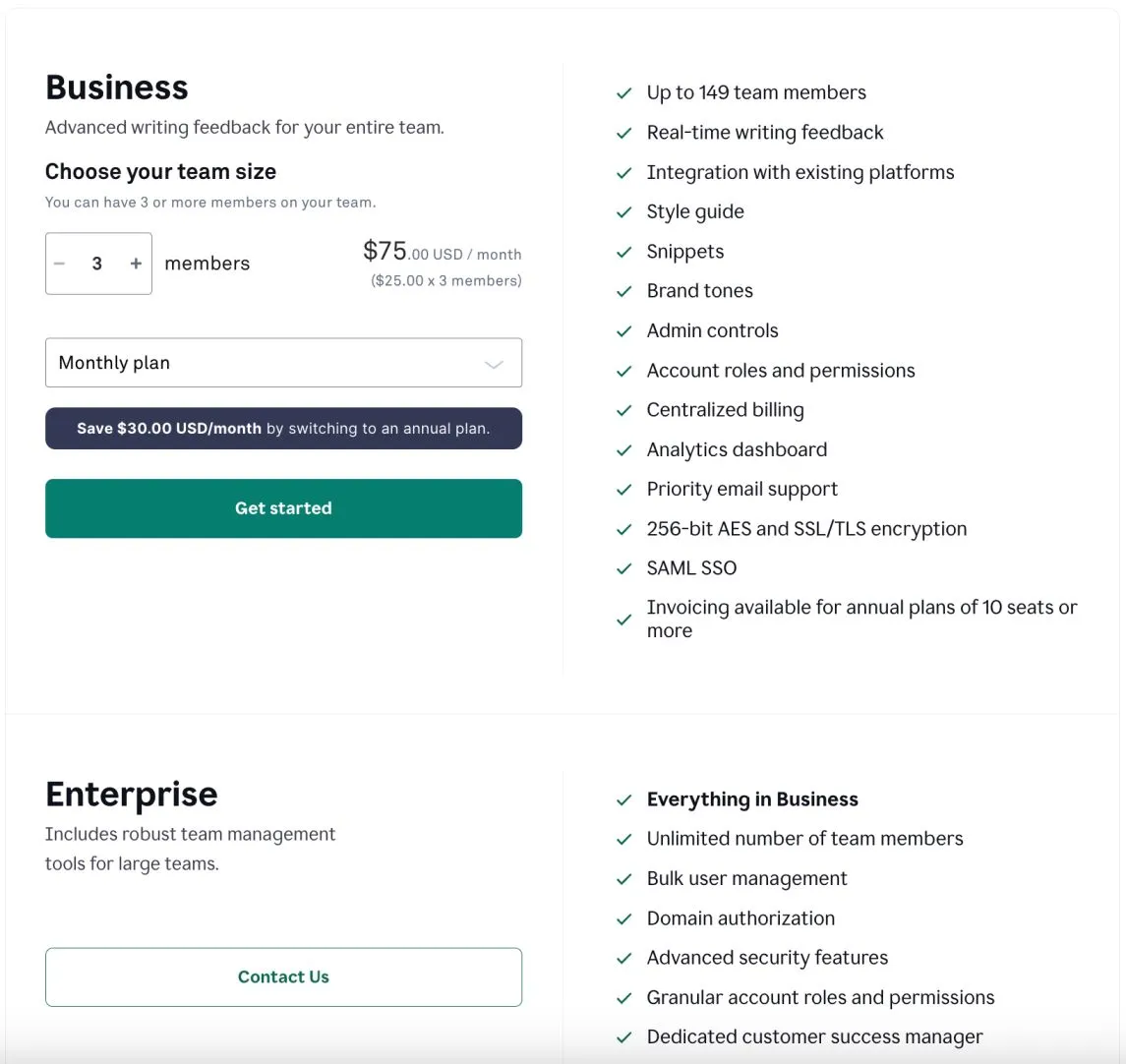
Grammarly Business is the company version of the famous AI writing assistant that improves team communication for emails, documents, proposals, and marketing materials. Besides spell check, it offers advanced tone detection, maintains brand voice consistency, detects plagiarism, and provides writing style suggestions relevant to business. Grammarly integrates with popular business tools such as Google Workspace, Microsoft Office, Slack, and any browser, so your team’s writing will be clear wherever they work.
Grammarly Business Ratings & Reviews:
- G2: ⭐ 4.7/5 (11887 reviews)
- Capterra: ⭐ 4.7/5 (7210 reviews)
- Trustpilot: ⭐ 4.o/5 (10345 reviews)
Grammarly Business Pros:
- Across all platforms, professional communication that reflects your brand voice is ensured by advanced tone detection.
- Teams can easily review and edit documents together thanks to real-time collaboration features.
- Before publication, thorough plagiarism detection guards against content problems.
- Comprehensive analytics highlight common issues and demonstrate how team writing has improved over time.
Grammarly Business Cons:
- AI suggestions can be overly aggressive, sometimes changing the meaning or removing personality from the writing
- Sometimes flags industry-specific terminology or technical language as incorrect when it’s actually proper
Grammarly Business Pricing:
27. Synthesia – (for AI videos)
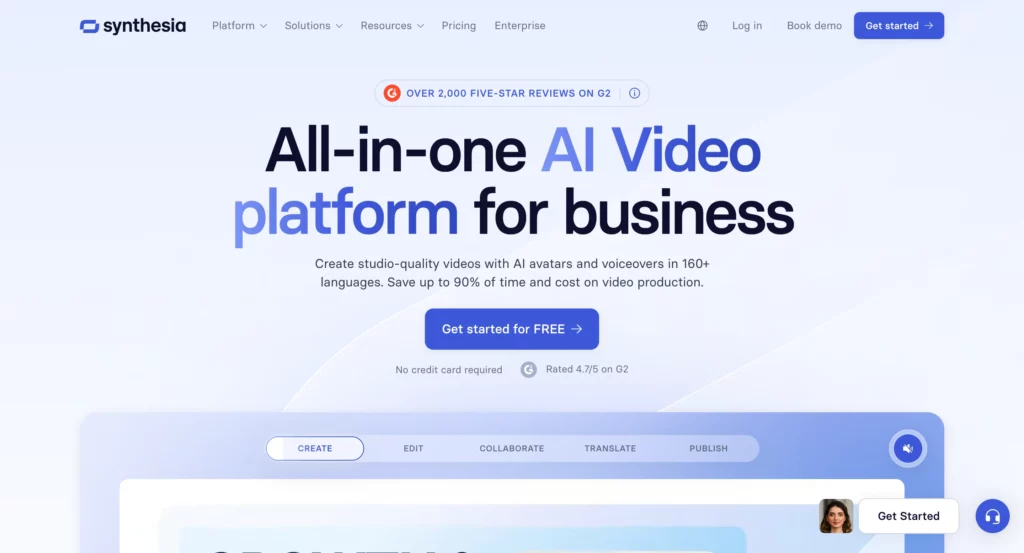
Synthesia is an AI video creation platform that creates polished videos with lifelike AI avatars that can speak your script in more than 120 languages.
The platform creates a video of your selected avatar speaking your script naturally after you type it and choose from over 130 AI avatars (or create your own).
Because it saves time and money compared to traditional video production, the technology is especially popular for training videos, explainer content, and multilingual marketing materials.
However, because avatars are based on real actors, the platform has stringent content moderation policies, and users often report technical issues that disrupt workflows.
Synthesia Ratings & Reviews:
- G2: ⭐ 4.7/5 (2276 reviews)
- Capterra: ⭐ 4.6/5 (312 reviews)
- Trustpilot: ⭐ 4.1/5 (1700 reviews)
Synthesia Pros:
- Eliminates the need for cameras, actors, or video editing expertise while producing professional-quality results
- Supports 120+ languages with natural-sounding voices, perfect for global marketing campaigns
- Integrates with PowerPoint, allowing you to turn existing presentations into engaging video content
- Templates and customization options make it easy to maintain brand consistency across video content
Synthesia Cons:
- Technical issues are common; users frequently report videos getting stuck at 99% processing or failing to render.
- Strict content moderation often rejects videos in healthcare and other regulated industries without clear explanations, even for factual, non-promotional content.
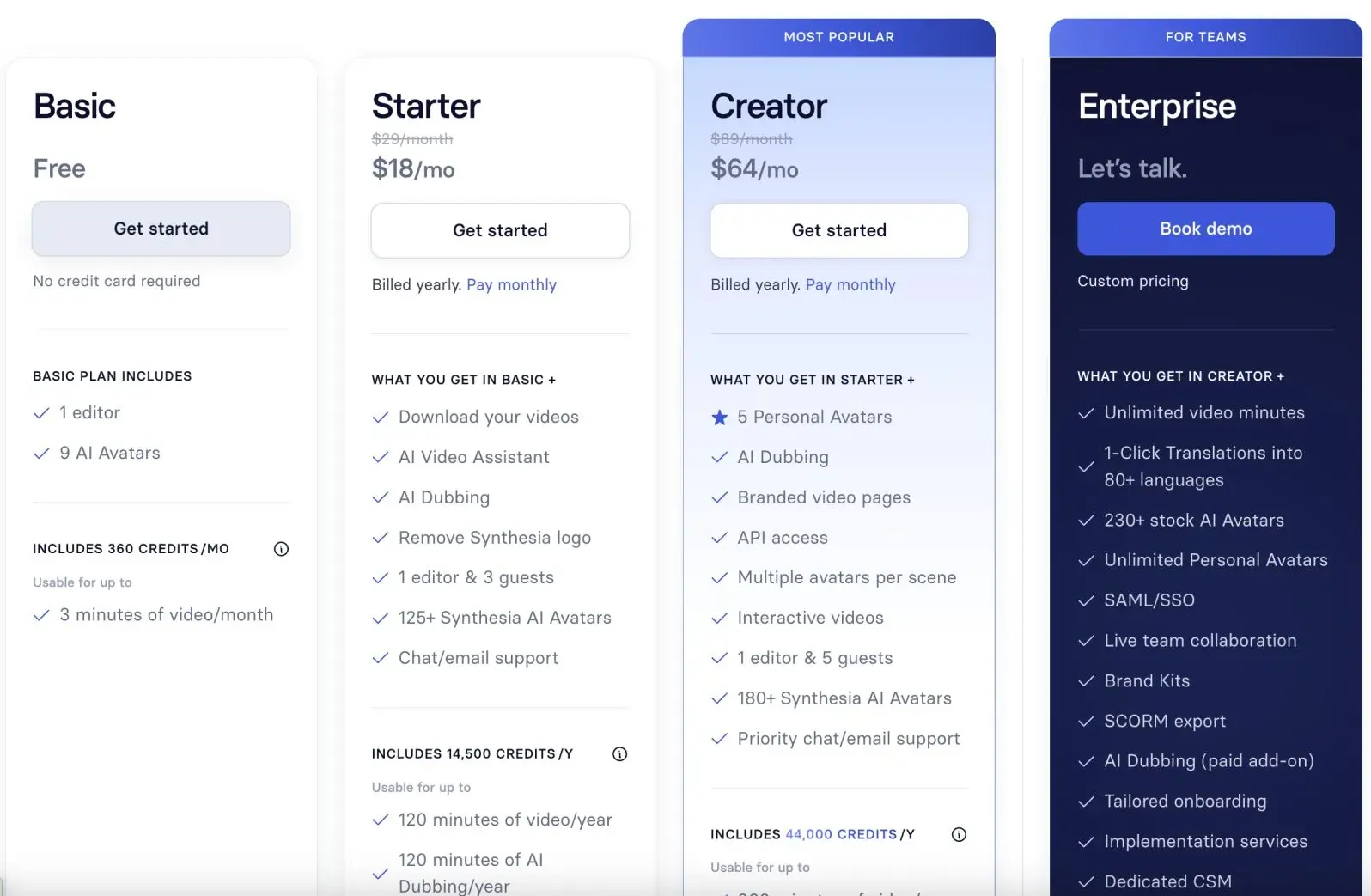
- Studio Express avatars (higher-quality custom versions) cost an additional $1,000/year, and features like SCORM export and 1-click translation are locked behind the Enterprise tier.
Synthesia Pricing:
28. Murf AI – (for voiceovers)
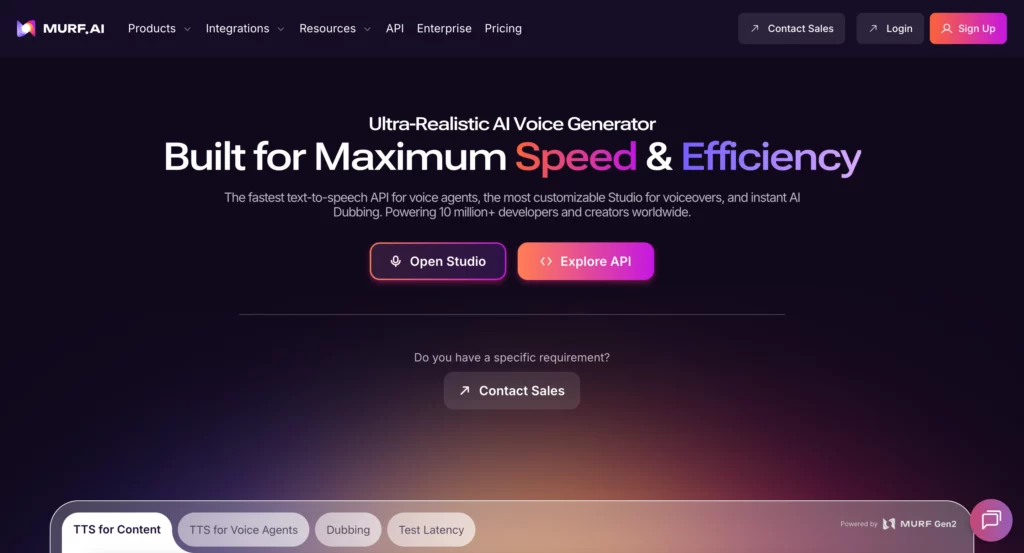
Murf AI is a text-to-speech platform that uses over 120 AI voices across more than 20 languages to transform written content into natural-sounding voiceovers.
The platform is designed specifically for marketers, content producers, and companies that need expert voiceovers without investing in recording equipment or voice actors.
Murf’s voices are incredibly lifelike, and you can adjust their pace, tone, emphasis, and pronunciation to match the style of your content. The platform is well-liked for everything from YouTube videos and podcasts to e-learning courses and advertising campaigns, thanks to features such as voice cloning, team collaboration tools, and the ability to sync voiceovers with videos.
Murf AI Ratings & Reviews:
- G2: ⭐ 4.7/5 (1393 reviews)
- Trustpilot: ⭐ 4.6/5 (131 reviews)
Murf AI Pros:
- Incredibly realistic AI voices that are often indistinguishable from human recordings
- Extensive customization options let you control pace, tone, emphasis, and pronunciation for perfect delivery
- Voice cloning feature allows you to create a digital version of your own voice for consistent branding
- Multi-language support with authentic accents makes it ideal for global content creation
Murf AI Cons:
- Limited emotional range compared to professional human voice actors for dramatic or highly expressive content
- Some voices still have occasional pronunciation issues with technical terms or proper nouns
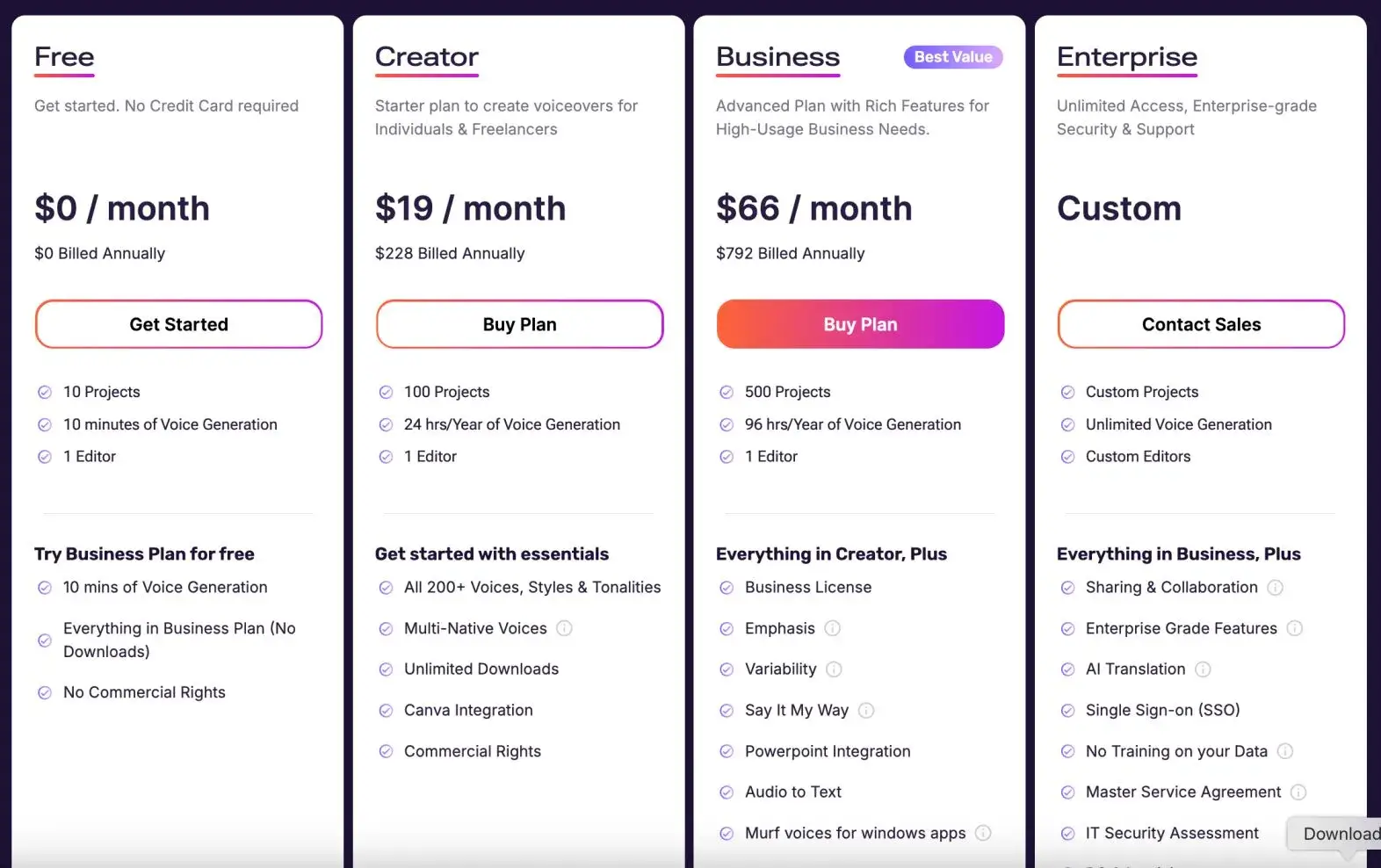
Murf AI Pricing:
29. Pictory AI – (for turning text into video)
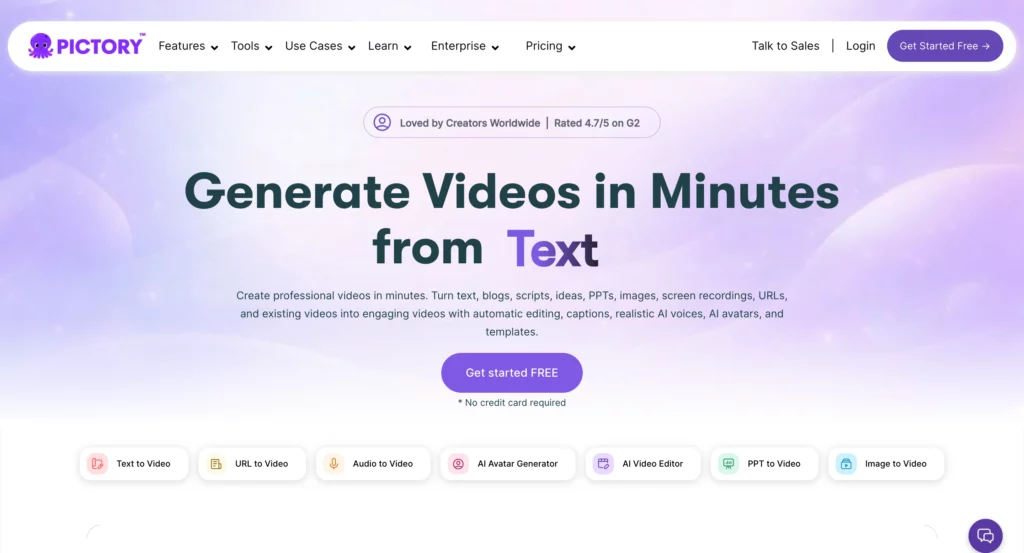
Pictory AI automatically transforms blog posts, articles, and scripts into engaging video content. The AI selects relevant images, adds transitions, and synchronizes voiceovers to create professional marketing videos.
The platform includes automatic caption generation, brand template application, and social media optimization for different platforms and aspect ratios.
Pictory AI Ratings & Reviews:
- G2: ⭐ 4.7/5 (76 reviews)
- Capterra: ⭐ 4.8/5 (162 reviews)
- Trustpilot: ⭐ 3.2/5 (398 reviews)
Pictory AI Pros:
- Automatically extracts key points from long content and creates engaging video summaries without manual editing
- Massive library of high-quality stock footage and images eliminates the need for separate licensing
- Intuitive interface requires no video editing experience while producing professional-looking results
- Multiple aspect ratios and formats optimize videos for different social media platforms automatically
Pictory AI Cons:
- AI sometimes misinterprets context, choosing irrelevant footage or emphasizing the wrong points
- Text-to-video accuracy varies significantly depending on content type and complexity
Pictory AI Pricing:
30. Influencity (for influencer marketing)
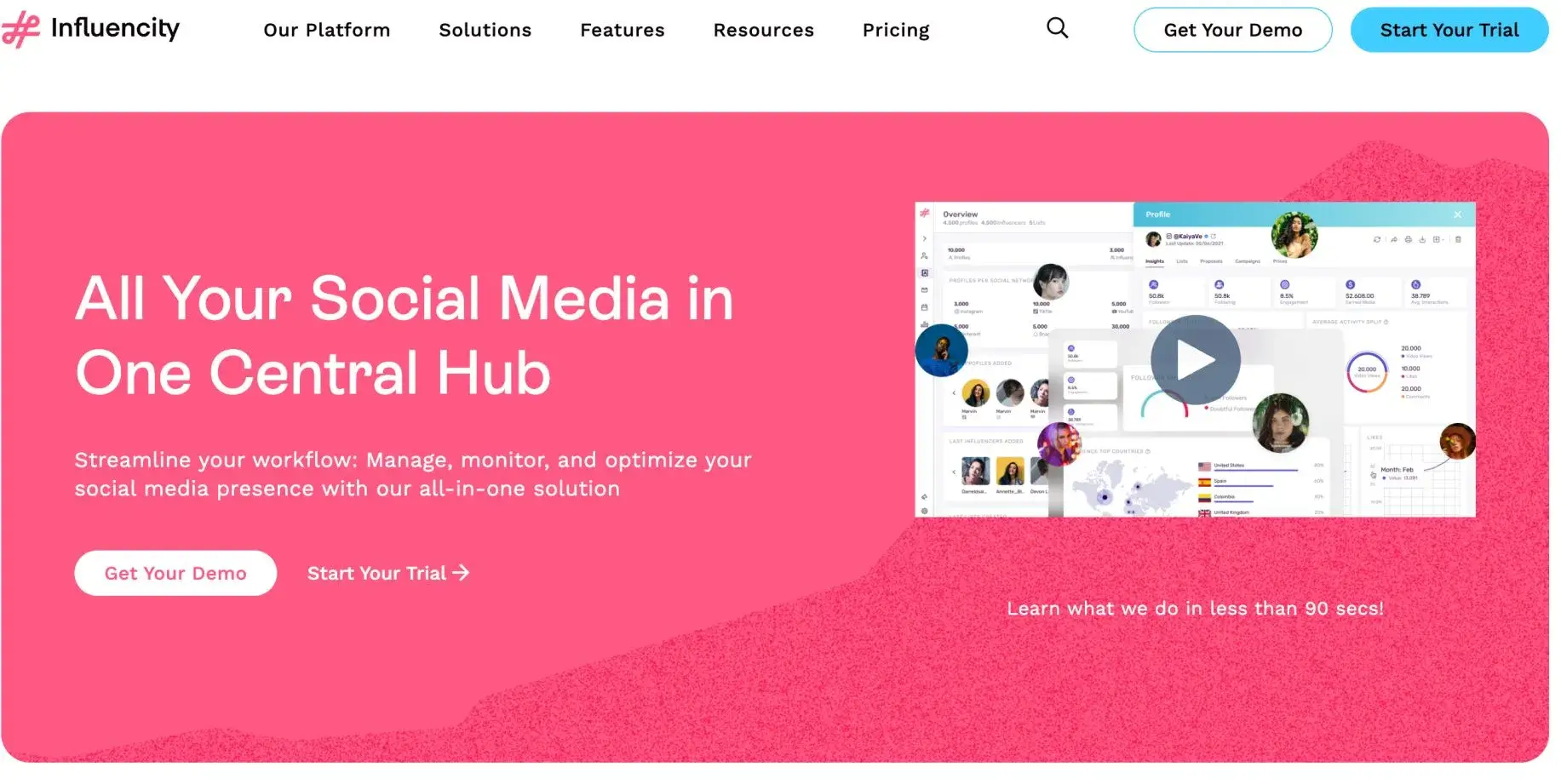
Influencity is an AI-powered influencer marketing platform that helps brands and agencies to discover, analyze, and manage influencer campaigns across Instagram, TikTok, YouTube, and Twitter. The platform has a database of over 90 million influencers and uses AI to match brands with creators based on 20+ filters, including engagement rates, audience demographics, location, and content categories. What sets Influencity apart is its in-depth analytics that go beyond follower count to look at audience quality, engagement, authenticity, and brand safety. The platform offers end-to-end campaign management from influencer discovery to performance tracking with features like automated reporting, campaign ROI analysis, and fake follower detection so brands can work with real creators.
Influencity Ratings & Reviews:
- G2: ⭐ 4.6/5 (245 reviews)
- Capterra: ⭐ 4.2/5 (5 reviews)
- Trustpilot: ⭐ 2.4/5 (6 reviews)
Influencity Pros:
- A massive database of 90+ million influencers with detailed analytics makes finding the right creators efficient
- Advanced fake follower detection and audience quality analysis help avoid influencers with purchased engagement
- Over 60 built-in functionalities allow customization to match different workflow requirements and campaign types
Influencity Cons:
- No direct in-platform messaging system forces users to handle influencer communication through external email
- Poor customer service reputation, with users frequently complaining about unresponsive support teams
- No refund policy creates risk for businesses unsatisfied with the platform’s performance or features
Influencity Pricing:
31. Semrush AI SEO Toolkit (for AI presence tracking)
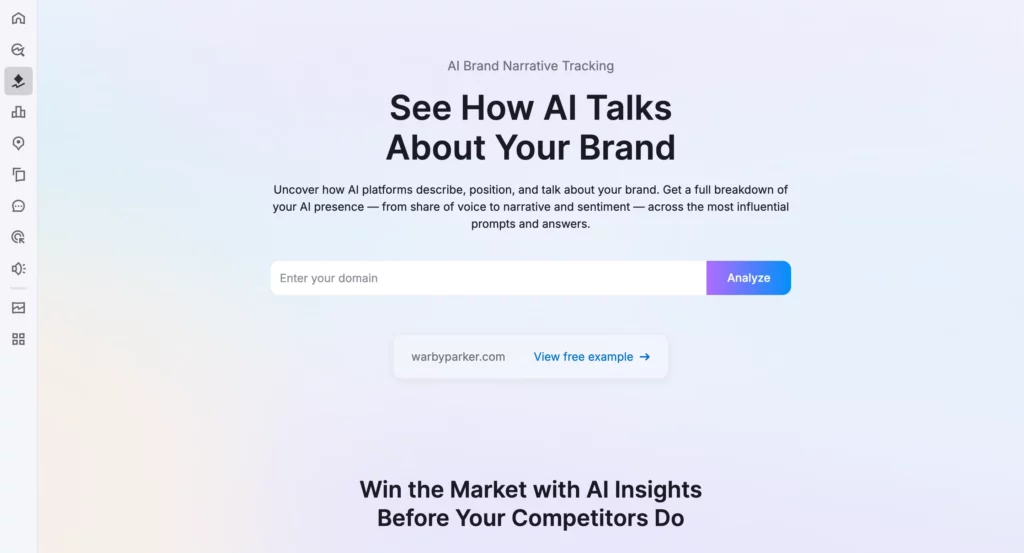
Semrush AI SEO refers to the artificial intelligence features built into Semrush’s all-encompassing SEO platform, including AI-powered keyword research, content optimization suggestions, and SEO auditing.
The Artificial Intelligence analyzes your website and the top competitors to provide specific ranking recommendations, identify content gaps in your strategy, and propose optimization opportunities based on real search data.
The AI features have just added automated content briefs, AI writing assistance, and competitor intelligence to help explain exactly why some pages rank higher than others.
The interface melds traditional SEO tools with machine learning to generate actionable insights that go far beyond simple keyword tracking.
Semrush AI SEO Toolkit Ratings & Reviews:
- G2: ⭐ 4.5/5 (2795 reviews)
- Capterra: ⭐ 4.6/5 (2305 reviews)
- Trustpilot: ⭐ 2.6/5 (1000 reviews)
Semrush AI SEO Toolkit Pros:
- AI content brief generation provides detailed optimization guidelines based on actual top-ranking competitor analysis
- Automated site auditing identifies technical SEO issues and prioritizes fixes based on potential impact
- Intelligent keyword clustering groups related terms to help create comprehensive content strategies
- Real-time content scoring shows exactly how your content compares to top-ranking pages as you write
Semrush AI SEO Toolkit Cons:
- The $99/month per domain price makes the AI SEO Toolkit too expensive for many small businesses.
- Sites with low traffic or minimal AI presence may get little real value from the toolkit.
Semrush AI SEO Toolkit Pricing:
The use of the AI SEO Toolkit is $99 monthly per domain. That includes access to all features, such as Visibility Overview (up to 300 queries per day), Brand Performance reports (one domain included, with additional domains available at the same price), and Prompt Tracking (10 prompts per LLM).
If you have one of the Guru or Business-level plans in Semrush, you will be able to use up to 50 prompts per LLM.
You can preview sample reports before committing, and you can cancel anytime if you wish.
32. beehiiv (for newsletter marketing and monetization)
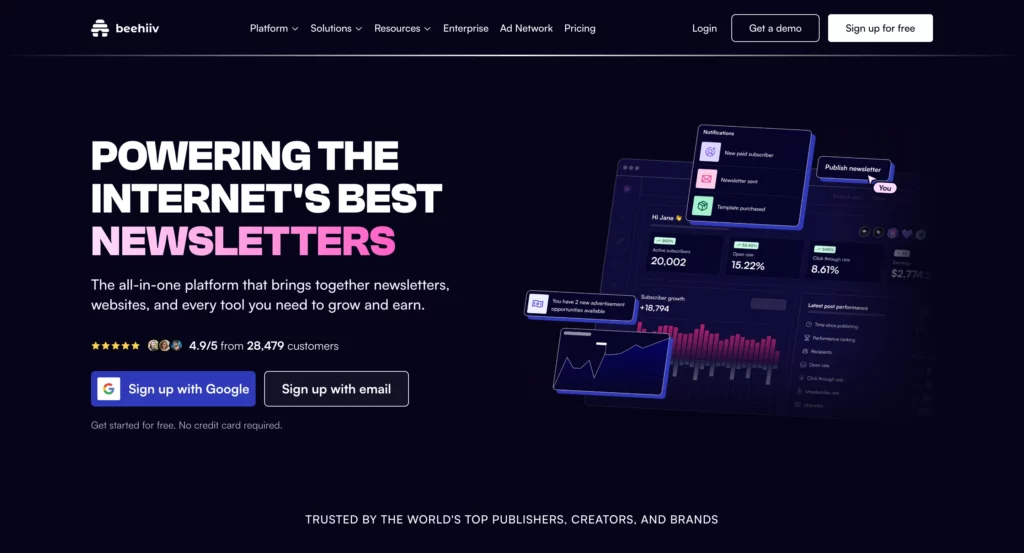
Beehiiv is an innovative newsletter service tailored to publishers and content producers alike, offering AI tools for content enhancement, audience expansion, and even writing assistance.
It’s more than just email marketing; it offers AI writing tools focused on creating newsletters, optimizing subject lines, analyzing customer interaction to increase engagement, and even automating customer engagement workflows. beehiiv even suggests content ideas using AI based on trending topics.
The company can also write certain newsletter sections and smartly configure audience engagement for different segments.
The company’s designers, who are best known for Morning Brew, with millions of subscribers, therefore apply the best-known methods for newsletter growth and monetization to the software.
beehiiv Ratings & Reviews:
- G2: ⭐ 4.5/5 (29 reviews)
- Capterra: ⭐ 4.4/5 (13 reviews)
- Trustpilot: ⭐ 3.6/5 (202 reviews)
beehiiv Pros:
- AI writing assistant helps generate newsletter content and suggests improvements based on engagement data
- Advanced analytics provide detailed insights into subscriber behavior and content performance patterns
- Built-in monetization tools, including ad network, premium subscriptions, and referral programs
- Designed by newsletter experts who understand the specific challenges of growing and monetizing email audiences
beehiiv Cons:
- A relatively new platform means fewer integrations compared to established email marketing tools
- AI content suggestions can sometimes feel generic and require significant editing to match your voice
- Advanced features and AI capabilities require higher-tier subscriptions, increasing costs as you grow
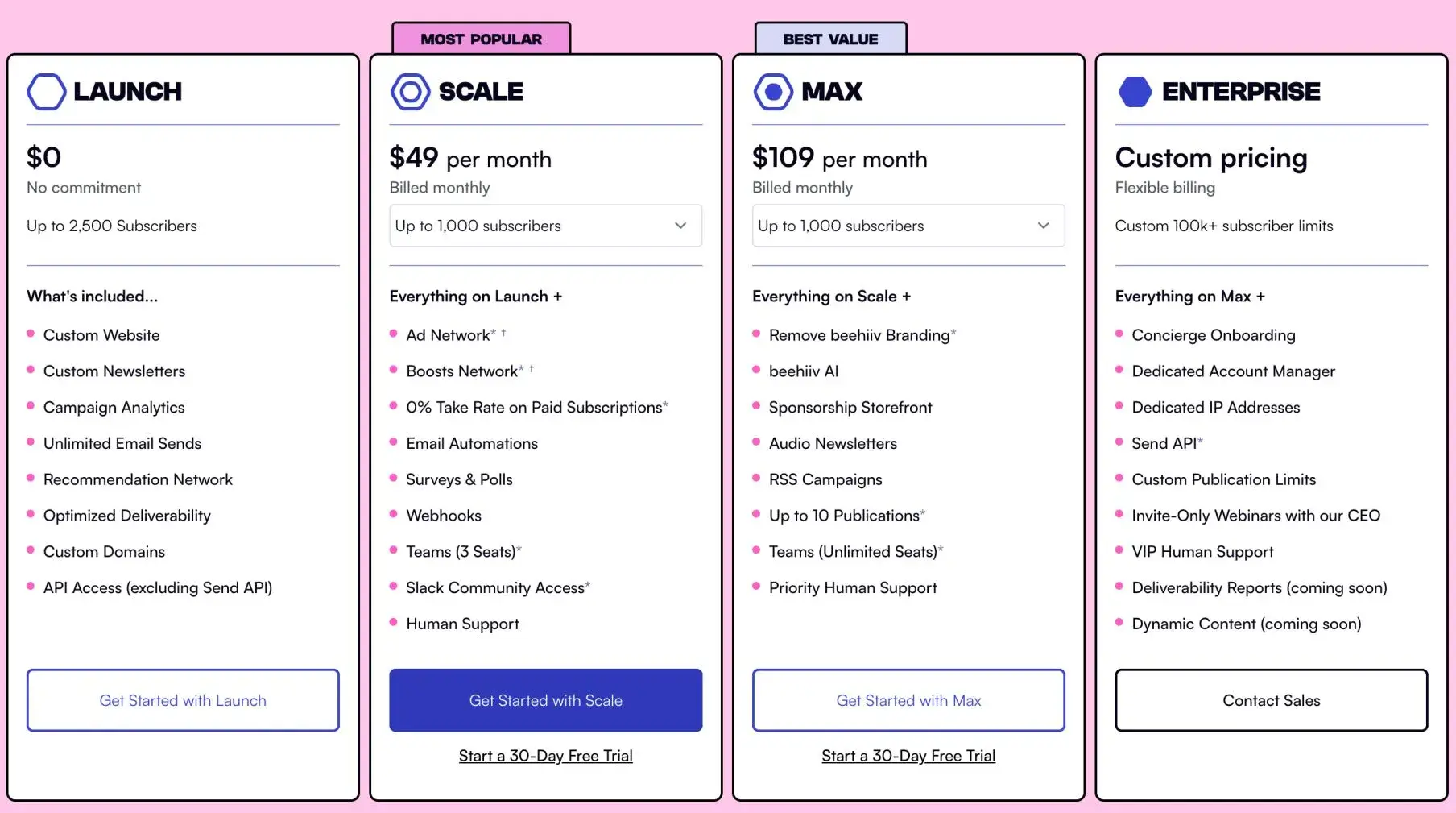
beehiiv Pricing:
33. AdCreative.ai – (for AI ad creatives)
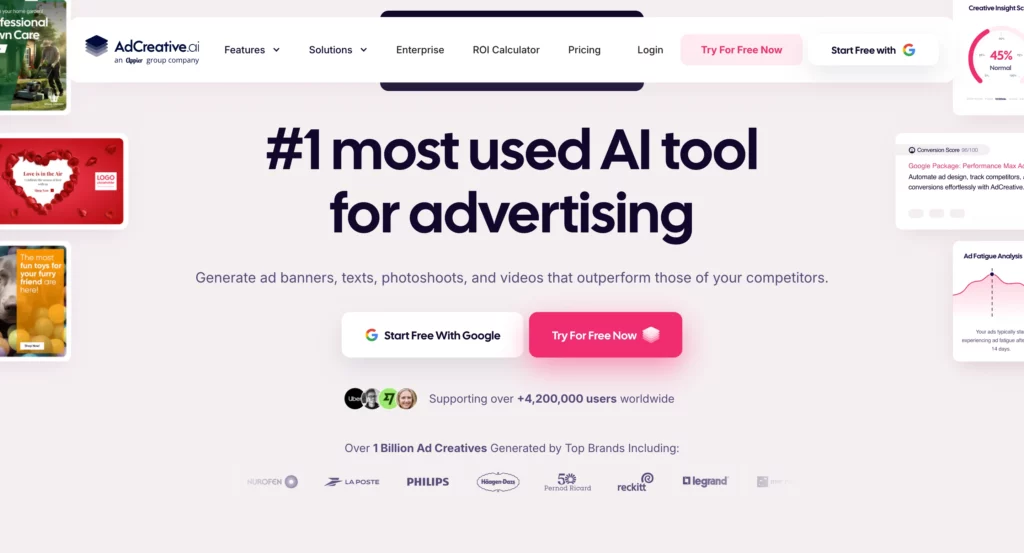
AdCreative.ai is an AI-powered ad creative platform built specifically for performance marketers who need to generate high-converting ad visuals at scale. Instead of briefing a designer and waiting days for output, you connect your brand assets, choose your platform (Google, Facebook, Instagram, LinkedIn), and the AI generates hundreds of ad variants in seconds, each scored by predicted conversion rate before you even launch.
The platform’s Creative Scoring feature is what sets it apart: it ranks generated creatives by predicted CTR based on data from millions of real ad campaigns, so you can prioritize the variants most likely to perform rather than guessing. It also pulls from a library of 100M+ stock images and connects directly to Facebook Ads Manager and Google Ads for one-click deployment, with performance data feeding back in to improve future generations.
AdCreative.ai also includes an AI product photoshoot feature that turns basic product photos into professional-grade visuals, and an image-to-video tool for generating short video ad variants from static images.
AdCreative.ai Ratings & Reviews:
- G2: ⭐ 4.0/5 (ratings available on site)
AdCreative.ai Pros:
- Creative Scoring ranks ad variants by predicted CTR before launch, based on real campaign performance data.
- Generates hundreds of on-brand ad variants in seconds across multiple formats and platforms.
- Direct integration with Facebook Ads Manager and Google Ads allows one-click deployment.
- AI product photoshoot and image-to-video features expand creative output beyond static banners.
- Brand setup pulls colors and assets from your logo automatically, keeping output on-brand from the first generation.
AdCreative.ai Cons:
- Output quality is inconsistent, with users reporting that roughly 30% of generated creatives are usable without manual editing.
- The credit-based pricing model is confusing: credits are consumed at variable rates depending on the AI features you use, making it hard to predict your real monthly cost before you’re already committed.
- Billing transparency is a recurring complaint in user reviews, with multiple reports of unexpected charges and difficulty canceling.
AdCreative.ai Pricing:
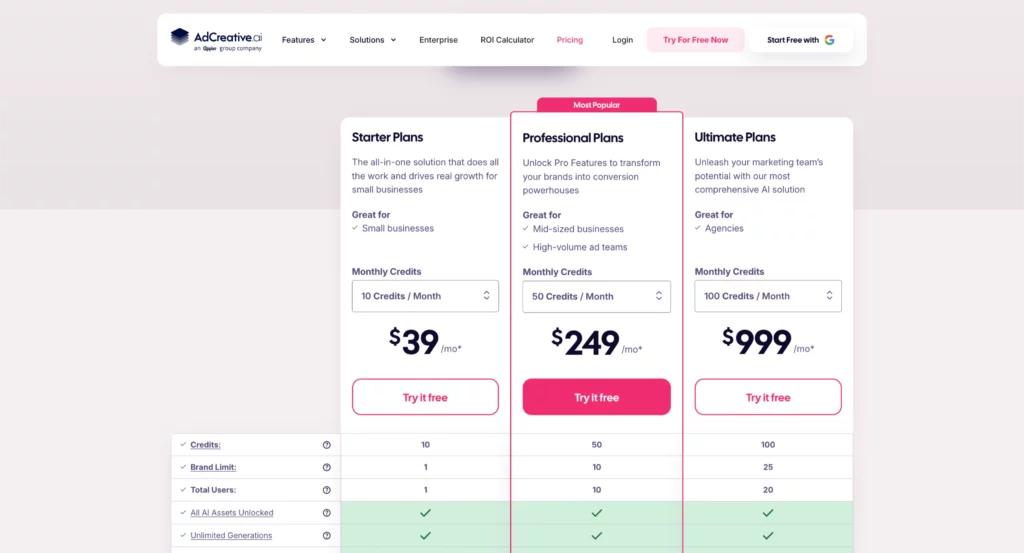
- Starter: $39/month
- Professional: $249/month
- Agency: $999/month
A 7-day free trial is available. Annual billing offers significant discounts. Credits do not roll over between billing cycles.
34. HeyGen – (for AI avatar videos)
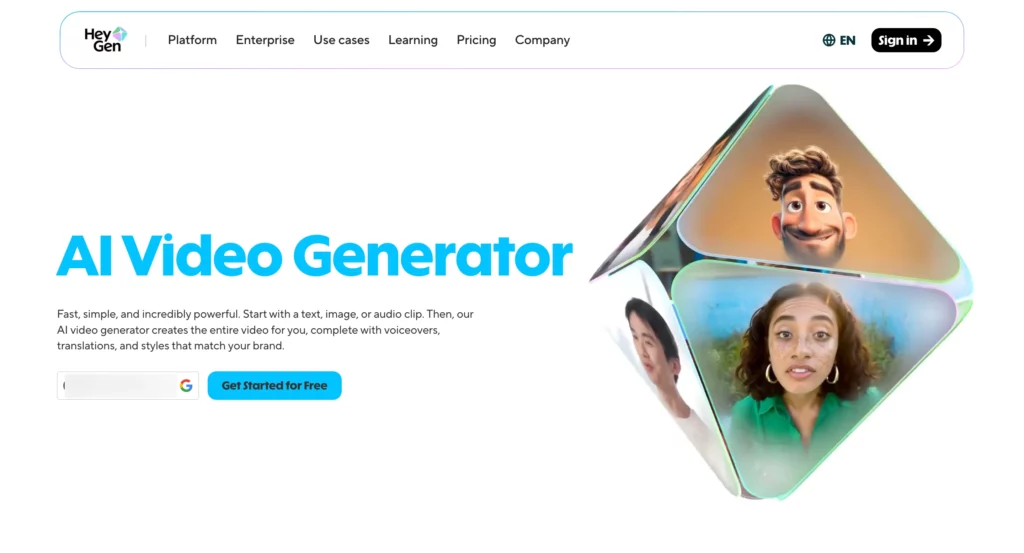
HeyGen is an AI video platform that lets you create professional talking-head videos using realistic AI avatars, without a camera, studio, or actor. You type your script, pick an avatar from a library of 500+, and HeyGen generates a video of that avatar delivering your content naturally in 175+ languages with accurate lip sync.
Where HeyGen pulls ahead of competitors like Synthesia is in avatar realism and flexibility. Its Avatar IV model produces significantly more lifelike movement and expression, and its video translation feature allows you to dub existing videos into other languages with accurate lip sync, making it a powerful tool for agencies and brands running multilingual campaigns.
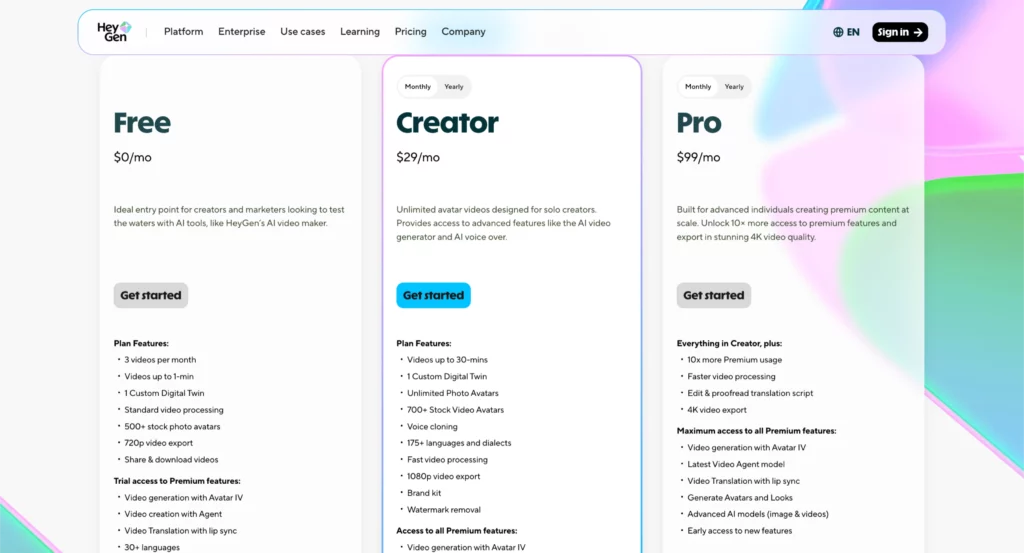
The Creator plan gives you unlimited avatar video generation at 1080p, voice cloning, and a permanent free tier with no credit card required.
Advanced features like Avatar IV and lip-synced translation draw from a monthly Premium Credit pool, which is where costs can increase if your workflow is heavy on those features.
HeyGen Ratings & Reviews:
- G2: ⭐ 4.8/5
- Capterra: ⭐ 4.7/5
HeyGen Pros:
- Avatar IV model produces some of the most realistic AI avatar videos on the market, with natural movement and expression.
- Video translation with lip sync allows you to dub existing videos into 175+ languages, not just add subtitles.
- Unlimited avatar video generation on paid plans removes the per-minute anxiety common with other AI video tools.
- Voice cloning lets you replicate a spokesperson’s voice for consistent branded content at scale.
- Free plan available with no credit card required, offering 3 videos per month to test quality before committing.
HeyGen Cons:
- Premium Credits for advanced features (Avatar IV, lip-synced translation) deplete faster than expected: a single 90-second Avatar IV video can consume nearly half the Creator plan’s monthly credit allocation.
- Credits do not roll over between billing cycles, so unused allocations are lost at month end.
- The Team plan was discontinued in January 2026, pushing team users to the Business plan at a higher per-seat cost.
HeyGen Pricing:
- Free: $0 (3 videos/month, 720p, watermark)
- Creator: $29/month or $24/month billed annually (unlimited 1080p videos, 200 Premium Credits/month)
- Pro: $99/month or $79/month annually (4K, 2,000 Premium Credits/month)
- Business: $149/month for first seat, $20/month per additional seat (team collaboration, 4K)
- Enterprise: Custom pricing
Premium Credit top-up packs available at $15/month for 300 additional credits. Annual billing saves up to 20%.
35. Clay – (for lead enrichment and GTM automation)
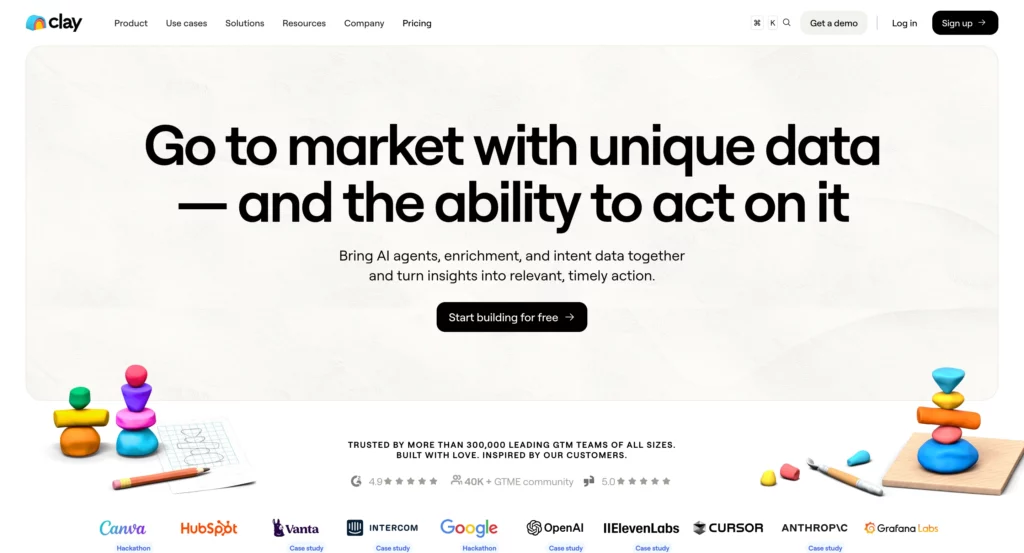
Clay is a data enrichment and GTM automation platform that has become the backbone of outbound sales and performance marketing stacks for growth-focused teams.
Think of it as a supercharged spreadsheet that connects to 150+ data providers simultaneously: instead of subscribing to multiple tools to find emails, phone numbers, firmographic data, and intent signals, Clay pulls from all of them in one waterfall enrichment workflow, stopping as soon as a valid result is found.
The real power is in Claygent, Clay’s AI research agent, which can scrape publicly available web data to surface specific intelligence: a prospect’s recent funding round, the tech stack they’re running, a founder’s LinkedIn posts from the past 30 days.
Combined with AI-generated personalized copy baked directly into the enrichment table, Clay lets growth teams build outreach campaigns that feel hand-researched at a scale no human team could match.
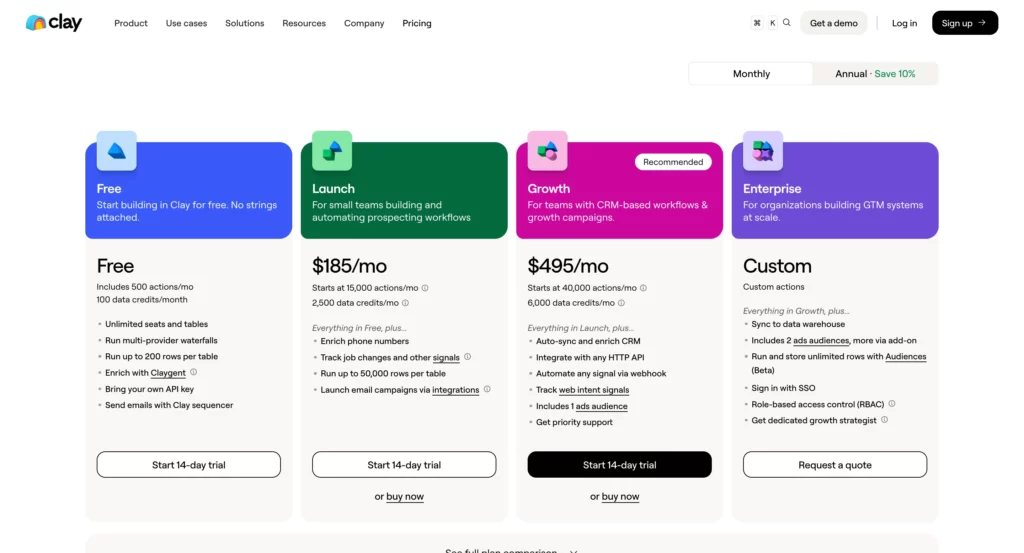
In March 2026, Clay overhauled its pricing, cutting data costs by 50–90% and reducing its three self-serve plans to two (Launch and Growth), alongside its existing Enterprise offering.
Clay Ratings & Reviews:
- G2: ⭐ 4.9/5
Clay Pros:
- Waterfall enrichment pulls from 150+ data providers simultaneously, achieving higher match rates than any single-provider solution.
- Claygent AI research agent can scrape web data and synthesize prospect intelligence at scale, replacing hours of manual research per lead.
- Unlimited users on all plans: pricing is based entirely on credit consumption, not seat count.
- March 2026 pricing overhaul cut data costs by 50-90%, making high-volume enrichment significantly more affordable than before.
- CRM sync, HTTP APIs, and intent signals now included in the Growth plan, previously locked behind the more expensive Pro tier.
Clay Cons:
- Steep learning curve: teams typically spend 20-40 hours building their first production-ready workflow, and non-technical users often struggle to get full value without consultant support.
- Heavy LinkedIn enrichment workflows still effectively require a LinkedIn Sales Navigator subscription ($99/month per user), adding significant cost on top of the Clay plan.
- The credit top-up rate carries a 30% premium over base plan pricing, so teams that consistently exceed their monthly allocation end up paying more per credit than if they had upgraded to the next tier from the start.
Clay Pricing:
- Free: $0 (100 Data Credits/month, basic enrichment)
- Launch: $167/month billed annually, or $185/month billed monthly (2,500 Data Credits, 15,000 Actions/month)
- Growth: $446/month billed annually, or $495/month billed monthly (6,000 Data Credits, 40,000 Actions/month, CRM sync, HTTP APIs, web intent)
- Enterprise: Custom pricing (unlimited rows, data warehouse sync, SSO, RBAC, dedicated growth strategist)
All plans include unlimited seats. Data Credits start at $0.05 each. Actions cost less than $0.01 each. Failed enrichments are not charged.
36. Descript – (for AI video and podcast editing)
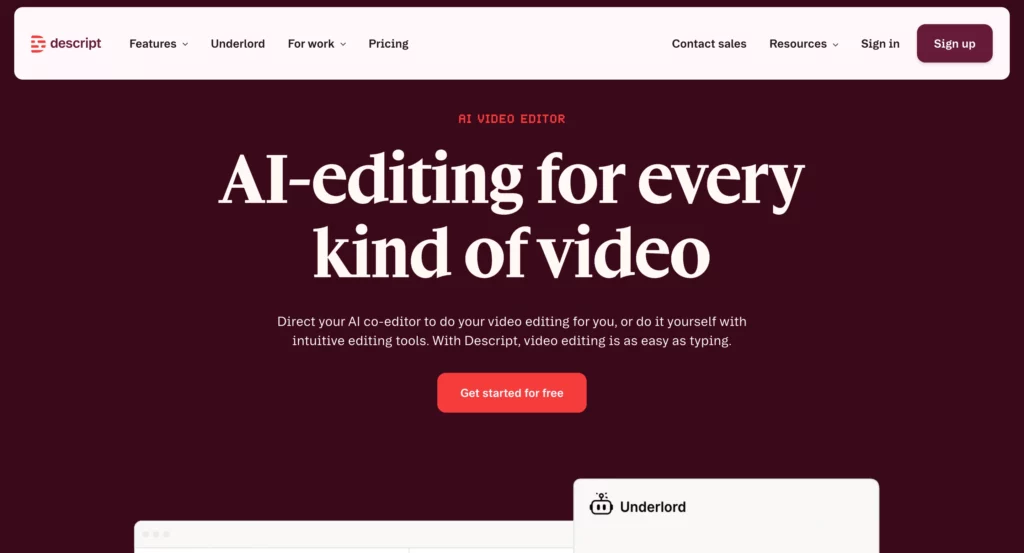
Descript is an AI-powered video and audio editing platform built around a deceptively simple idea: edit your video by editing the transcript.
Every word spoken in a recording becomes editable text, so cutting filler words, removing “ums,” and tightening a 60-minute interview into a 10-minute highlight reel is as fast as deleting sentences in a doc.
For marketing teams producing video content, the AI layer is where Descript earns its place in the stack. Studio Sound cleans up background noise and audio quality in one click.
Eye Contact corrects for speakers looking off-camera. Underlord, Descript’s AI assistant, can generate clips, trailers, and social-ready cuts from a longer recording automatically.
The platform also supports screen recording, remote recording, captions, and multi-language translation, making it a genuine end-to-end production tool for teams that don’t have a dedicated video editor.
Where Descript differs from Synthesia and HeyGen is the use case: those tools generate video from scratch using AI avatars, while Descript is for editing and repurposing real recordings. The two categories complement rather than replace each other.
Descript Ratings & Reviews:
- G2: ⭐ 4.6/5
- Capterra: ⭐ 4.6/5
Descript Pros:
- Text-based editing makes video production accessible to non-editors: cut, rearrange, and clean up recordings by editing the transcript.
- Studio Sound and Eye Contact AI tools deliver broadcast-quality audio and video correction in one click, no post-production expertise needed.
- Underlord AI generates clips, trailers, and social cuts from long-form content automatically, dramatically reducing repurposing time.
- Remote recording, screen capture, captions, and translation make it a genuine all-in-one content production tool.
- Free plan available with 1 hour of transcription per month, enough to test the core workflow before committing.
Descript Cons:
- The shift to a Media Minutes and AI Credits system in late 2025 made costs harder to predict: uploading multiple camera angles for a single project can consume minutes faster than expected.
- Advanced features like brand-wide voice cloning and team Brand Studio are locked behind the Business plan at $50+/user/month.
- Requires a stable internet connection throughout editing, which can be disruptive for users working on the go.
Descript Pricing:
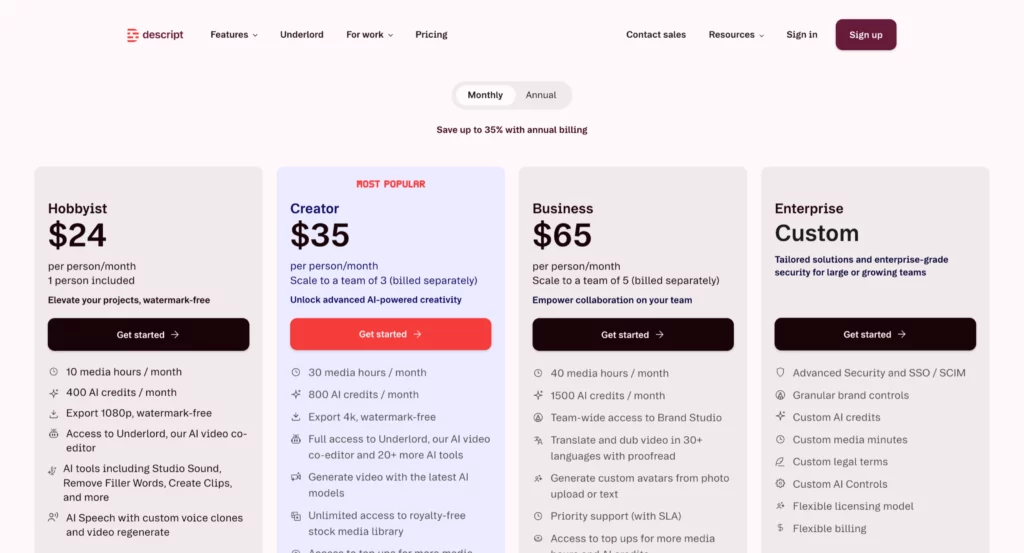
- Free: $0 (1 hour transcription/month, 720p export, 5GB storage)
- Hobbyist: $24/month (10 transcription hours, 1080p, basic AI features)
- Creator: $35/month (30 transcription hours, 4K export, full AI suite)
- Business: $65/month per user (team collaboration, Brand Studio, priority support)
- Enterprise: Custom pricing (SSO, dedicated support, custom onboarding)
Annual billing saves up to 35%. Additional transcription hours available at $2/hour. Education and non-profit plans available at $5/user/month.
37. ClickUp AI – (for AI-powered project and workflow management)
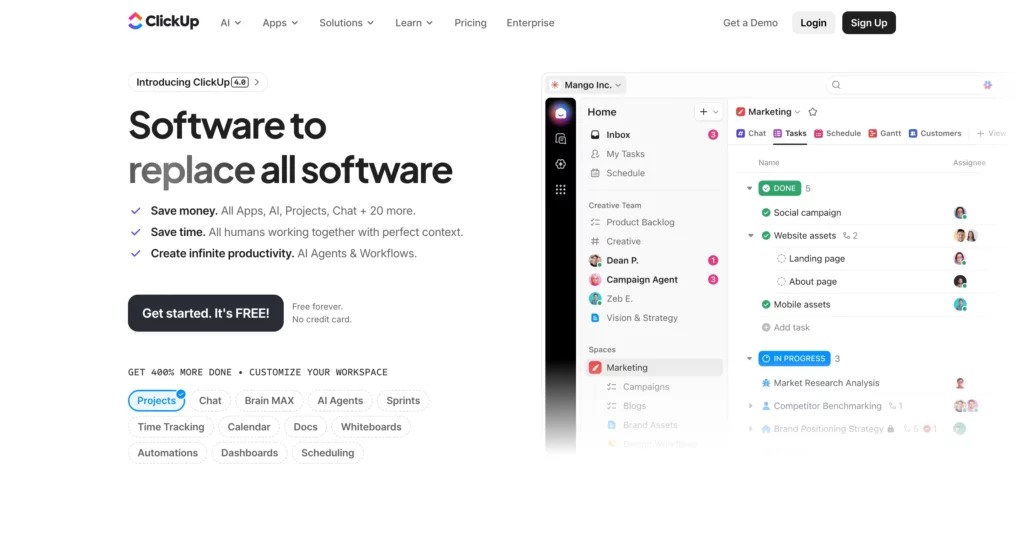
ClickUp is an all-in-one work platform that combines project management, docs, goals, and team communication in one workspace. In 2026, the AI layer has expanded well beyond basic writing assistance into what ClickUp now calls a full AI Platform, covering three distinct products.
ClickUp Brain handles knowledge management, project automation, and AI writing directly inside your workspace. Super Agents, a new addition, lets you delegate entire workflows autonomously: think of them as AI teammates that handle recurring tasks, client updates, and standup reports without you triggering them manually.
Brain MAX goes further, positioning itself as a single AI app that consolidates multiple AI tools into one interface, letting you run different AI models for different tasks without switching between platforms.
For marketing and agency teams managing campaigns, client deliverables, and content calendars, having all of this embedded in the same place where the work lives removes a lot of the friction between your AI tool and your project tool.
The platform also introduced SyncUps in 2026, a built-in video and audio call feature with automatic transcription, AI meeting summaries, and direct task creation from action items, all without leaving ClickUp.
ClickUp Ratings & Reviews:
- G2: ⭐ 4.7/5 (9,000+ reviews)
- Capterra: ⭐ 4.6/5 (4,000+ reviews)
ClickUp AI Pros:
- Brain MAX consolidates multiple AI models into one interface, letting you switch between GPT, Claude, and others for different tasks without leaving ClickUp.
- Super Agents let you delegate entire recurring workflows autonomously: standup reports, client updates, and task creation from meeting notes run without you triggering them manually.
- ClickUp Brain embeds AI across the entire platform: task management, docs, search, and meetings, so you’re not switching between your project tool and a separate AI tool.
- SyncUps built-in video calls with AI transcription and automatic task creation from action items removes the need for a separate meeting tool.
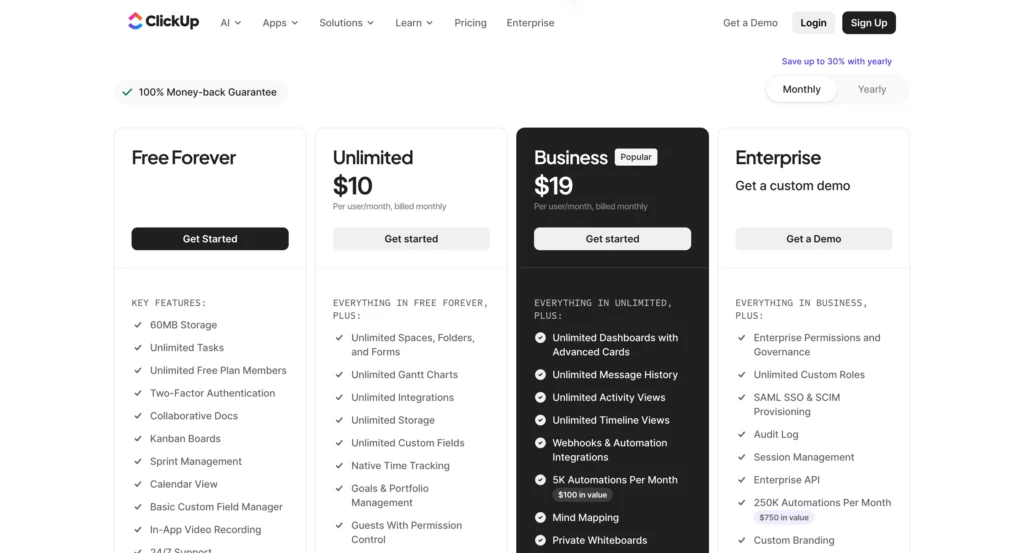
- Extremely affordable base plans ($7-10/user/month) with a generous Free Forever plan, making it accessible for teams of any size before adding the AI layer.
ClickUp AI Cons:
- ClickUp Brain is charged per paid member in the workspace ($7-9/user/month on top of the base plan), regardless of how many users actually use the AI features.
- The platform’s breadth can be overwhelming: the sheer number of features and customization options creates a steep onboarding curve for new teams.
- Performance issues and occasional bugs are a consistent theme in user reviews, particularly on larger workspaces with complex automations.
ClickUp Pricing:
- Free Forever: $0 (unlimited tasks and members, basic features)
- Unlimited: $10/user/month billed monthly, or $7/user/month billed annually
- Business: $19/user/month billed monthly, or $12/user/month billed annually
- Enterprise: Custom pricing (contact sales)
- ClickUp Brain add-on: $7/user/month on top of any paid plan
100% money-back guarantee. Save up to 30% with annual billing. Brain AI add-on includes Brain MAX, Super Agents, and all AI features.
Why AI Marketing Tools Matter More Than Ever in 2026
In 2026, marketing is about the data you have – details on where your competition stands, shifts in trends in your market, and what customers are saying about your offering. There is a wealth of data available, but it is difficult to source manually, and using AI should help streamline this process.
In the 2023 State of Social Media Report, 97% of business leaders agreed that AI would enable companies to better analyze social media data and use it to enhance marketing strategies and decision-making.
What is driving this change?
Information Explosion: Businesses gather terabytes of customer data every day. AI tools can digest this information and derive meaning at superhuman speed.
Real-Time Optimization: Generative AI is enabling new ways to create and distribute content – delivering assets faster, cheaper, and closer to the brand’s needs.
Hyper Personalization at Scale: AI is powering hyper-personalized experiences for millions of customers looking for similar experiences at the same time, and to a similar set of needs – manual processes would be unable to achieve this scale.
Efficiency: Automation allows marketing teams to maximize their time on the strategy and creative work that will eventually create revenue for the firm.
Conclusion
AI marketing tools are not an option anymore – they are a need. By 2026, the companies that are winning are the ones that adopt these telling tools to work smarter, not harder.
Start small and think big. Choose tools to address your biggest issues first, ensure that they integrate fully with your existing tools, and make sure your team is well-trained. Don’t just buy tools because they look cool.
Artificial intelligence won’t replace marketers; it’ll just make you a better marketer. Those tools take care of the repetitive stuff, so you can focus on strategy, creativity, and genuine customer relationships.
The choice is simple: Either start using AI marketing tools now, or get left behind by all of your competitors using them. The time and money you invest in these tools will be paid back quickly, in terms of more efficiency, better targeting, and happier customers.
Transform Your Traffic Into Results
You have seen what AI marketing tools can do. Now put that power into action with LanderLab. Design landing pages that capture more leads, test ideas quickly, and scale campaigns with confidence.
![15 Best Ad Spy Tools for Affiliate Marketers [2026 Comparison]](https://wp.landerlab.io/wp-content/uploads/2024/10/Top-9-Ad-Spy-Tools-in-2025_-1.webp "15 Best Ad Spy Tools for Affiliate Marketers [2026 Comparison]")
![100+ Powerful Call to Action Phrases That Actually Convert [2026]](https://wp.landerlab.io/wp-content/uploads/2025/04/50-Powerful-Call-to-Action-Phrases-that-Convert.webp "100+ Powerful Call to Action Phrases That Actually Convert [2026]")
